Google search engine cheat sheet
Some tips and tricks for using the Google search engine effectively. Instructions on how to make your internet searches more powerful by utilising various search techniques that Google provides.
1. Searching a single website only
Prefix "site:" before the beginning of your chosen site plus any keywords you wish to add
[code language="text"]
site:technical-recipes.com google
[/code]
[caption id="attachment_9428" align="alignnone" width="763"]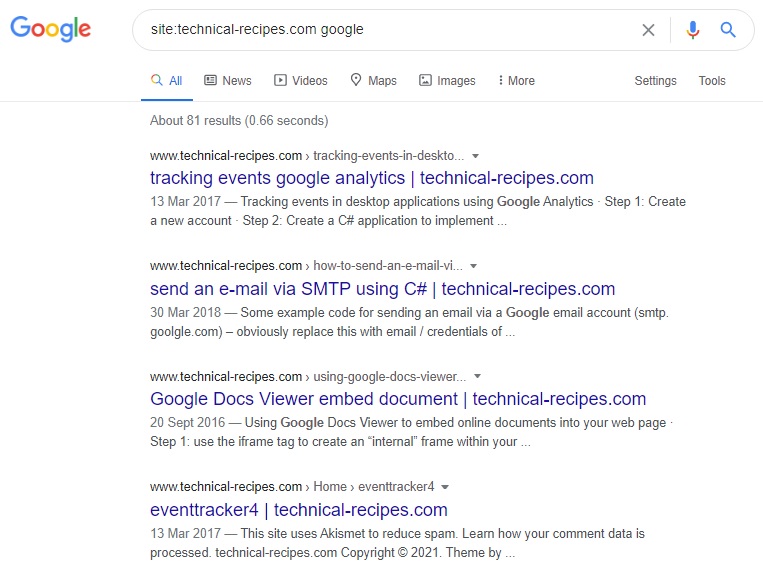 Google search engine cheat[/caption]
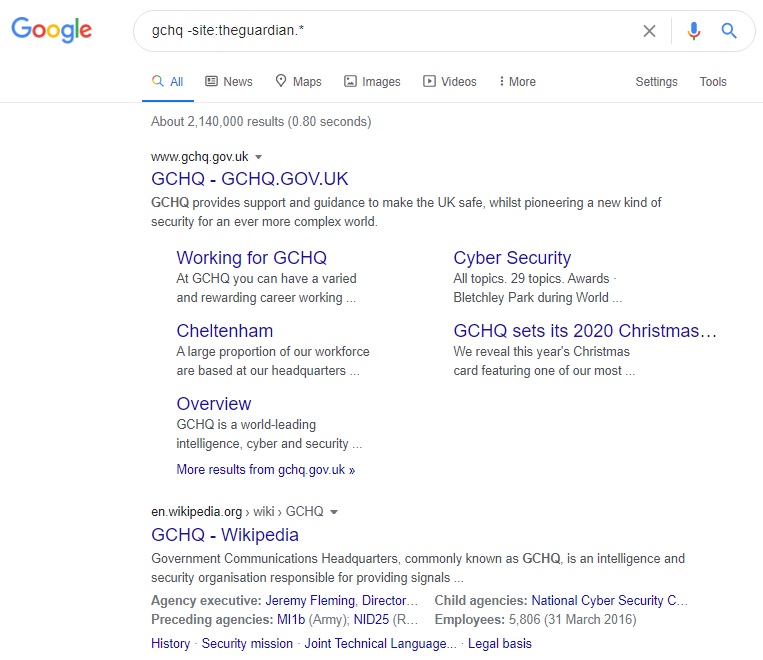
2. Excluding a website
Add a minus sign right before the "site:" expression that represents the site you wish to exclude.
For example, if you wish to search the term "GCHQ" while excluding results from the Guardian newspaper, just use:
[code language="text"]
gchq -site:theguardian.*
[/code]
Google search engine cheat[/caption]
2. Excluding a website
Add a minus sign right before the "site:" expression that represents the site you wish to exclude.
For example, if you wish to search the term "GCHQ" while excluding results from the Guardian newspaper, just use:
[code language="text"]
gchq -site:theguardian.*
[/code]
 3. Including and excluding words
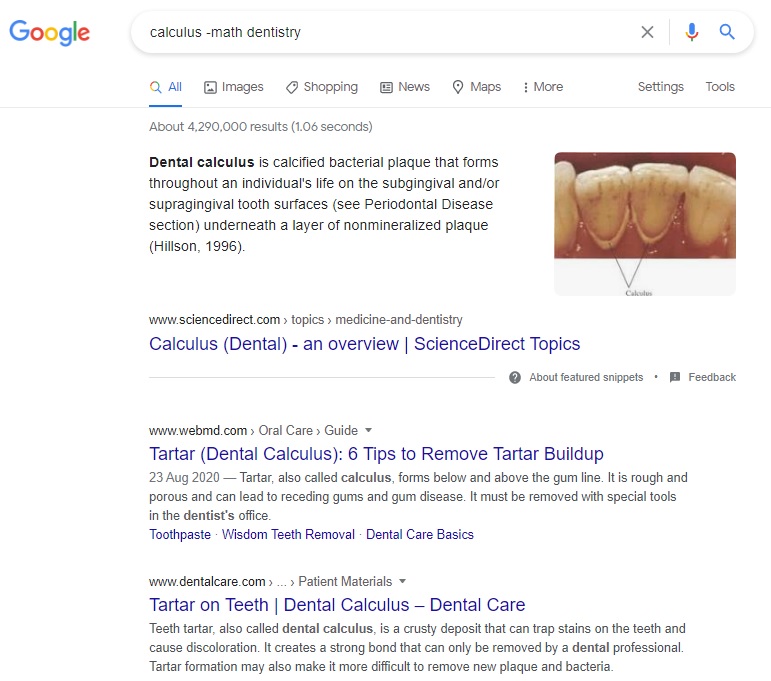
Use the minus sign (-) to exclude search words; otherwise plus (+) or no sign to include words.
Example: if we wish to search the term 'calculus' as applied to dentistry not mathematics use:
[code language="text"]
calculus -math dentistry
[/code]
3. Including and excluding words
Use the minus sign (-) to exclude search words; otherwise plus (+) or no sign to include words.
Example: if we wish to search the term 'calculus' as applied to dentistry not mathematics use:
[code language="text"]
calculus -math dentistry
[/code]
 4. Finding exact matches
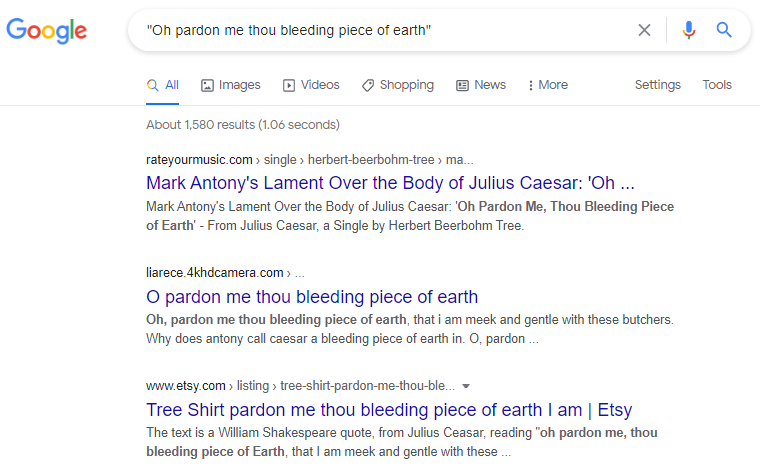
We may wish to find the occurrences of an exact phrase, such as an extract from Shakespeare.
Do this by enclosing the words/phrase in double quotes:
[code language="text"]
"Oh pardon me thou bleeding piece of earth"
[/code]
4. Finding exact matches
We may wish to find the occurrences of an exact phrase, such as an extract from Shakespeare.
Do this by enclosing the words/phrase in double quotes:
[code language="text"]
"Oh pardon me thou bleeding piece of earth"
[/code]
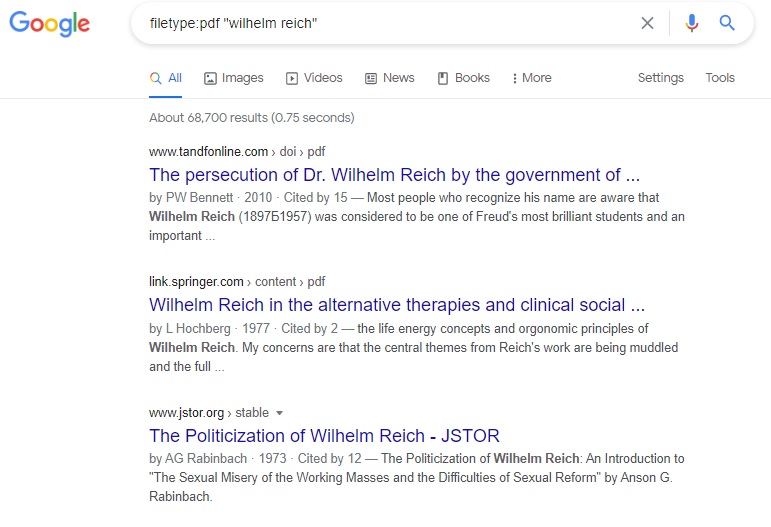
 5. Finding specific file types
Use the 'filetype:' command using the file extension appended with the search terms.
Example: pdf documents by the author "wilhelm reich"
[code language="text"]
filetype:pdf "wilhelm reich"
[/code]
5. Finding specific file types
Use the 'filetype:' command using the file extension appended with the search terms.
Example: pdf documents by the author "wilhelm reich"
[code language="text"]
filetype:pdf "wilhelm reich"
[/code]
 6. Finding pages containing two words/phrases within a given number of words from each other
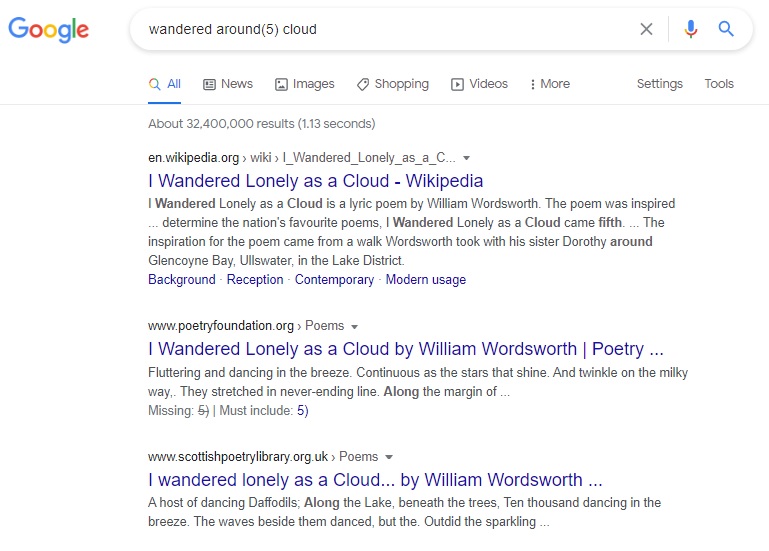
You might use this technique if you can remember two words being used in a phrase but not the complete sentence, and perhaps being no more than 5 words apart.
Use a proximity search: around(x), where x represents the maximum distance between the words.
[code language="text"]
wandered around(5) cloud
[/code]
Giving results for the William Wordsworth poem "I Wandered Lonely as a Cloud"
6. Finding pages containing two words/phrases within a given number of words from each other
You might use this technique if you can remember two words being used in a phrase but not the complete sentence, and perhaps being no more than 5 words apart.
Use a proximity search: around(x), where x represents the maximum distance between the words.
[code language="text"]
wandered around(5) cloud
[/code]
Giving results for the William Wordsworth poem "I Wandered Lonely as a Cloud"
Google search engine cheat[/caption]
2. Excluding a website
Add a minus sign right before the "site:" expression that represents the site you wish to exclude.
For example, if you wish to search the term "GCHQ" while excluding results from the Guardian newspaper, just use:
[code language="text"]
gchq -site:theguardian.*
[/code]
3. Including and excluding words
Use the minus sign (-) to exclude search words; otherwise plus (+) or no sign to include words.
Example: if we wish to search the term 'calculus' as applied to dentistry not mathematics use:
[code language="text"]
calculus -math dentistry
[/code]
4. Finding exact matches
We may wish to find the occurrences of an exact phrase, such as an extract from Shakespeare.
Do this by enclosing the words/phrase in double quotes:
[code language="text"]
"Oh pardon me thou bleeding piece of earth"
[/code]
5. Finding specific file types
Use the 'filetype:' command using the file extension appended with the search terms.
Example: pdf documents by the author "wilhelm reich"
[code language="text"]
filetype:pdf "wilhelm reich"
[/code]
6. Finding pages containing two words/phrases within a given number of words from each other
You might use this technique if you can remember two words being used in a phrase but not the complete sentence, and perhaps being no more than 5 words apart.
Use a proximity search: around(x), where x represents the maximum distance between the words.
[code language="text"]
wandered around(5) cloud
[/code]
Giving results for the William Wordsworth poem "I Wandered Lonely as a Cloud"


Comments
Post a Comment