Getting started with Chocolatey packages
Simple example
Taken from chocolatey.org documentation that shows you how to create a basic package to install Notepad++.
Open a command prompt and navigate to a preferred location and enter 'choco new notepadplusplus' to create the package files etc:
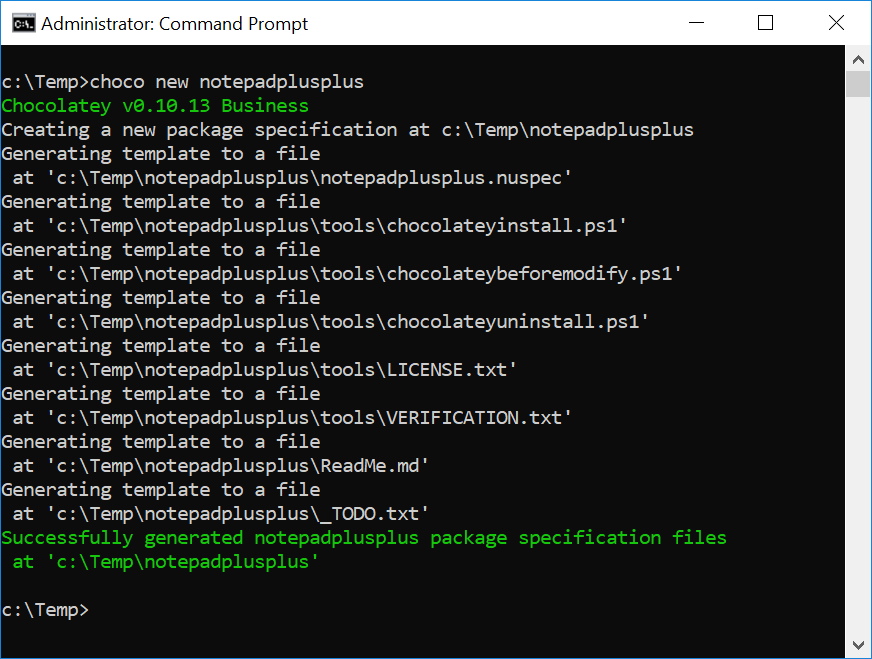 This will create the basic structure as shown:
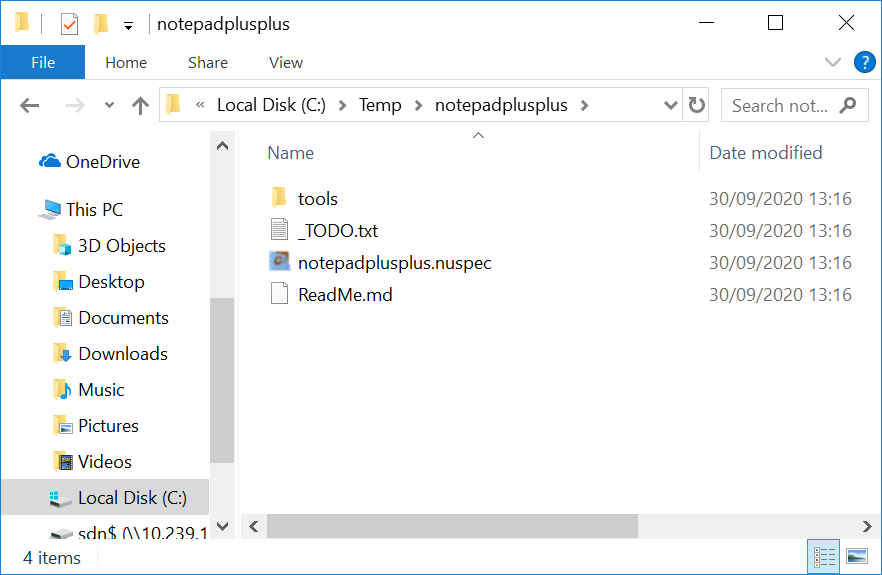 notepadplusplus.nuspec
Edit the notepadplusplus.nuspec file as follows (modify the version number according to what Notepad++ version yuo are installing)
[code lang="xml"]
<?xml version="1.0" encoding="utf-8"?>
<package xmlns="http://schemas.microsoft.com/packaging/2015/06/nuspec.xsd">
<metadata>
<id>notepadplusplus</id>
<title>Notepad++ (Install)</title>
<version>7.0</version>
<authors>Don Ho</authors>
<owners>my company</owners> <!-- also known as package mantainers -->
<description>Notepad++ is a free (as in "free speech" and also as in "free beer") source code editor and Notepad replacement that supports several languages.</description>
</metadata>
<files>
<file src="tools\**" target="tools" />
</files>
</package>
[/code]
chocolateyInstall.ps1
Edit the chocolateyInstall.ps1 file as follows (again, tailor the notepad++ file name according to the version you have downloaded):
[code lang="xml"]
$ErrorActionPreference = 'Stop';
$packageName= 'notepadplusplus'
$toolsDir = "$(Split-Path -parent $MyInvocation.MyCommand.Definition)"
$fileLocation = Join-Path $toolsDir 'npp.7.Installer.x64.exe'
$packageArgs = @{
packageName = $packageName
fileType = 'exe'
file = $fileLocation
silentArgs = "/S"
validExitCodes= @(0)
[/code]
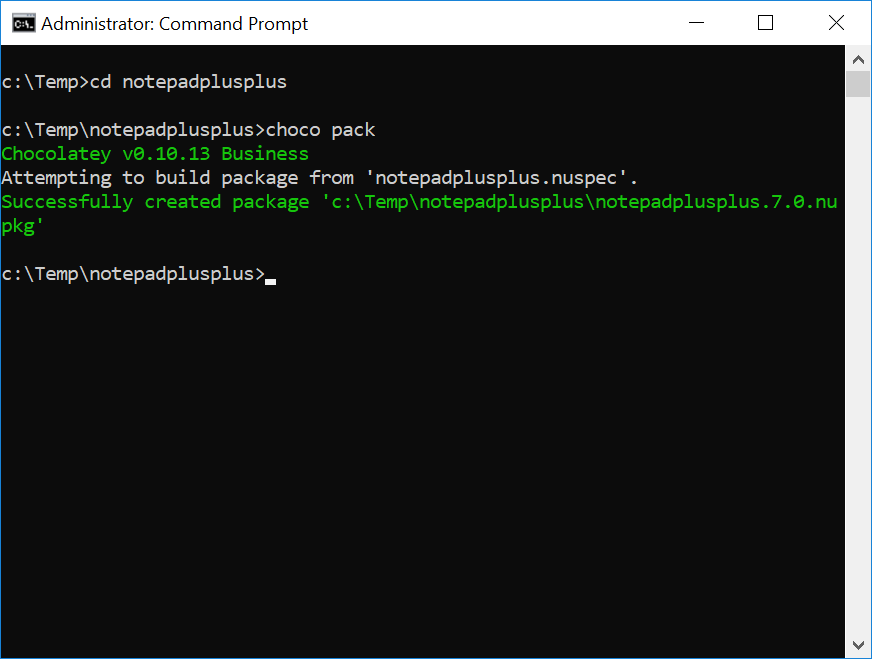
To build the choco package, navigate to the notepadplusplus folder and enter 'choco pack':
notepadplusplus.nuspec
Edit the notepadplusplus.nuspec file as follows (modify the version number according to what Notepad++ version yuo are installing)
[code lang="xml"]
<?xml version="1.0" encoding="utf-8"?>
<package xmlns="http://schemas.microsoft.com/packaging/2015/06/nuspec.xsd">
<metadata>
<id>notepadplusplus</id>
<title>Notepad++ (Install)</title>
<version>7.0</version>
<authors>Don Ho</authors>
<owners>my company</owners> <!-- also known as package mantainers -->
<description>Notepad++ is a free (as in "free speech" and also as in "free beer") source code editor and Notepad replacement that supports several languages.</description>
</metadata>
<files>
<file src="tools\**" target="tools" />
</files>
</package>
[/code]
chocolateyInstall.ps1
Edit the chocolateyInstall.ps1 file as follows (again, tailor the notepad++ file name according to the version you have downloaded):
[code lang="xml"]
$ErrorActionPreference = 'Stop';
$packageName= 'notepadplusplus'
$toolsDir = "$(Split-Path -parent $MyInvocation.MyCommand.Definition)"
$fileLocation = Join-Path $toolsDir 'npp.7.Installer.x64.exe'
$packageArgs = @{
packageName = $packageName
fileType = 'exe'
file = $fileLocation
silentArgs = "/S"
validExitCodes= @(0)
[/code]
To build the choco package, navigate to the notepadplusplus folder and enter 'choco pack':
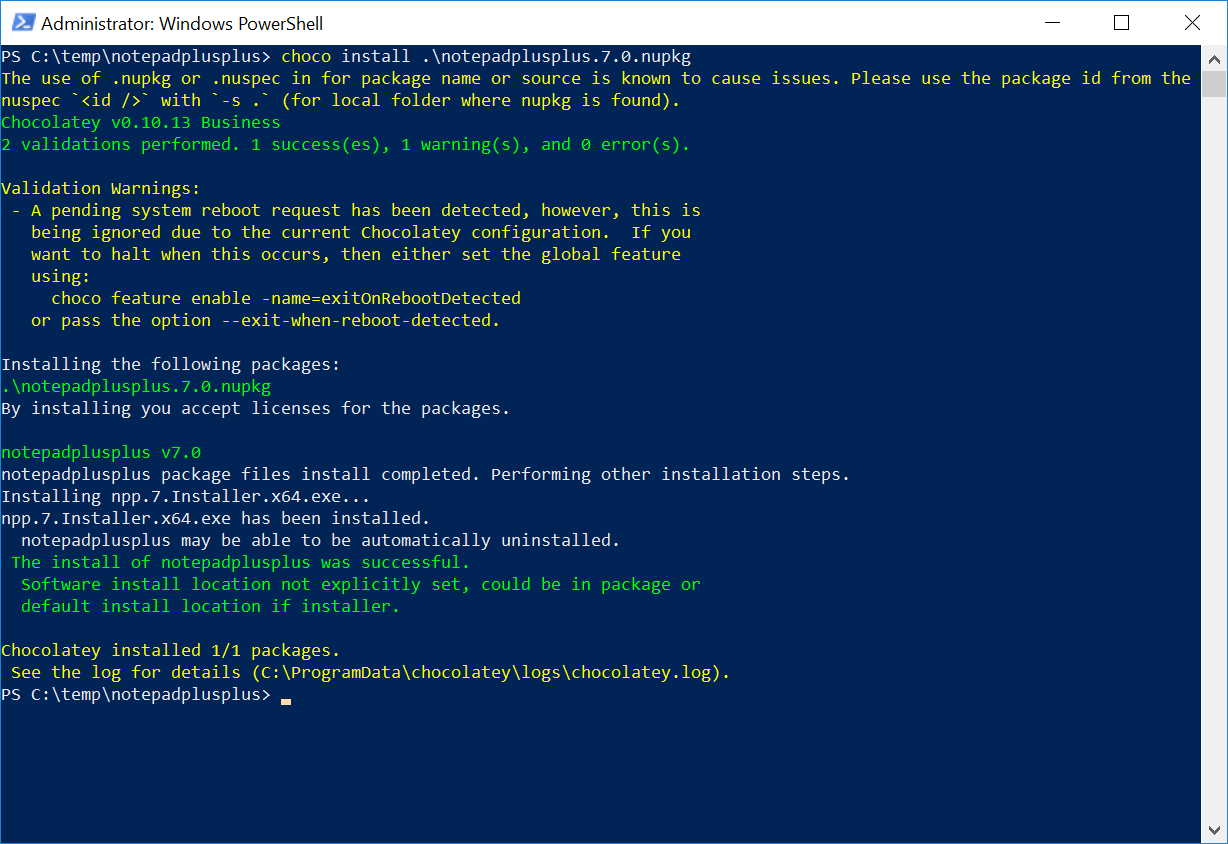
 You should then be able to install your choco package using PowerShell:
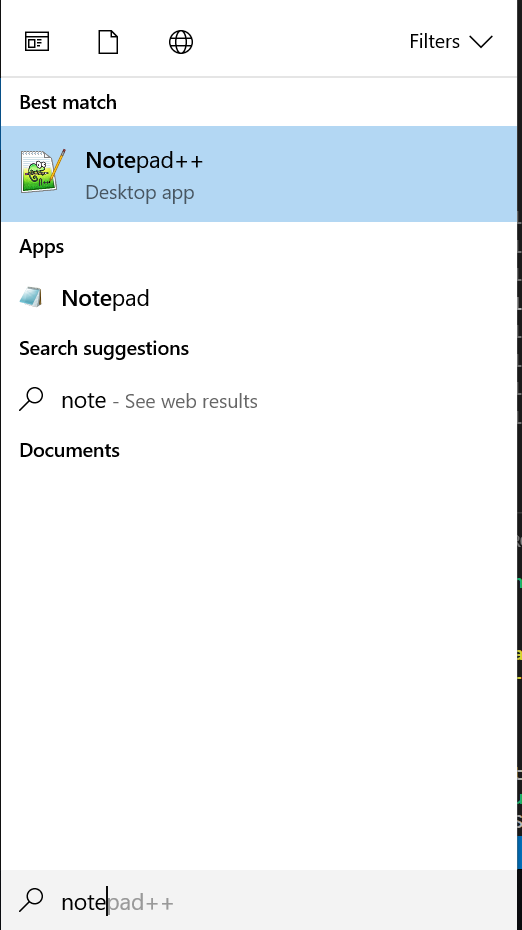
 Verify that Notepad++ appears in your startup:
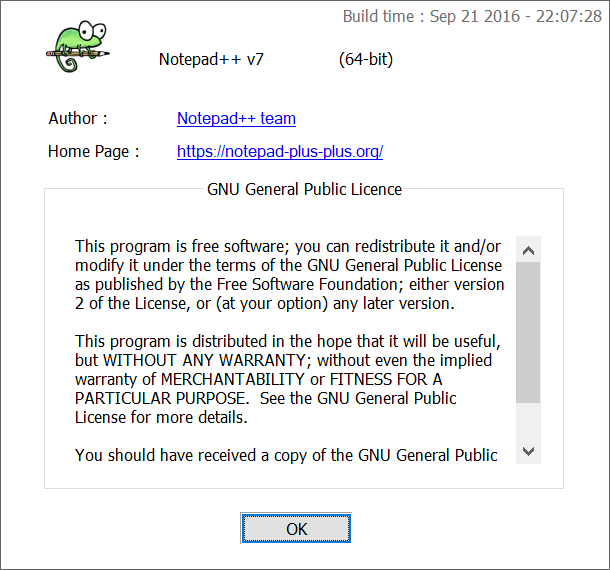
 ... and is the correct version installed via Help > About Notepad++:
This will create the basic structure as shown:
notepadplusplus.nuspec
Edit the notepadplusplus.nuspec file as follows (modify the version number according to what Notepad++ version yuo are installing)
[code lang="xml"]
<?xml version="1.0" encoding="utf-8"?>
<package xmlns="http://schemas.microsoft.com/packaging/2015/06/nuspec.xsd">
<metadata>
<id>notepadplusplus</id>
<title>Notepad++ (Install)</title>
<version>7.0</version>
<authors>Don Ho</authors>
<owners>my company</owners> <!-- also known as package mantainers -->
<description>Notepad++ is a free (as in "free speech" and also as in "free beer") source code editor and Notepad replacement that supports several languages.</description>
</metadata>
<files>
<file src="tools\**" target="tools" />
</files>
</package>
[/code]
chocolateyInstall.ps1
Edit the chocolateyInstall.ps1 file as follows (again, tailor the notepad++ file name according to the version you have downloaded):
[code lang="xml"]
$ErrorActionPreference = 'Stop';
$packageName= 'notepadplusplus'
$toolsDir = "$(Split-Path -parent $MyInvocation.MyCommand.Definition)"
$fileLocation = Join-Path $toolsDir 'npp.7.Installer.x64.exe'
$packageArgs = @{
packageName = $packageName
fileType = 'exe'
file = $fileLocation
silentArgs = "/S"
validExitCodes= @(0)
[/code]
To build the choco package, navigate to the notepadplusplus folder and enter 'choco pack':
You should then be able to install your choco package using PowerShell:
Verify that Notepad++ appears in your startup:
... and is the correct version installed via Help > About Notepad++:


Comments
Post a Comment