Using Regex to find and replace text in Notepad++
A quick cheat sheet for using Notepad++ to find and replace text in Notepad++.
In all examples, use select Find and Replace (Ctrl + H) to replace all the matches with the desired string or (no string).
And also ensure the 'Regular expression' radio button is set.
[caption id="attachment_9278" align="alignnone" width="573"]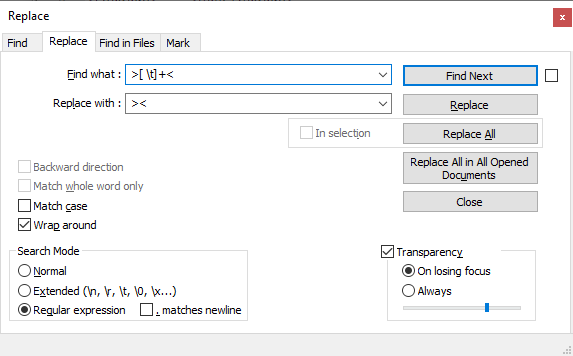 Using Regex to find and replace text[/caption]
Shortcuts to examples covered in this Notepad++ regex tutorial are as follows:
1. Removing arbitrary whitespaces and tabs
2. Insert a newline for every line of text
3. Removing blank lines
4. Replace comma separated list with string list
5. Remove duplicate words
6. Replace with first word from each lines
7. Replace with last word from each line
8. Replace all duplicate lines with a single instance
9. Insert all text into a single line
10. Replace the first line in text
11. Trim additional spaces from sentences
12. Remove unwanted characters
13. Convert string to lower case except for acronyms & abbreviations
14. Remove trailing whitespaces from lines with text and empty lines
15. Find & remove apostrophe from the middle of a word
16. Remove all lines that contain a matching text
1. Removing arbitrary whitespaces and tabs (Back to top)
In this example we replace the whitespaces and tabs between pairs of '> <' strings
Using Regex to find and replace text[/caption]
Shortcuts to examples covered in this Notepad++ regex tutorial are as follows:
1. Removing arbitrary whitespaces and tabs
2. Insert a newline for every line of text
3. Removing blank lines
4. Replace comma separated list with string list
5. Remove duplicate words
6. Replace with first word from each lines
7. Replace with last word from each line
8. Replace all duplicate lines with a single instance
9. Insert all text into a single line
10. Replace the first line in text
11. Trim additional spaces from sentences
12. Remove unwanted characters
13. Convert string to lower case except for acronyms & abbreviations
14. Remove trailing whitespaces from lines with text and empty lines
15. Find & remove apostrophe from the middle of a word
16. Remove all lines that contain a matching text
1. Removing arbitrary whitespaces and tabs (Back to top)
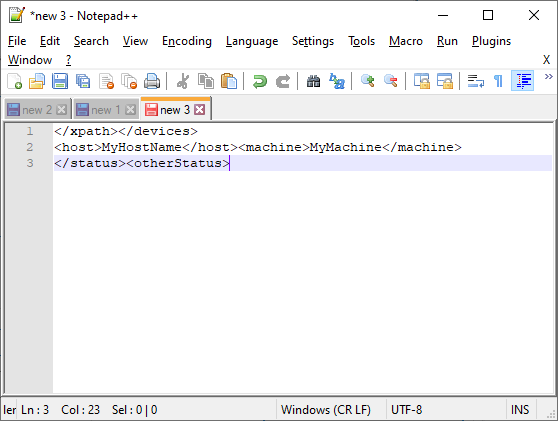
In this example we replace the whitespaces and tabs between pairs of '> <' strings
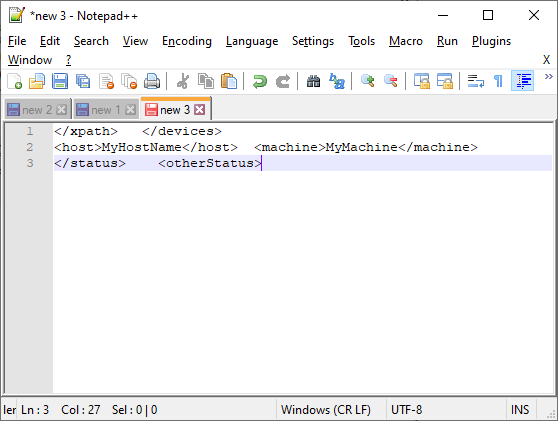 Regex match expression:
(Switch off word wrap so you can see it merge into one line)
[code language="xml"]
>[ \t]+<
[/code]
Replace with:
[code language="xml"]
><
[/code]
Result
Regex match expression:
(Switch off word wrap so you can see it merge into one line)
[code language="xml"]
>[ \t]+<
[/code]
Replace with:
[code language="xml"]
><
[/code]
Result
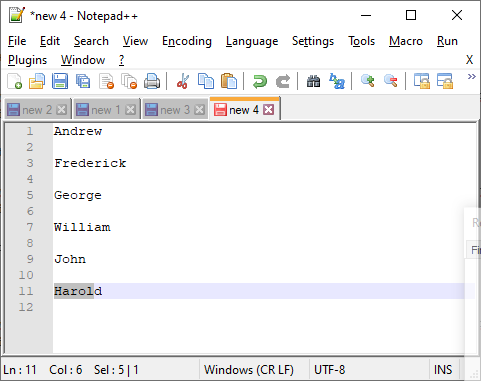
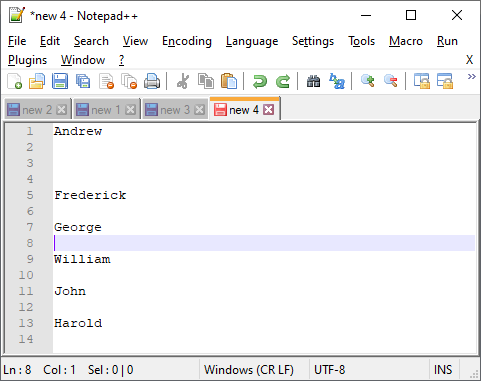
 2. Insert a newline for every line of text (Back to top)
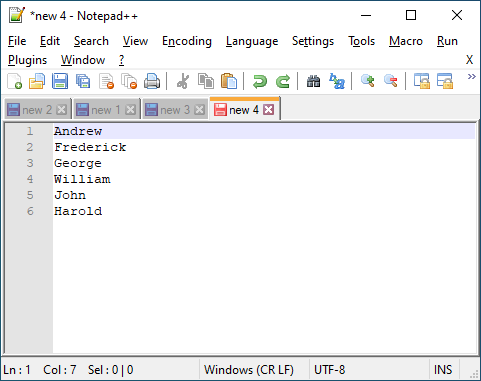 Regex match expression:
[code language="xml"]
(.)$
[/code]
Replace with:
[code language="xml"]
$1\n
[/code]
Result:
Regex match expression:
[code language="xml"]
(.)$
[/code]
Replace with:
[code language="xml"]
$1\n
[/code]
Result:
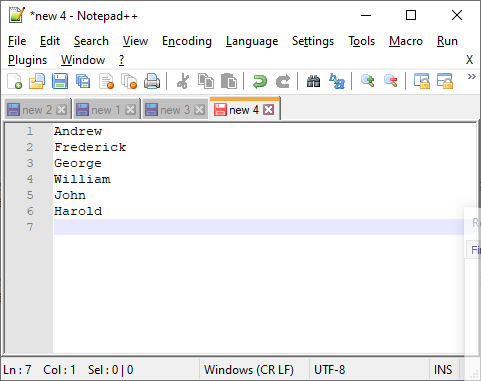
 3. Removing blank lines (Back to top)
 Regex match expression:
[code language="xml"]
^[ \t]*$\r?\n*
[/code]
Replace with:
[code language="xml"]
[/code]
Result:
Regex match expression:
[code language="xml"]
^[ \t]*$\r?\n*
[/code]
Replace with:
[code language="xml"]
[/code]
Result:
 4. Replace comma separated list with string list (Back to top)
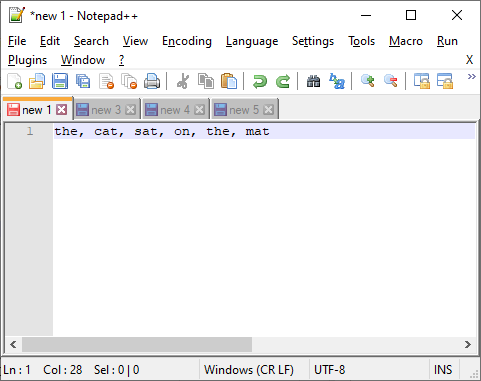 Regex match expression:
[code language="xml"]
,[ \t]+
[/code]
Replace with:
[code language="xml"]
\n
[/code]
Result:
Regex match expression:
[code language="xml"]
,[ \t]+
[/code]
Replace with:
[code language="xml"]
\n
[/code]
Result:
 5. Remove duplicate words (Back to top)
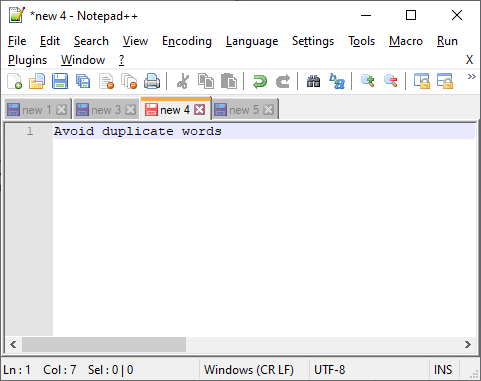
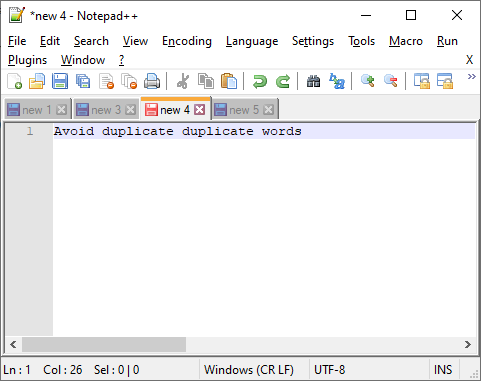 Regex match expression (simple):
[code language="xml"]
\b(\w+)\s+\1\b
[/code]
Replace with:
[code language="xml"]
\1
[/code]
Result:
Regex match expression (simple):
[code language="xml"]
\b(\w+)\s+\1\b
[/code]
Replace with:
[code language="xml"]
\1
[/code]
Result:
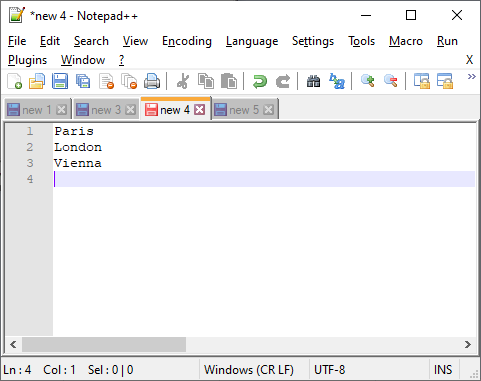
 6. Replace with first word from each line (Back to top)
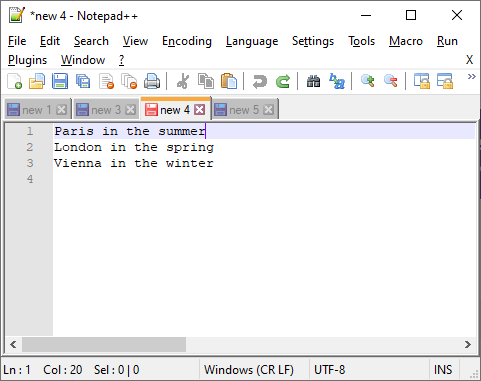 Regex match expression (simple):
[code language="xml"]
^([^ \t]+).*
[/code]
Replace with:
[code language="xml"]
\1
[/code]
Result:
Regex match expression (simple):
[code language="xml"]
^([^ \t]+).*
[/code]
Replace with:
[code language="xml"]
\1
[/code]
Result:
 7. Replace with last word from each line (Back to top)
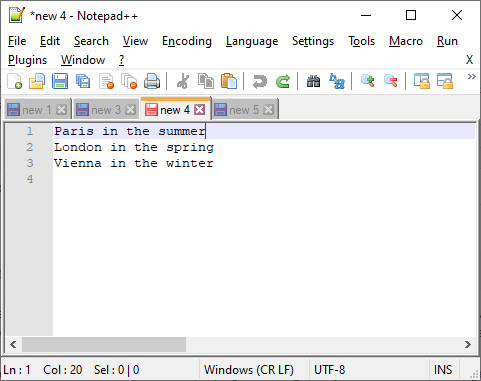 Regex match expression (simple):
[code language="xml"]
(.* )(\w+)$
[/code]
Replace with:
[code language="xml"]
'$2'
[/code]
Result:
Regex match expression (simple):
[code language="xml"]
(.* )(\w+)$
[/code]
Replace with:
[code language="xml"]
'$2'
[/code]
Result:
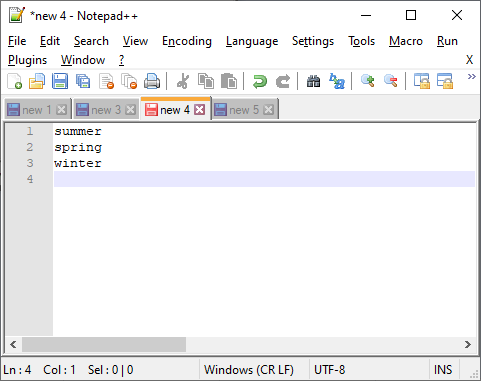 8. Replace all duplicate lines with a single instance (Back to top)
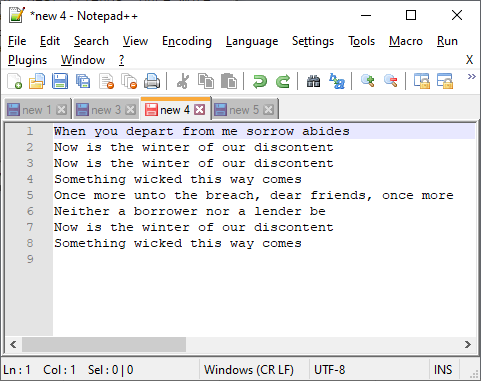 Regex match expression:
[code language="xml"]
(?sm)(^[^\r\n]*)[\r\n](?=.*^\1)
[/code]
Replace with:
[code language="xml"]
[/code]
Result:
Regex match expression:
[code language="xml"]
(?sm)(^[^\r\n]*)[\r\n](?=.*^\1)
[/code]
Replace with:
[code language="xml"]
[/code]
Result:
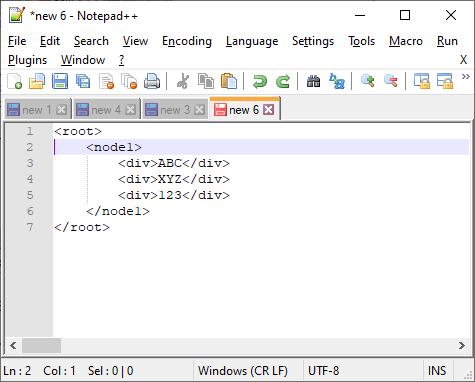
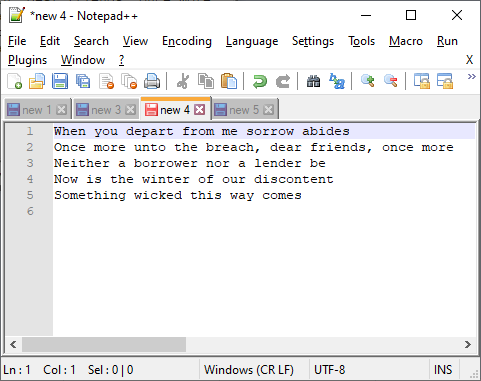 9. Insert all text into a single line (Back to top)
Check that your word wrap is switched off so that you actually see the text get modified.
9. Insert all text into a single line (Back to top)
Check that your word wrap is switched off so that you actually see the text get modified.
 Regex match expression:
[code language="xml"]
\R
[/code]
Replace with:
[code language="xml"]
[/code]
Result:
Regex match expression:
[code language="xml"]
\R
[/code]
Replace with:
[code language="xml"]
[/code]
Result:
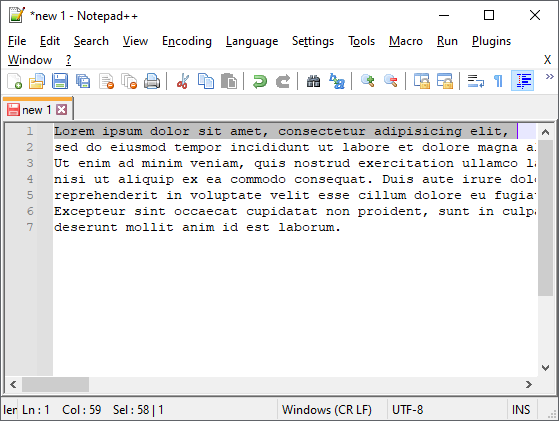
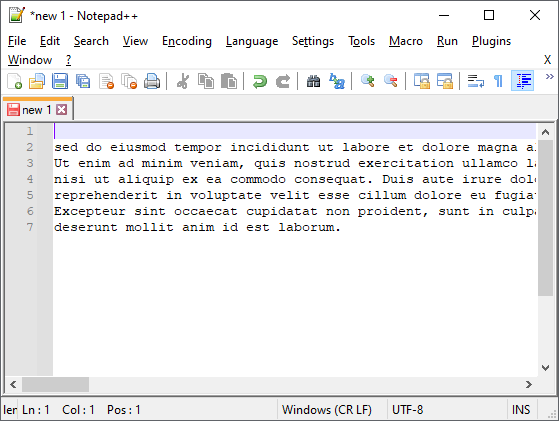
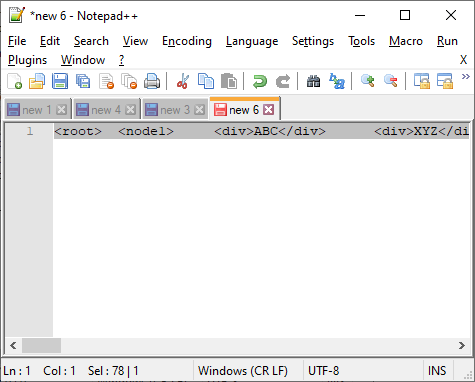 10. Replace the first line in text (Back to top)
In this example we just replace the match with empty text.
10. Replace the first line in text (Back to top)
In this example we just replace the match with empty text.
 Regex match expression:
[code language="xml"]
\A.*
[/code]
Replace with:
[code language="xml"]
[/code]
Result:
Regex match expression:
[code language="xml"]
\A.*
[/code]
Replace with:
[code language="xml"]
[/code]
Result:
 11. Trim additional spaces from sentences (Back to top)
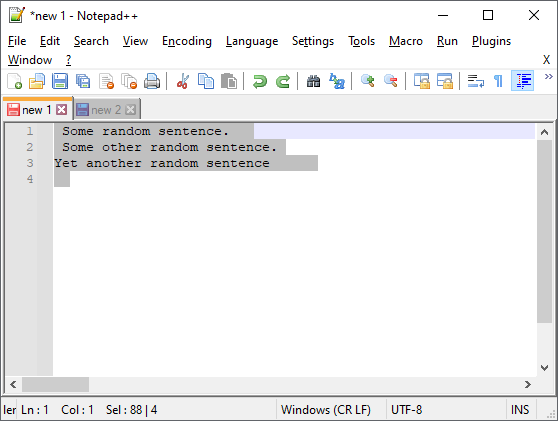
In this example we remove trailing and leading whitespaces from sentences. Original link.
11. Trim additional spaces from sentences (Back to top)
In this example we remove trailing and leading whitespaces from sentences. Original link.
 Regex match expression:
[code language="xml"]
^[\s]*(.*?)[\s]*$
[/code]
Replace with:
[code language="xml"]
$1
[/code]
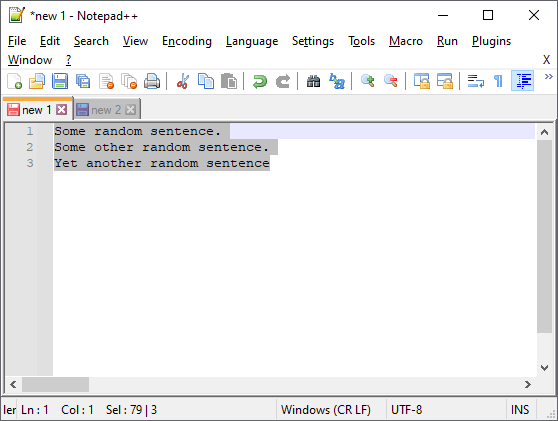
Result:
Regex match expression:
[code language="xml"]
^[\s]*(.*?)[\s]*$
[/code]
Replace with:
[code language="xml"]
$1
[/code]
Result:
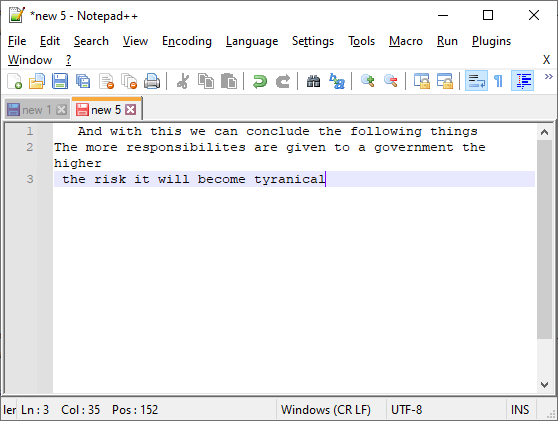
 12. Remove unwanted characters (Back to top)
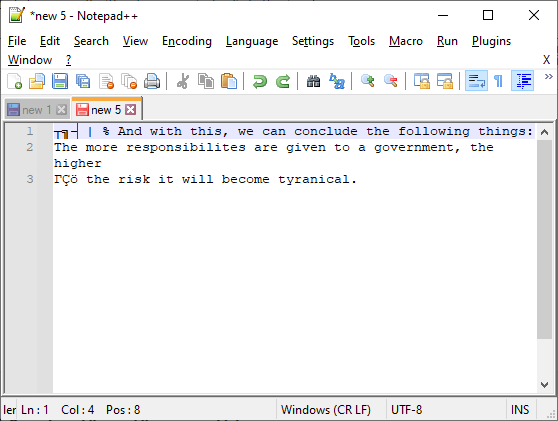
We may wish to remove all special characters except alphanumeric characters, full stops and colons/semi-colons, spaces, tabs, newlines etc:
12. Remove unwanted characters (Back to top)
We may wish to remove all special characters except alphanumeric characters, full stops and colons/semi-colons, spaces, tabs, newlines etc:
 Regex match expression:
[code language="xml"]
[^0-9a-zA-Z \t\n]+
[/code]
Replace with:
[code language="xml"]
[/code]
Result:
Regex match expression:
[code language="xml"]
[^0-9a-zA-Z \t\n]+
[/code]
Replace with:
[code language="xml"]
[/code]
Result:
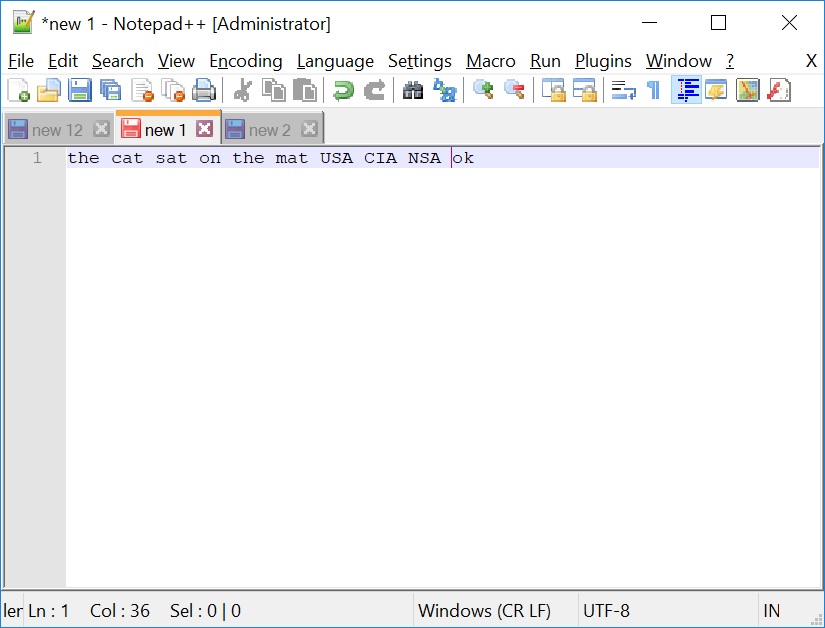
 13. Convert string to lower case except for acronyms & abbreviations (Back to top)
We may wish to ensure the text is converted to lower case except for acronyms & abbreviations which are kept as upper case.
13. Convert string to lower case except for acronyms & abbreviations (Back to top)
We may wish to ensure the text is converted to lower case except for acronyms & abbreviations which are kept as upper case.
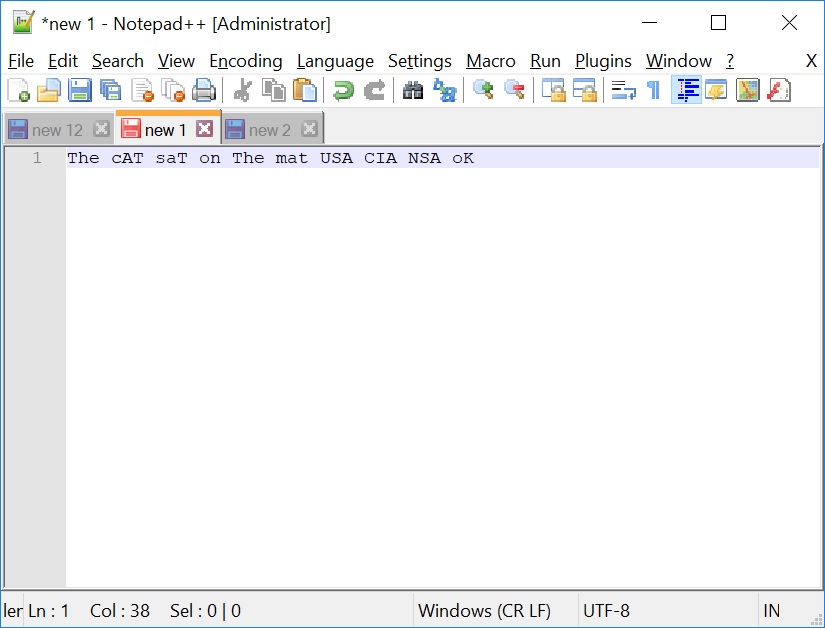 Regex match expression:
[code language="xml"]
\b(?![A-Z]+\b)[a-zA-Z]+
[/code]
Replace with:
[code language="xml"]
\L$0
[/code]
Result:
Regex match expression:
[code language="xml"]
\b(?![A-Z]+\b)[a-zA-Z]+
[/code]
Replace with:
[code language="xml"]
\L$0
[/code]
Result:
 14. Remove trailing whitespaces from lines with text and empty lines (Back to top)
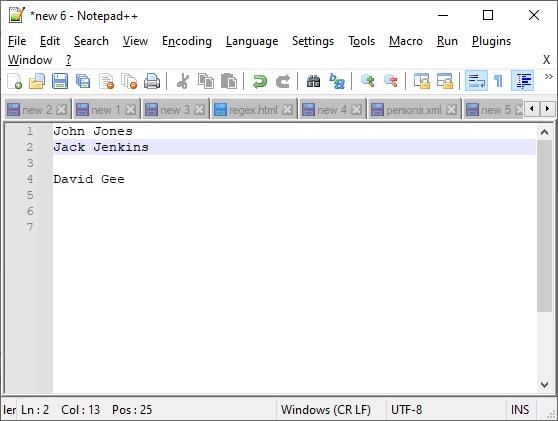
As requested in the comments below, some regex to remove trailing whitespaces from lines with text and empty lines
Answer originally given on this Stack Overflow link.
14. Remove trailing whitespaces from lines with text and empty lines (Back to top)
As requested in the comments below, some regex to remove trailing whitespaces from lines with text and empty lines
Answer originally given on this Stack Overflow link.
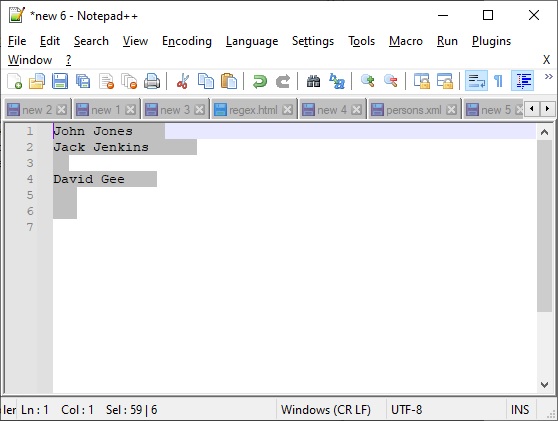 Regex match expression:
[code language="xml"]
[ \t]+$
[/code]
If you need to get rid of instances of ASCII character 160 (non-breaking spaces) just make the following adjustment to your regex match:
[code language="xml"]
[ \t\xA0]+$
[/code]
Replace with:
[code language="xml"]
\1
[/code]
Result:
Regex match expression:
[code language="xml"]
[ \t]+$
[/code]
If you need to get rid of instances of ASCII character 160 (non-breaking spaces) just make the following adjustment to your regex match:
[code language="xml"]
[ \t\xA0]+$
[/code]
Replace with:
[code language="xml"]
\1
[/code]
Result:
 15. Find & remove apostrophe from the middle of a word (Back to top)
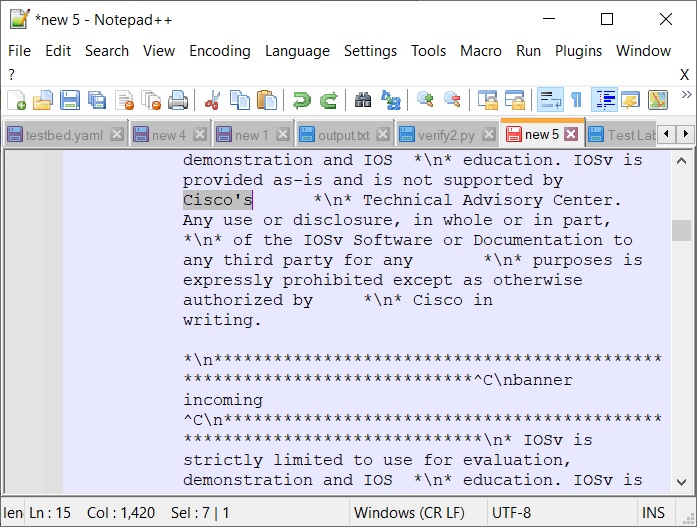
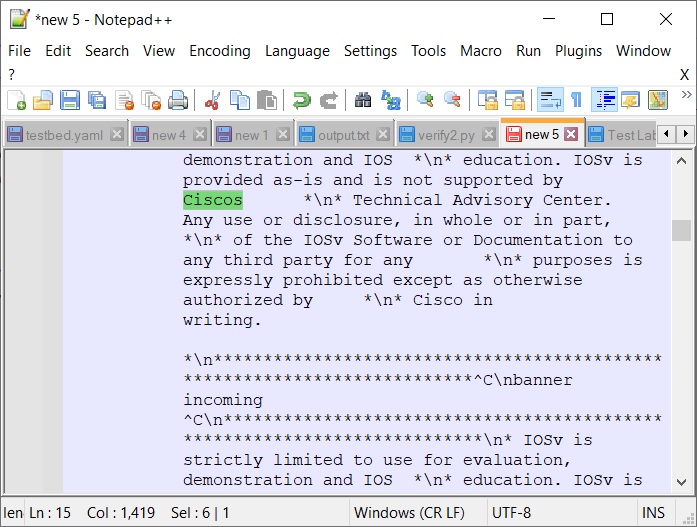
In this example some blurb provided by Cisco as part of a yaml file was causing problems when trying to create a json mapping.
15. Find & remove apostrophe from the middle of a word (Back to top)
In this example some blurb provided by Cisco as part of a yaml file was causing problems when trying to create a json mapping.
 Stack overflow link:
https://stackoverflow.com/questions/44726427/replace-apostrophe-in-the-middle-of-the-word-with-in-java
Regex match expression:
[code language="xml"]
(?<=\p{L})'(?=\p{L})
[/code]
Replace with:
[code language="xml"]
[/code]
Result:
Stack overflow link:
https://stackoverflow.com/questions/44726427/replace-apostrophe-in-the-middle-of-the-word-with-in-java
Regex match expression:
[code language="xml"]
(?<=\p{L})'(?=\p{L})
[/code]
Replace with:
[code language="xml"]
[/code]
Result:
 16. Remove all lines that contain a matching text (Back to top)
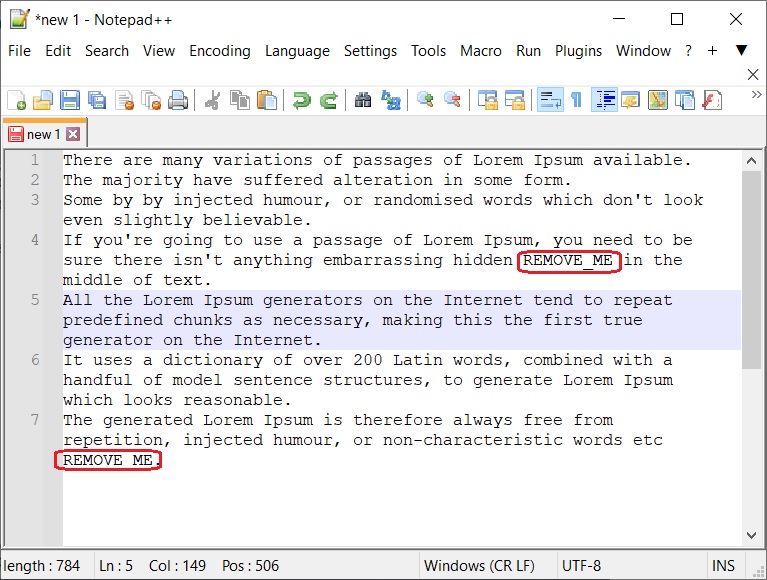
When you want to remove all lines that contain a matching piece of text. In this example we will remove all lines containing the text "REMOVE_ME".
Hat-tip: https://stackoverflow.com/questions/5876296/regex-remove-lines-containing-help-etc
16. Remove all lines that contain a matching text (Back to top)
When you want to remove all lines that contain a matching piece of text. In this example we will remove all lines containing the text "REMOVE_ME".
Hat-tip: https://stackoverflow.com/questions/5876296/regex-remove-lines-containing-help-etc
 Regex match expression:
[code language="xml"]
.*REMOVE_ME.*\r?\n
[/code]
Replace with:
[code language="xml"]
[/code]
Result:
Regex match expression:
[code language="xml"]
.*REMOVE_ME.*\r?\n
[/code]
Replace with:
[code language="xml"]
[/code]
Result:
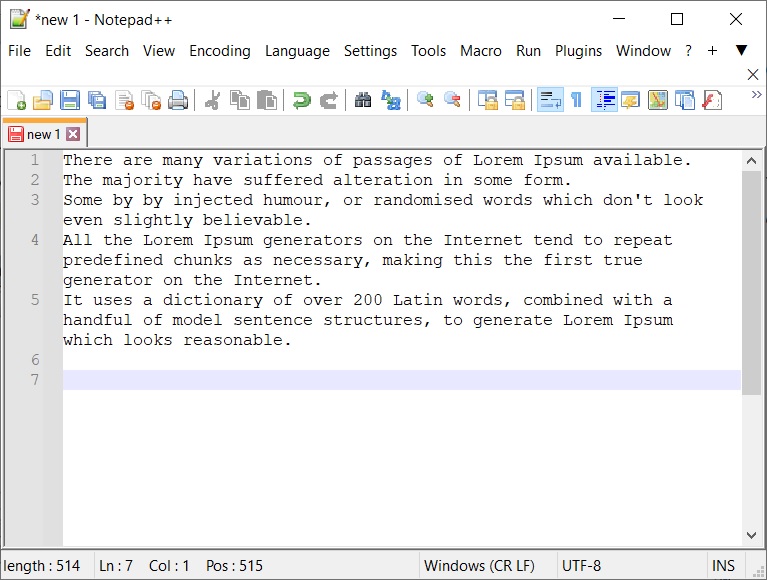
Using Regex to find and replace text[/caption]
Shortcuts to examples covered in this Notepad++ regex tutorial are as follows:
1. Removing arbitrary whitespaces and tabs
2. Insert a newline for every line of text
3. Removing blank lines
4. Replace comma separated list with string list
5. Remove duplicate words
6. Replace with first word from each lines
7. Replace with last word from each line
8. Replace all duplicate lines with a single instance
9. Insert all text into a single line
10. Replace the first line in text
11. Trim additional spaces from sentences
12. Remove unwanted characters
13. Convert string to lower case except for acronyms & abbreviations
14. Remove trailing whitespaces from lines with text and empty lines
15. Find & remove apostrophe from the middle of a word
16. Remove all lines that contain a matching text
1. Removing arbitrary whitespaces and tabs (Back to top)
In this example we replace the whitespaces and tabs between pairs of '> <' strings
Regex match expression:
(Switch off word wrap so you can see it merge into one line)
[code language="xml"]
>[ \t]+<
[/code]
Replace with:
[code language="xml"]
><
[/code]
Result
2. Insert a newline for every line of text (Back to top)
Regex match expression:
[code language="xml"]
(.)$
[/code]
Replace with:
[code language="xml"]
$1\n
[/code]
Result:
3. Removing blank lines (Back to top)
Regex match expression:
[code language="xml"]
^[ \t]*$\r?\n*
[/code]
Replace with:
[code language="xml"]
[/code]
Result:
4. Replace comma separated list with string list (Back to top)
Regex match expression:
[code language="xml"]
,[ \t]+
[/code]
Replace with:
[code language="xml"]
\n
[/code]
Result:
5. Remove duplicate words (Back to top)
Regex match expression (simple):
[code language="xml"]
\b(\w+)\s+\1\b
[/code]
Replace with:
[code language="xml"]
\1
[/code]
Result:
6. Replace with first word from each line (Back to top)
Regex match expression (simple):
[code language="xml"]
^([^ \t]+).*
[/code]
Replace with:
[code language="xml"]
\1
[/code]
Result:
7. Replace with last word from each line (Back to top)
Regex match expression (simple):
[code language="xml"]
(.* )(\w+)$
[/code]
Replace with:
[code language="xml"]
'$2'
[/code]
Result:
8. Replace all duplicate lines with a single instance (Back to top)
Regex match expression:
[code language="xml"]
(?sm)(^[^\r\n]*)[\r\n](?=.*^\1)
[/code]
Replace with:
[code language="xml"]
[/code]
Result:
9. Insert all text into a single line (Back to top)
Check that your word wrap is switched off so that you actually see the text get modified.
Regex match expression:
[code language="xml"]
\R
[/code]
Replace with:
[code language="xml"]
[/code]
Result:
10. Replace the first line in text (Back to top)
In this example we just replace the match with empty text.
Regex match expression:
[code language="xml"]
\A.*
[/code]
Replace with:
[code language="xml"]
[/code]
Result:
11. Trim additional spaces from sentences (Back to top)
In this example we remove trailing and leading whitespaces from sentences. Original link.
Regex match expression:
[code language="xml"]
^[\s]*(.*?)[\s]*$
[/code]
Replace with:
[code language="xml"]
$1
[/code]
Result:
12. Remove unwanted characters (Back to top)
We may wish to remove all special characters except alphanumeric characters, full stops and colons/semi-colons, spaces, tabs, newlines etc:
Regex match expression:
[code language="xml"]
[^0-9a-zA-Z \t\n]+
[/code]
Replace with:
[code language="xml"]
[/code]
Result:
13. Convert string to lower case except for acronyms & abbreviations (Back to top)
We may wish to ensure the text is converted to lower case except for acronyms & abbreviations which are kept as upper case.
Regex match expression:
[code language="xml"]
\b(?![A-Z]+\b)[a-zA-Z]+
[/code]
Replace with:
[code language="xml"]
\L$0
[/code]
Result:
14. Remove trailing whitespaces from lines with text and empty lines (Back to top)
As requested in the comments below, some regex to remove trailing whitespaces from lines with text and empty lines
Answer originally given on this Stack Overflow link.
Regex match expression:
[code language="xml"]
[ \t]+$
[/code]
If you need to get rid of instances of ASCII character 160 (non-breaking spaces) just make the following adjustment to your regex match:
[code language="xml"]
[ \t\xA0]+$
[/code]
Replace with:
[code language="xml"]
\1
[/code]
Result:
15. Find & remove apostrophe from the middle of a word (Back to top)
In this example some blurb provided by Cisco as part of a yaml file was causing problems when trying to create a json mapping.
Stack overflow link:
https://stackoverflow.com/questions/44726427/replace-apostrophe-in-the-middle-of-the-word-with-in-java
Regex match expression:
[code language="xml"]
(?<=\p{L})'(?=\p{L})
[/code]
Replace with:
[code language="xml"]
[/code]
Result:
16. Remove all lines that contain a matching text (Back to top)
When you want to remove all lines that contain a matching piece of text. In this example we will remove all lines containing the text "REMOVE_ME".
Hat-tip: https://stackoverflow.com/questions/5876296/regex-remove-lines-containing-help-etc
Regex match expression:
[code language="xml"]
.*REMOVE_ME.*\r?\n
[/code]
Replace with:
[code language="xml"]
[/code]
Result:


Comments
Post a Comment