My Aurelia cheat sheet
A collection for Aurelia / typescript / javascript as and when I encounter them.
For a post on getting set up with Aurelia JS see this post:
https://www.technical-recipes.com/2019/getting-started-with-aurelia-js/
https://www.technical-recipes.com/2019/getting-started-with-aurelia-js-part-2/
1. Hello World!
app.js
[code language="js"]
export class App {
constructor() {
this.myData = 'Welcome to Aurelia app!';
}
}
[/code]
app.html
[code language="html"]
<template>
<h3>${myData}</h3>
</template>
[/code]
Giving the following output:
[caption id="attachment_9033" align="alignnone" width="630"]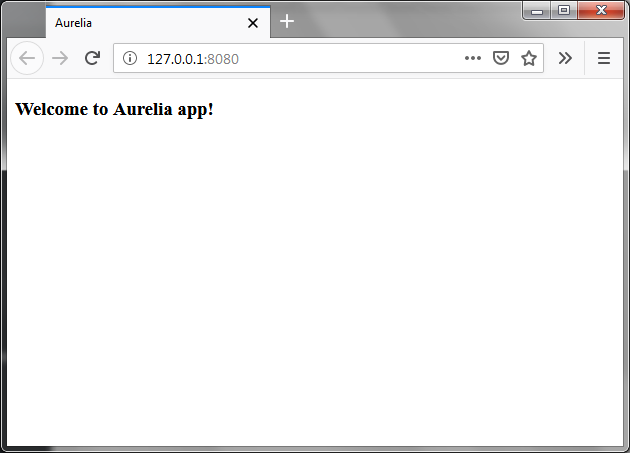 Hello World![/caption]
2. Detecting mouse movement events
From here: https://bl.ocks.org/Vheissu/db72c2d41709697134654d5287913c0c
app.html
[code language="html"]
<template>
<div mousemove.delegate="mousemove($event)" style="background: teal; border: 2px dotted #333; color: #FFF; font-size: 16px; font-weight: bold; height: 250px; width:500px;">Move mouse in here...</div>
<ul if.bind="mouseevents">
<li repeat.for="mouseevent of mouseevents">x: ${mouseevent.x} y: ${mouseevent.y}</li>
</ul>
</template>
[/code]
app.js
[code language="js"]
export class App {
constructor() {
this.mouseevents = [];
}
mousemove(e) {
this.mouseevents.push({x: e.clientX, y: e.clientY});
}
}
[/code]
Giving the following output:
[caption id="attachment_9028" align="alignnone" width="630"]
Hello World![/caption]
2. Detecting mouse movement events
From here: https://bl.ocks.org/Vheissu/db72c2d41709697134654d5287913c0c
app.html
[code language="html"]
<template>
<div mousemove.delegate="mousemove($event)" style="background: teal; border: 2px dotted #333; color: #FFF; font-size: 16px; font-weight: bold; height: 250px; width:500px;">Move mouse in here...</div>
<ul if.bind="mouseevents">
<li repeat.for="mouseevent of mouseevents">x: ${mouseevent.x} y: ${mouseevent.y}</li>
</ul>
</template>
[/code]
app.js
[code language="js"]
export class App {
constructor() {
this.mouseevents = [];
}
mousemove(e) {
this.mouseevents.push({x: e.clientX, y: e.clientY});
}
}
[/code]
Giving the following output:
[caption id="attachment_9028" align="alignnone" width="630"]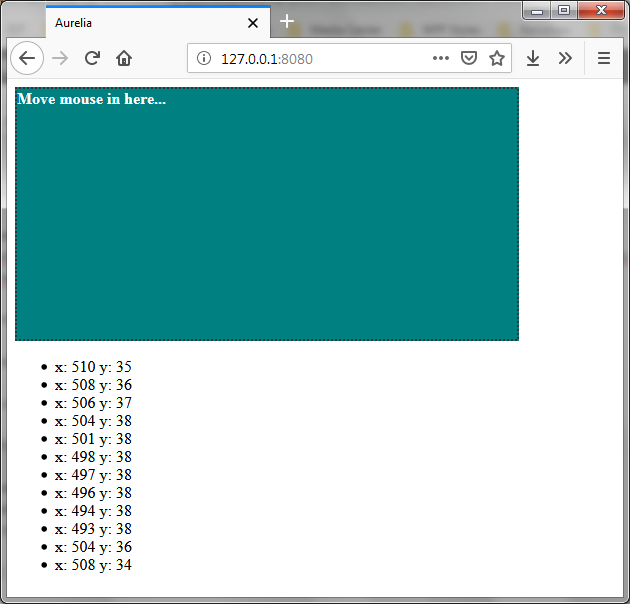 Detecting mouse event in Aurelia[/caption]
3. Two-way data binding
In this example we have our view-model and view linked. Firstly the text is set in the constructor. Then whenever we enter some text inside the input field, the view will be updated.
app.js
[code language="js"]
export class App {
constructor() {
this.myData = 'Enter some text!';
}
}
[/code]
app.html
[code language="html"]
<template>
<input id = "name" type = "text" value.bind = "myData" />
<h3>${myData}</h3>
</template>
[/code]
Giving the following output:
[caption id="attachment_9036" align="alignnone" width="630"]
Detecting mouse event in Aurelia[/caption]
3. Two-way data binding
In this example we have our view-model and view linked. Firstly the text is set in the constructor. Then whenever we enter some text inside the input field, the view will be updated.
app.js
[code language="js"]
export class App {
constructor() {
this.myData = 'Enter some text!';
}
}
[/code]
app.html
[code language="html"]
<template>
<input id = "name" type = "text" value.bind = "myData" />
<h3>${myData}</h3>
</template>
[/code]
Giving the following output:
[caption id="attachment_9036" align="alignnone" width="630"]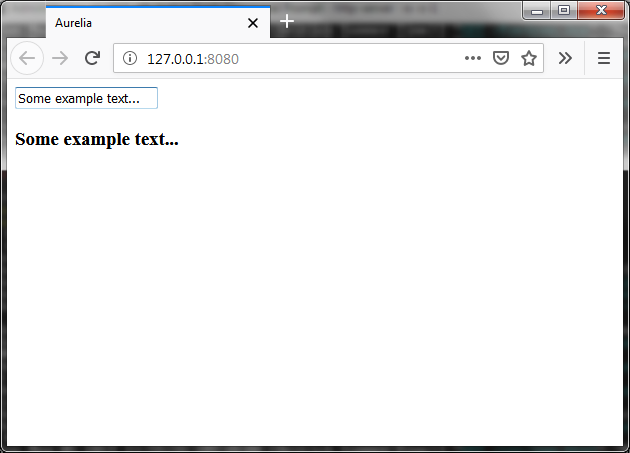 Two-way binding[/caption]
4. Displaying a list of controls using repeat.for
Firstly an excellent page at 'I Like Kill Nerds' blog which gives lots of useful examples:
https://ilikekillnerds.com/2015/10/working-with-the-repeater-in-aurelia/
A more basic get-you-started example here:
app.html
[code lang="html"]
<template>
<div repeat.for="message of messages">
<strong>Message: </strong>${message}
</div>
</template>
[/code]
app.js
[code lang="js"]
export class App {
messages = ["ABC", "DEF", "123", "XYZ"];
}
[/code]
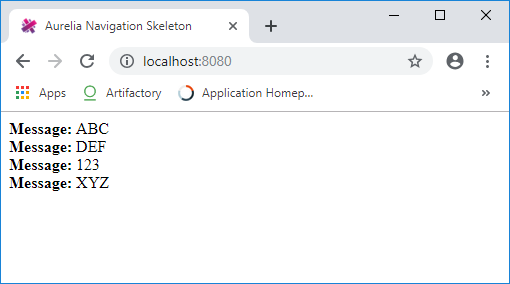
Giving the following output:
Two-way binding[/caption]
4. Displaying a list of controls using repeat.for
Firstly an excellent page at 'I Like Kill Nerds' blog which gives lots of useful examples:
https://ilikekillnerds.com/2015/10/working-with-the-repeater-in-aurelia/
A more basic get-you-started example here:
app.html
[code lang="html"]
<template>
<div repeat.for="message of messages">
<strong>Message: </strong>${message}
</div>
</template>
[/code]
app.js
[code lang="js"]
export class App {
messages = ["ABC", "DEF", "123", "XYZ"];
}
[/code]
Giving the following output:
Hello World![/caption]
2. Detecting mouse movement events
From here: https://bl.ocks.org/Vheissu/db72c2d41709697134654d5287913c0c
app.html
[code language="html"]
<template>
<div mousemove.delegate="mousemove($event)" style="background: teal; border: 2px dotted #333; color: #FFF; font-size: 16px; font-weight: bold; height: 250px; width:500px;">Move mouse in here...</div>
<ul if.bind="mouseevents">
<li repeat.for="mouseevent of mouseevents">x: ${mouseevent.x} y: ${mouseevent.y}</li>
</ul>
</template>
[/code]
app.js
[code language="js"]
export class App {
constructor() {
this.mouseevents = [];
}
mousemove(e) {
this.mouseevents.push({x: e.clientX, y: e.clientY});
}
}
[/code]
Giving the following output:
[caption id="attachment_9028" align="alignnone" width="630"] Detecting mouse event in Aurelia[/caption]
3. Two-way data binding
In this example we have our view-model and view linked. Firstly the text is set in the constructor. Then whenever we enter some text inside the input field, the view will be updated.
app.js
[code language="js"]
export class App {
constructor() {
this.myData = 'Enter some text!';
}
}
[/code]
app.html
[code language="html"]
<template>
<input id = "name" type = "text" value.bind = "myData" />
<h3>${myData}</h3>
</template>
[/code]
Giving the following output:
[caption id="attachment_9036" align="alignnone" width="630"] Two-way binding[/caption]
4. Displaying a list of controls using repeat.for
Firstly an excellent page at 'I Like Kill Nerds' blog which gives lots of useful examples:
https://ilikekillnerds.com/2015/10/working-with-the-repeater-in-aurelia/
A more basic get-you-started example here:
app.html
[code lang="html"]
<template>
<div repeat.for="message of messages">
<strong>Message: </strong>${message}
</div>
</template>
[/code]
app.js
[code lang="js"]
export class App {
messages = ["ABC", "DEF", "123", "XYZ"];
}
[/code]
Giving the following output:


Comments
Post a Comment