Getting started with Aurelia JS
A cut-down version of the quickstart tutorial given at Aurelia's official site:
https://aurelia.io/docs/tutorials/creating-a-todo-app
The Aurelia CLI has a pre-requisite, Node.js. Get it from here:
https://nodejs.org/en/
Step 1: Download the Basic Aurelia Project Setup
Get the zip file from this link:
http://aurelia.io/downloads/basic-aurelia-project.zip
Step 2: Create a project
In Windows Explorer create a directory for your Aurelia project:
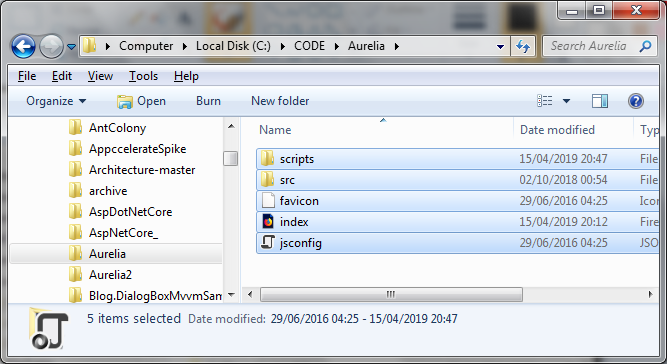
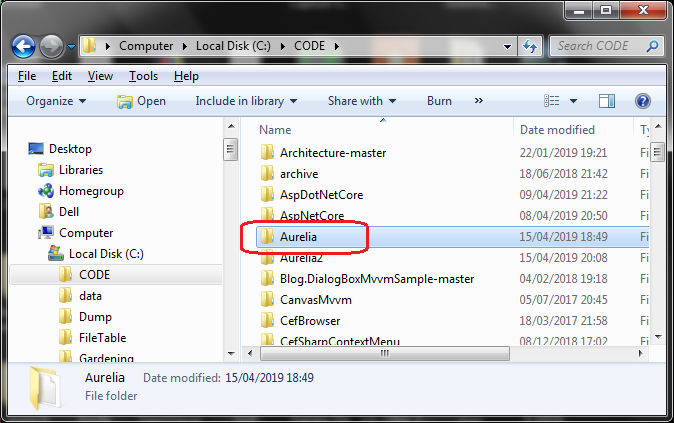 Extract the files from the basic Aurelia project setup and paste them into here:
 Step 3: Create an example Todo.js class
In the src/ folder insert the following code for todo.js
todo.js
[code language="js"]
export class Todo {
constructor(description) {
this.description = description;
this.done = false;
}
}
[/code]
Step 4: Add the app.js class
In the src/ folder add the following app.js file:
app.js
[code language="js"]
import {Todo} from './todo';
export class App {
constructor() {
this.heading = "Todos";
this.todos = [];
this.todoDescription = '';
}
addTodo() {
if (this.todoDescription) {
this.todos.push(new Todo(this.todoDescription));
this.todoDescription = '';
}
}
removeTodo(todo) {
let index = this.todos.indexOf(todo);
if (index !== -1) {
this.todos.splice(index, 1);
}
}
}
[/code]
Step 5: Add the main.js class
In the src/ folder add the main.js file:
main.js
[code language="js"]
import {Aurelia} from 'aurelia-framework';
export function configure(aurelia: Aurelia) {
aurelia.use.basicConfiguration();
aurelia.start().then(() => aurelia.setRoot());
}
[/code]
Step 7: Add the app.html
app.html
[code language="html"]
<template>
<h1>${heading}</h1>
<form submit.trigger="addTodo()">
<input type="text" value.bind="todoDescription">
<button type="submit">Add Todo</button>
</form>
<ul>
<li repeat.for="todo of todos">
<input type="checkbox" checked.bind="todo.done">
<span>
${todo.description}
</span>
<button click.trigger="removeTodo(todo)">Remove</button>
</li>
</ul>
</template>
[/code]
Step 8: Prepare to run the app
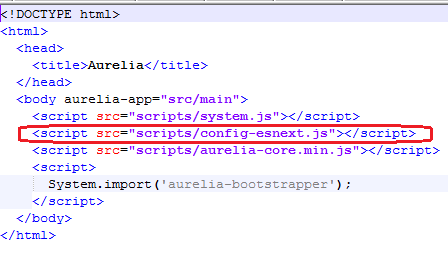
In index.html, rename:
[code language="html"]
scripts/config-typescript.js to scripts/config-esnext.js
[/code]
Step 3: Create an example Todo.js class
In the src/ folder insert the following code for todo.js
todo.js
[code language="js"]
export class Todo {
constructor(description) {
this.description = description;
this.done = false;
}
}
[/code]
Step 4: Add the app.js class
In the src/ folder add the following app.js file:
app.js
[code language="js"]
import {Todo} from './todo';
export class App {
constructor() {
this.heading = "Todos";
this.todos = [];
this.todoDescription = '';
}
addTodo() {
if (this.todoDescription) {
this.todos.push(new Todo(this.todoDescription));
this.todoDescription = '';
}
}
removeTodo(todo) {
let index = this.todos.indexOf(todo);
if (index !== -1) {
this.todos.splice(index, 1);
}
}
}
[/code]
Step 5: Add the main.js class
In the src/ folder add the main.js file:
main.js
[code language="js"]
import {Aurelia} from 'aurelia-framework';
export function configure(aurelia: Aurelia) {
aurelia.use.basicConfiguration();
aurelia.start().then(() => aurelia.setRoot());
}
[/code]
Step 7: Add the app.html
app.html
[code language="html"]
<template>
<h1>${heading}</h1>
<form submit.trigger="addTodo()">
<input type="text" value.bind="todoDescription">
<button type="submit">Add Todo</button>
</form>
<ul>
<li repeat.for="todo of todos">
<input type="checkbox" checked.bind="todo.done">
<span>
${todo.description}
</span>
<button click.trigger="removeTodo(todo)">Remove</button>
</li>
</ul>
</template>
[/code]
Step 8: Prepare to run the app
In index.html, rename:
[code language="html"]
scripts/config-typescript.js to scripts/config-esnext.js
[/code]
 As also documented at this StackOverflow link:
https://stackoverflow.com/questions/42205882/aurelia-error-loading-http-127-0-0-18080-src-main-ts
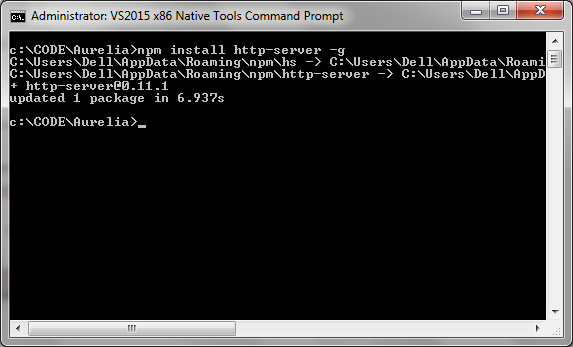
Globally install the http-server command using the following command:
[code language="xml"]
npm install http-server -g
[/code]
Like so:
As also documented at this StackOverflow link:
https://stackoverflow.com/questions/42205882/aurelia-error-loading-http-127-0-0-18080-src-main-ts
Globally install the http-server command using the following command:
[code language="xml"]
npm install http-server -g
[/code]
Like so:
 Step 8: Run the app
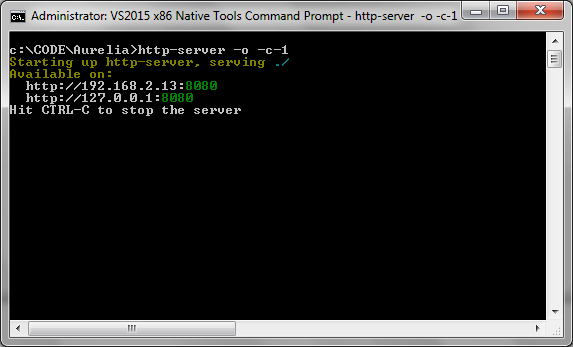
Fire up the server from within the folder with the following command:
[code language="xml"]
http-server -o -c-1
[/code]
Like so:
Step 8: Run the app
Fire up the server from within the folder with the following command:
[code language="xml"]
http-server -o -c-1
[/code]
Like so:
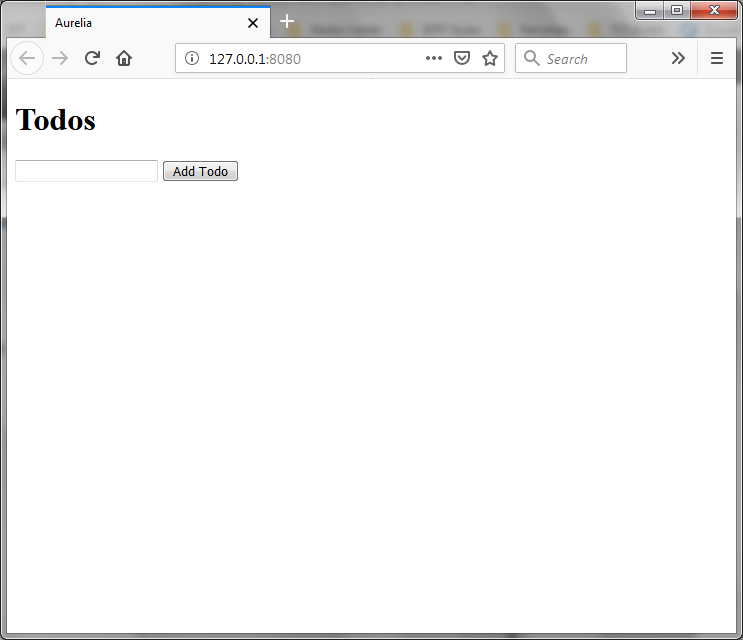
 Observe that when the web server is launched in your browser, your "TODO" text is displayed like so:
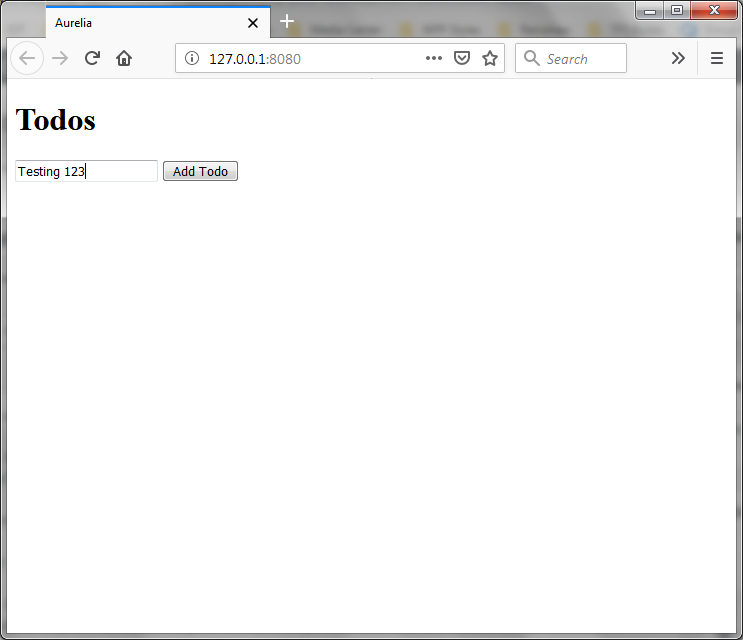
 Enter a test value into the text box:
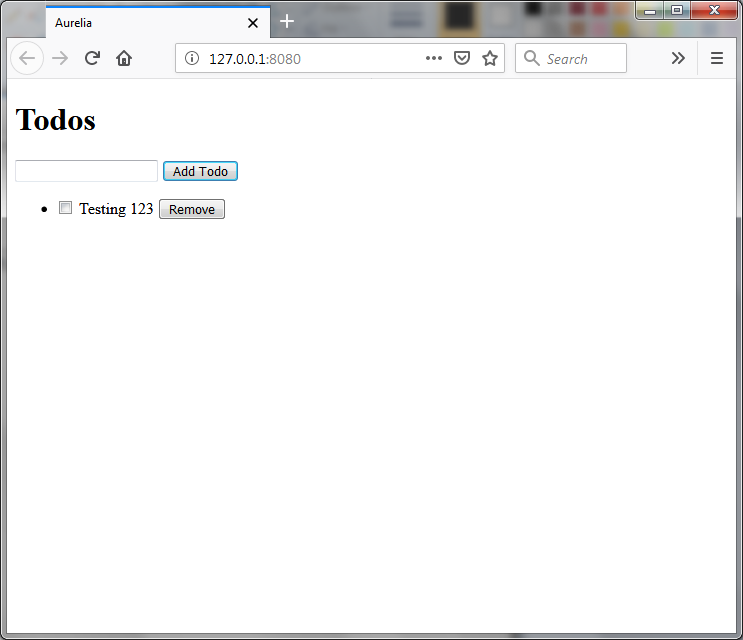
 And the new checkbox control will get added as shown:
Extract the files from the basic Aurelia project setup and paste them into here:
Step 3: Create an example Todo.js class
In the src/ folder insert the following code for todo.js
todo.js
[code language="js"]
export class Todo {
constructor(description) {
this.description = description;
this.done = false;
}
}
[/code]
Step 4: Add the app.js class
In the src/ folder add the following app.js file:
app.js
[code language="js"]
import {Todo} from './todo';
export class App {
constructor() {
this.heading = "Todos";
this.todos = [];
this.todoDescription = '';
}
addTodo() {
if (this.todoDescription) {
this.todos.push(new Todo(this.todoDescription));
this.todoDescription = '';
}
}
removeTodo(todo) {
let index = this.todos.indexOf(todo);
if (index !== -1) {
this.todos.splice(index, 1);
}
}
}
[/code]
Step 5: Add the main.js class
In the src/ folder add the main.js file:
main.js
[code language="js"]
import {Aurelia} from 'aurelia-framework';
export function configure(aurelia: Aurelia) {
aurelia.use.basicConfiguration();
aurelia.start().then(() => aurelia.setRoot());
}
[/code]
Step 7: Add the app.html
app.html
[code language="html"]
<template>
<h1>${heading}</h1>
<form submit.trigger="addTodo()">
<input type="text" value.bind="todoDescription">
<button type="submit">Add Todo</button>
</form>
<ul>
<li repeat.for="todo of todos">
<input type="checkbox" checked.bind="todo.done">
<span>
${todo.description}
</span>
<button click.trigger="removeTodo(todo)">Remove</button>
</li>
</ul>
</template>
[/code]
Step 8: Prepare to run the app
In index.html, rename:
[code language="html"]
scripts/config-typescript.js to scripts/config-esnext.js
[/code]
As also documented at this StackOverflow link:
https://stackoverflow.com/questions/42205882/aurelia-error-loading-http-127-0-0-18080-src-main-ts
Globally install the http-server command using the following command:
[code language="xml"]
npm install http-server -g
[/code]
Like so:
Step 8: Run the app
Fire up the server from within the folder with the following command:
[code language="xml"]
http-server -o -c-1
[/code]
Like so:
Observe that when the web server is launched in your browser, your "TODO" text is displayed like so:
Enter a test value into the text box:
And the new checkbox control will get added as shown:


Comments
Post a Comment