How to unit test a .NET Core project using xUnit
Basically the same instructions as given in the Microsoft site, which I attempt to make yet simpler for the beginner to get started.
Another useful link:
https://xunit.net/docs/getting-started/netfx/visual-studio#write-first-tests
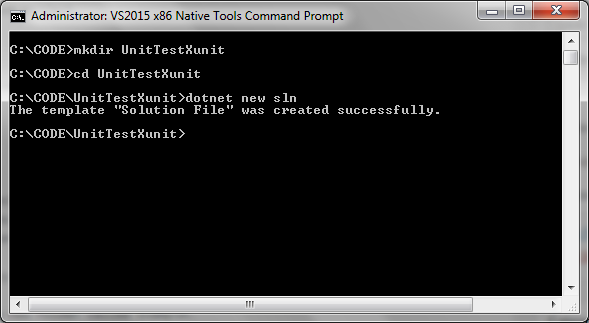
Step 1: Create a directory for the test project
Create a new directory for the test project.
Navigate to that directory
Create a new solution using the command:
dotnet new sln
 Step 2: Create a new class library
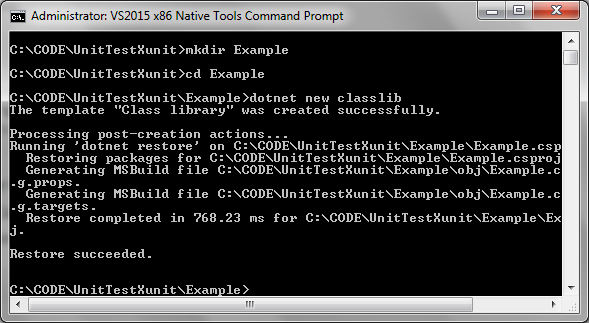
In the current directory create a new folder called Example.
Navigate to the directory Example and run the command to create a new class library:
dotnet new classlib.
Step 2: Create a new class library
In the current directory create a new folder called Example.
Navigate to the directory Example and run the command to create a new class library:
dotnet new classlib.
 Step 3: Create an example test class
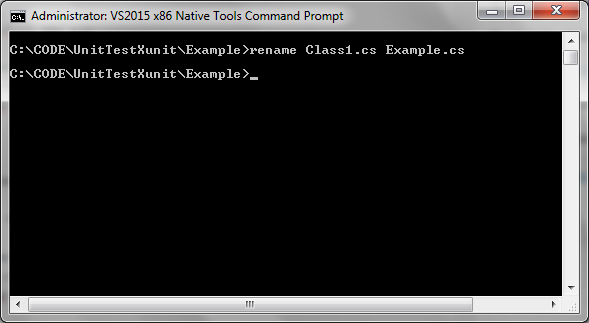
Rename Class1.cs to Example.cs.
Step 3: Create an example test class
Rename Class1.cs to Example.cs.
 Update the code in Example.cs to produce a function to test if an integer is even:
[code language="csharp"]
using System;
namespace Example
{
public class ExampleService
{
public bool IsEven(int val)
{
return val % 2 == 0;
}
}
}
[/code]
Step 4: Create the test project
Navigate to the main directory UnitTestXunit.
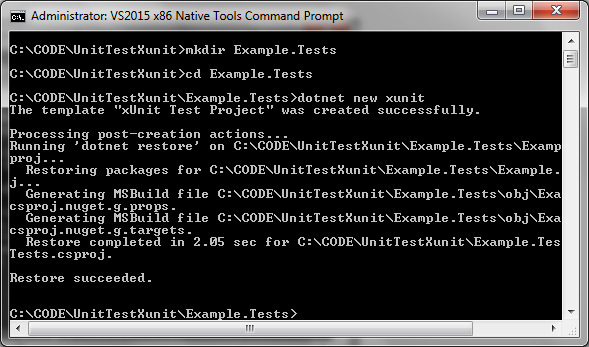
At the command prompt, create a new directory called Example.Tests.
Navigate to that directory.
Create a new test project:
dotnet new xunit:
Update the code in Example.cs to produce a function to test if an integer is even:
[code language="csharp"]
using System;
namespace Example
{
public class ExampleService
{
public bool IsEven(int val)
{
return val % 2 == 0;
}
}
}
[/code]
Step 4: Create the test project
Navigate to the main directory UnitTestXunit.
At the command prompt, create a new directory called Example.Tests.
Navigate to that directory.
Create a new test project:
dotnet new xunit:
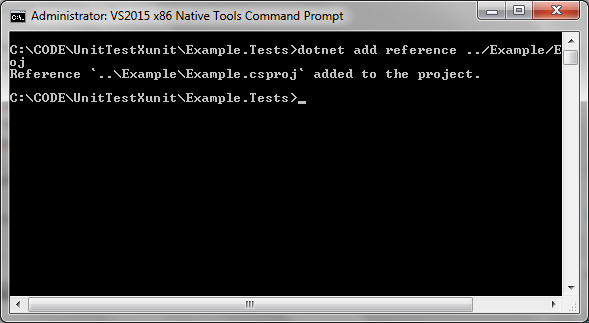
 Step 5: Add the required references to the test project
Add the Example class library that was created previously as another dependency to the project.
At the command prompt enter:
dotnet add reference ../Example/Example.csproj
Step 5: Add the required references to the test project
Add the Example class library that was created previously as another dependency to the project.
At the command prompt enter:
dotnet add reference ../Example/Example.csproj
 Step 6: Add the test project to the solution:
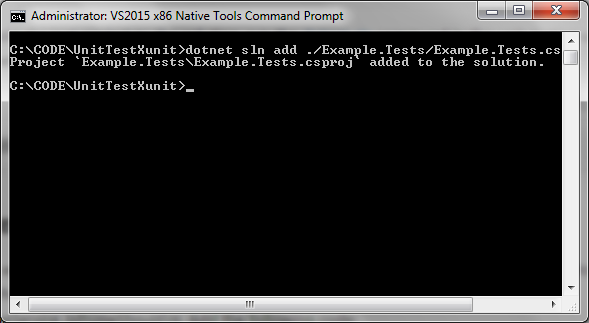
Navigate to the main directory UnitTestXunit.
Add the test project to the solution by running the command:
dotnet sln add ./Example.Tests/Example.Tests.csproj
Step 6: Add the test project to the solution:
Navigate to the main directory UnitTestXunit.
Add the test project to the solution by running the command:
dotnet sln add ./Example.Tests/Example.Tests.csproj
 Step 7: Create the tests
In the Example.Tests directory modify UnitTest.cs as follows ( you can rename this file if you wish)
[code language="csharp"]
using System;
using Xunit;
namespace Example.Tests
{
public class Example_IsEvenShould
{
private readonly ExampleService _example;
public Example_IsEvenShould()
{
_example = new ExampleService();
}
[Fact]
public void ReturnFalseGivenValueOf1()
{
var result = _example.IsEven(1);
Assert.False(result, "1 should not be even");
}
}
}
[/code]
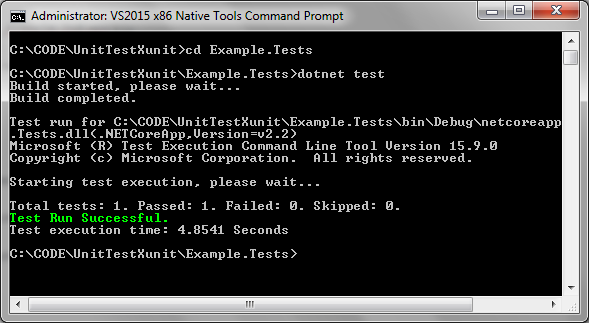
Step 8: Run the tests
Navigate to the main directory UnitTestXunit.
Run the command dotnet test:
Step 7: Create the tests
In the Example.Tests directory modify UnitTest.cs as follows ( you can rename this file if you wish)
[code language="csharp"]
using System;
using Xunit;
namespace Example.Tests
{
public class Example_IsEvenShould
{
private readonly ExampleService _example;
public Example_IsEvenShould()
{
_example = new ExampleService();
}
[Fact]
public void ReturnFalseGivenValueOf1()
{
var result = _example.IsEven(1);
Assert.False(result, "1 should not be even");
}
}
}
[/code]
Step 8: Run the tests
Navigate to the main directory UnitTestXunit.
Run the command dotnet test:
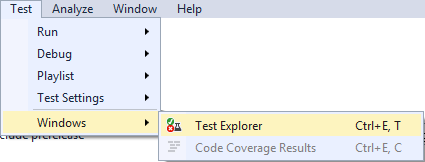
 To run the tests in Visual Studio
Select Test > Windows > Test Explorer:
To run the tests in Visual Studio
Select Test > Windows > Test Explorer:
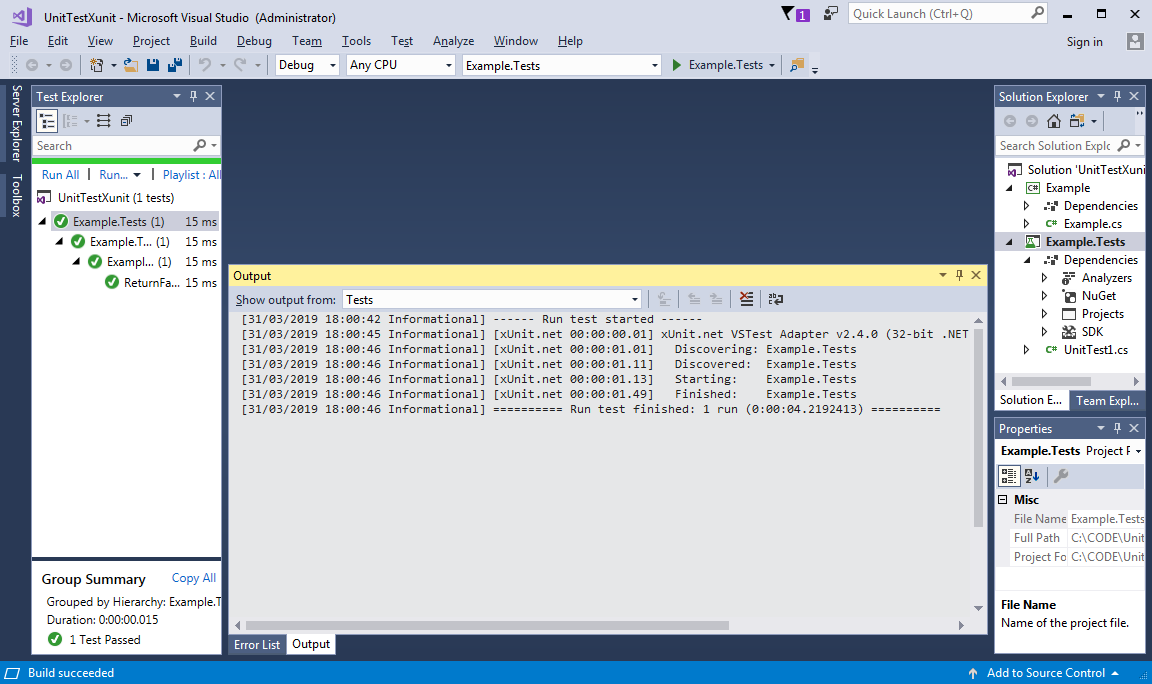
 Right-click Example.Tests and select Run Selected Tests:
Step 2: Create a new class library
In the current directory create a new folder called Example.
Navigate to the directory Example and run the command to create a new class library:
dotnet new classlib.
Step 3: Create an example test class
Rename Class1.cs to Example.cs.
Update the code in Example.cs to produce a function to test if an integer is even:
[code language="csharp"]
using System;
namespace Example
{
public class ExampleService
{
public bool IsEven(int val)
{
return val % 2 == 0;
}
}
}
[/code]
Step 4: Create the test project
Navigate to the main directory UnitTestXunit.
At the command prompt, create a new directory called Example.Tests.
Navigate to that directory.
Create a new test project:
dotnet new xunit:
Step 5: Add the required references to the test project
Add the Example class library that was created previously as another dependency to the project.
At the command prompt enter:
dotnet add reference ../Example/Example.csproj
Step 6: Add the test project to the solution:
Navigate to the main directory UnitTestXunit.
Add the test project to the solution by running the command:
dotnet sln add ./Example.Tests/Example.Tests.csproj
Step 7: Create the tests
In the Example.Tests directory modify UnitTest.cs as follows ( you can rename this file if you wish)
[code language="csharp"]
using System;
using Xunit;
namespace Example.Tests
{
public class Example_IsEvenShould
{
private readonly ExampleService _example;
public Example_IsEvenShould()
{
_example = new ExampleService();
}
[Fact]
public void ReturnFalseGivenValueOf1()
{
var result = _example.IsEven(1);
Assert.False(result, "1 should not be even");
}
}
}
[/code]
Step 8: Run the tests
Navigate to the main directory UnitTestXunit.
Run the command dotnet test:
To run the tests in Visual Studio
Select Test > Windows > Test Explorer:
Right-click Example.Tests and select Run Selected Tests:


Comments
Post a Comment