Using robocopy to transfer files: tips and tricks
1. To copy a single file
[code language="xml"]
robocopy c:\this_folder d:\that_folder file.txt
[/code]
2. To copy multiple files
[code language="xml"]
robocopy c:\this_folder d:\that_folder file1.txt file2.txt
[/code]
3. To copy all files of a given extension
[code language="xml"]
robocopy c:\this_folder d:\that_folder *.txt
[/code]
4. To copy the contents of an entire directory
Robocopy creates the d:\that_folder\a directory and copies the files from the c:\this_folder\a directory into it.
Use the E/ switch to copy the entire directory tree under c:\this_folder\a
[code language="xml"]
robocopy c:\this_folder\a d:\that_folder\a /E
[/code]
5. To exclude existing files from the copy
A really good tip taken from this GitHub link:
This can save a lot of time particularly if you have to copy many large sized files.
[code language="xml"]
robocopy c:\this_folder d:\that_folder /E /XC /XN /XO
[/code]
/E - recursively copy sub-directories, including empty ones.
/XC - exclude files with the same timestamp but have different file sizes (Robocopy normally overwrites those)
/XN - exclude newer files that are in the source directory (Robocopy normally overwrites those)
/XO - exclude older files that are in the source directory (Robocopy normally overwrites those)
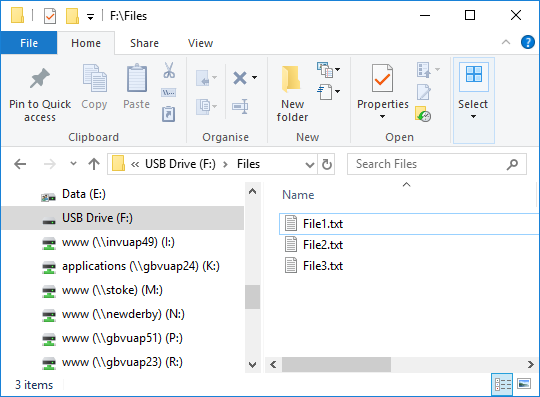
For example: we have some files in F:\Files that we wish to copy to another folder, F:\Files_Copy.
We wish to just copy NEW files only, ignoring files that have already been copied:
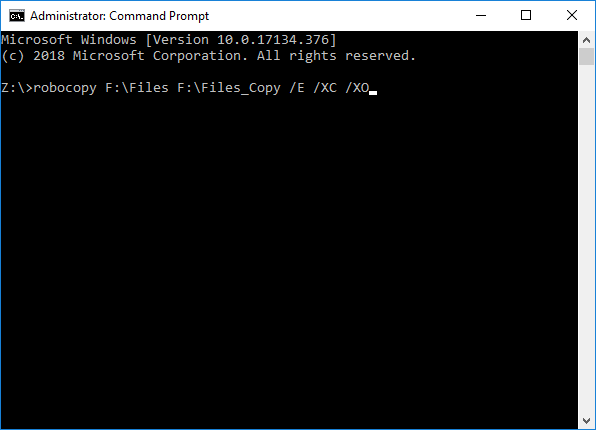
 On running the command
[code language="xml"]robocopy F:\Files F:\Files_Copy /E /XC /XO[/code]
On running the command
[code language="xml"]robocopy F:\Files F:\Files_Copy /E /XC /XO[/code]
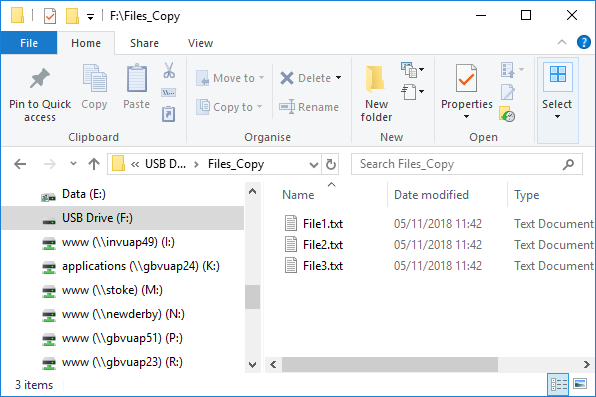
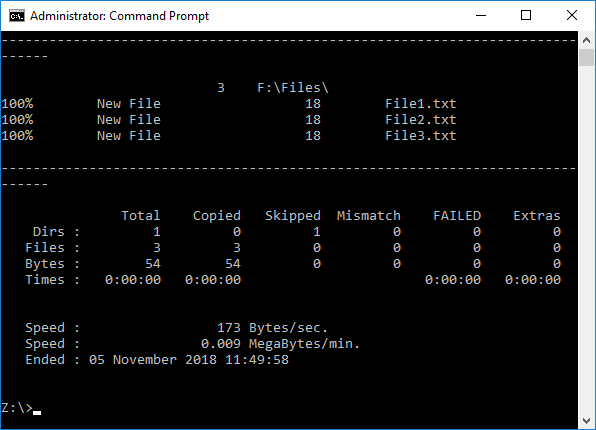 So that the three files are copied to the destination folder:
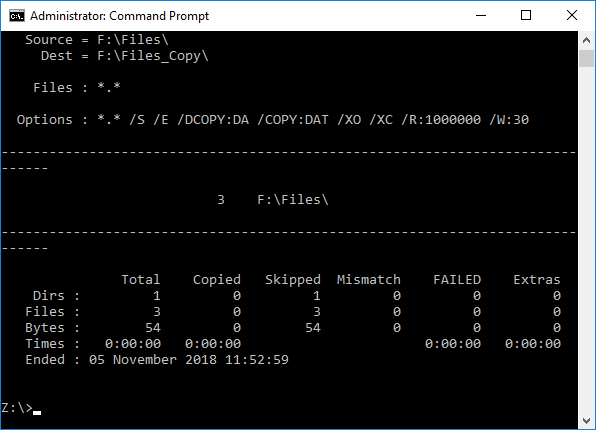
 But supposing I run exactly the same command again, when the files have already been copied, observe that no files are copied, only skipped, given that there are no updates, just existing files:
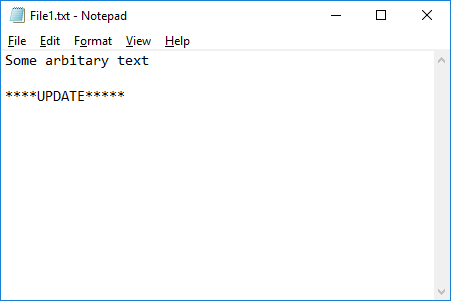
 I now UPDATE File1.txt in the F:\Files folder:
 And run the command again
[code language="xml"]robocopy F:\Files F:\Files_Copy /E /XC /XO[/code]
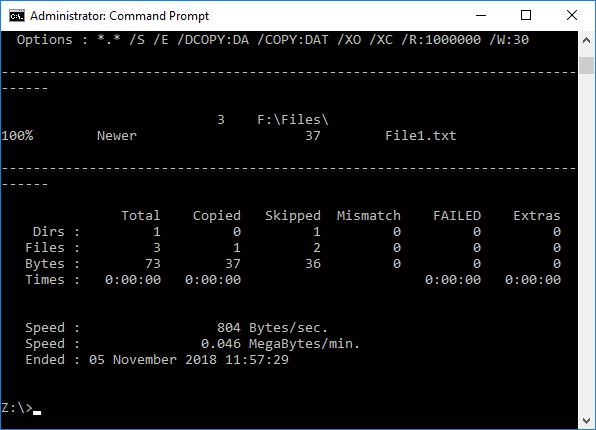
Notice that the one updated File1.txt is copied over, but the remaining two files are excluded (skipped) from the copy:
And run the command again
[code language="xml"]robocopy F:\Files F:\Files_Copy /E /XC /XO[/code]
Notice that the one updated File1.txt is copied over, but the remaining two files are excluded (skipped) from the copy:
 More to follow...
On running the command
[code language="xml"]robocopy F:\Files F:\Files_Copy /E /XC /XO[/code]
So that the three files are copied to the destination folder:
But supposing I run exactly the same command again, when the files have already been copied, observe that no files are copied, only skipped, given that there are no updates, just existing files:
I now UPDATE File1.txt in the F:\Files folder:
And run the command again
[code language="xml"]robocopy F:\Files F:\Files_Copy /E /XC /XO[/code]
Notice that the one updated File1.txt is copied over, but the remaining two files are excluded (skipped) from the copy:
More to follow...
Comments
Post a Comment