How to programmatically control access to files in C# using FileSecurity objects
A quick demonstration on how to control access to files in real-time.
As described in the Microsoft documentation, the control access to a file can be added or removed by obtaining the FileSecurity object from that file, then modified, and then applied back to the file.
In this example I choose to change the file access properties of a simple icon file "icon.ico":
 So that before modifying the properties it can be opened straightforwardly as follows:
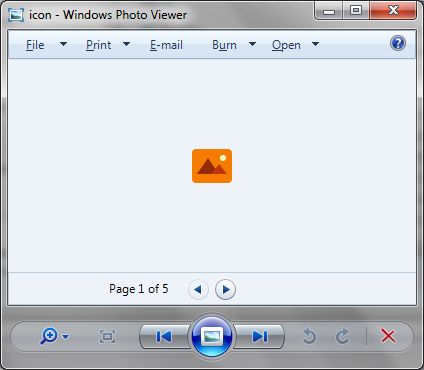 To demonstrate how we can alter the access properties in real-time, create a C# console application in Visual Studio and add the following code. Note the use of WindowsIdentity.GetCurrent() api used to obtain the necessary username/domain details of the current Windows user:
[code language="csharp"]
using System;
using System.IO;
using System.Security.AccessControl;
using System.Security.Principal;
namespace FileControlAccess
{
class Program
{
static void Main(string[] args)
{
try
{
const string fileName = "c:\\data\\icon.ico";
var domain = WindowsIdentity.GetCurrent().Name;
Console.WriteLine("Adding access control entry for " + fileName);
// Add the access control entry to the file.
AddFileSecurity(fileName, domain, FileSystemRights.ReadData, AccessControlType.Deny);
Console.WriteLine("Removing access control entry from " + fileName);
// Remove the access control entry from the file.
RemoveFileSecurity(fileName, domain, FileSystemRights.ReadData, AccessControlType.Deny);
Console.WriteLine("Done.");
}
catch (Exception e)
{
Console.WriteLine(e);
}
}
// Adds an ACL entry on the specified file for the specified account.
public static void AddFileSecurity(string fileName, string account,
FileSystemRights rights, AccessControlType controlType)
{
// Get a FileSecurity object that represents the current security settings.
FileSecurity fSecurity = File.GetAccessControl(fileName);
// Add the FileSystemAccessRule to the security settings.
fSecurity.AddAccessRule(new FileSystemAccessRule(account,
rights, controlType));
File.SetAccessControl(fileName, fSecurity);
}
// Removes an ACL entry on the specified file for the specified account.
public static void RemoveFileSecurity(string fileName, string account,
FileSystemRights rights, AccessControlType controlType)
{
// Get a FileSecurity object that represents the current security settings.
FileSecurity fSecurity = File.GetAccessControl(fileName);
// Remove the FileSystemAccessRule from the security settings.
fSecurity.RemoveAccessRule(new FileSystemAccessRule(account,
rights, controlType));
File.SetAccessControl(fileName, fSecurity);
}
}
}
[/code]
On stepping through the code, we first add an access control entry to DENY the users 'Read' access to the 'icon.ico' file:
To demonstrate how we can alter the access properties in real-time, create a C# console application in Visual Studio and add the following code. Note the use of WindowsIdentity.GetCurrent() api used to obtain the necessary username/domain details of the current Windows user:
[code language="csharp"]
using System;
using System.IO;
using System.Security.AccessControl;
using System.Security.Principal;
namespace FileControlAccess
{
class Program
{
static void Main(string[] args)
{
try
{
const string fileName = "c:\\data\\icon.ico";
var domain = WindowsIdentity.GetCurrent().Name;
Console.WriteLine("Adding access control entry for " + fileName);
// Add the access control entry to the file.
AddFileSecurity(fileName, domain, FileSystemRights.ReadData, AccessControlType.Deny);
Console.WriteLine("Removing access control entry from " + fileName);
// Remove the access control entry from the file.
RemoveFileSecurity(fileName, domain, FileSystemRights.ReadData, AccessControlType.Deny);
Console.WriteLine("Done.");
}
catch (Exception e)
{
Console.WriteLine(e);
}
}
// Adds an ACL entry on the specified file for the specified account.
public static void AddFileSecurity(string fileName, string account,
FileSystemRights rights, AccessControlType controlType)
{
// Get a FileSecurity object that represents the current security settings.
FileSecurity fSecurity = File.GetAccessControl(fileName);
// Add the FileSystemAccessRule to the security settings.
fSecurity.AddAccessRule(new FileSystemAccessRule(account,
rights, controlType));
File.SetAccessControl(fileName, fSecurity);
}
// Removes an ACL entry on the specified file for the specified account.
public static void RemoveFileSecurity(string fileName, string account,
FileSystemRights rights, AccessControlType controlType)
{
// Get a FileSecurity object that represents the current security settings.
FileSecurity fSecurity = File.GetAccessControl(fileName);
// Remove the FileSystemAccessRule from the security settings.
fSecurity.RemoveAccessRule(new FileSystemAccessRule(account,
rights, controlType));
File.SetAccessControl(fileName, fSecurity);
}
}
}
[/code]
On stepping through the code, we first add an access control entry to DENY the users 'Read' access to the 'icon.ico' file:
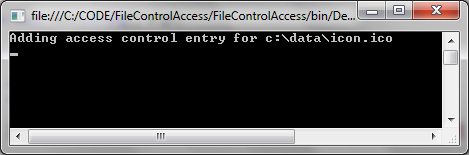 On inspecting the file's Security properties we observe that this Deny access property has indeed been added:
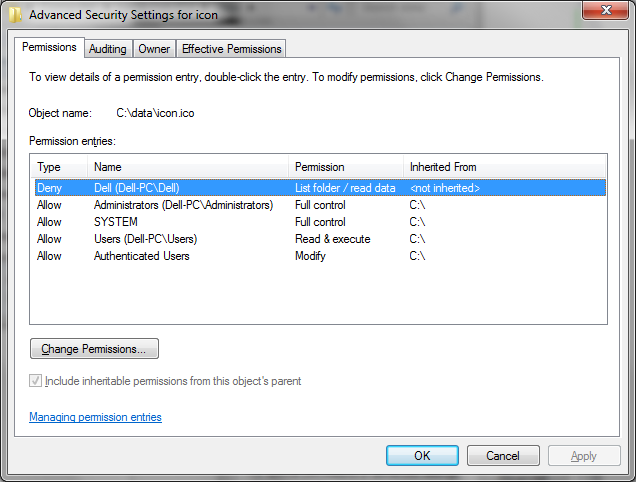 And when we try to open the file we observe that we can't:
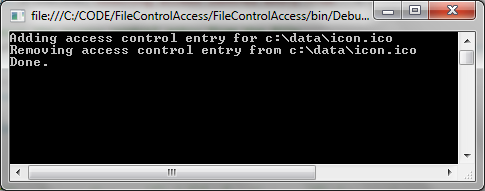
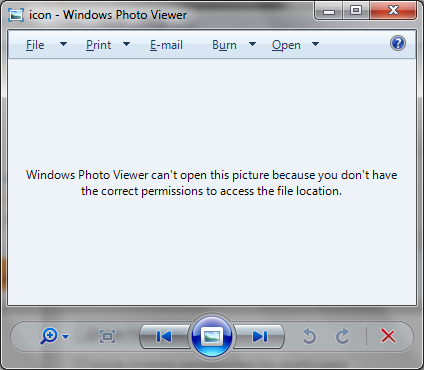 We then step further through the code and remove the access control property we just added:
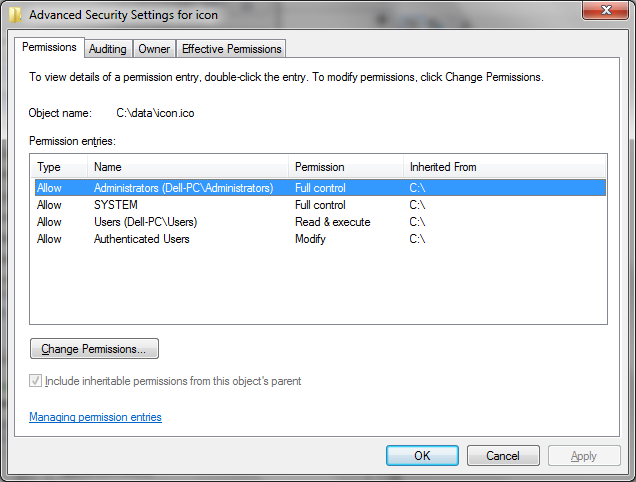
 This is also observed in the file's security properties as shown:
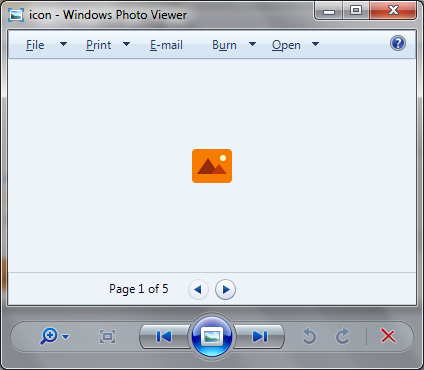
 So that we can now open the file unopposed as before:
So that before modifying the properties it can be opened straightforwardly as follows:
To demonstrate how we can alter the access properties in real-time, create a C# console application in Visual Studio and add the following code. Note the use of WindowsIdentity.GetCurrent() api used to obtain the necessary username/domain details of the current Windows user:
[code language="csharp"]
using System;
using System.IO;
using System.Security.AccessControl;
using System.Security.Principal;
namespace FileControlAccess
{
class Program
{
static void Main(string[] args)
{
try
{
const string fileName = "c:\\data\\icon.ico";
var domain = WindowsIdentity.GetCurrent().Name;
Console.WriteLine("Adding access control entry for " + fileName);
// Add the access control entry to the file.
AddFileSecurity(fileName, domain, FileSystemRights.ReadData, AccessControlType.Deny);
Console.WriteLine("Removing access control entry from " + fileName);
// Remove the access control entry from the file.
RemoveFileSecurity(fileName, domain, FileSystemRights.ReadData, AccessControlType.Deny);
Console.WriteLine("Done.");
}
catch (Exception e)
{
Console.WriteLine(e);
}
}
// Adds an ACL entry on the specified file for the specified account.
public static void AddFileSecurity(string fileName, string account,
FileSystemRights rights, AccessControlType controlType)
{
// Get a FileSecurity object that represents the current security settings.
FileSecurity fSecurity = File.GetAccessControl(fileName);
// Add the FileSystemAccessRule to the security settings.
fSecurity.AddAccessRule(new FileSystemAccessRule(account,
rights, controlType));
File.SetAccessControl(fileName, fSecurity);
}
// Removes an ACL entry on the specified file for the specified account.
public static void RemoveFileSecurity(string fileName, string account,
FileSystemRights rights, AccessControlType controlType)
{
// Get a FileSecurity object that represents the current security settings.
FileSecurity fSecurity = File.GetAccessControl(fileName);
// Remove the FileSystemAccessRule from the security settings.
fSecurity.RemoveAccessRule(new FileSystemAccessRule(account,
rights, controlType));
File.SetAccessControl(fileName, fSecurity);
}
}
}
[/code]
On stepping through the code, we first add an access control entry to DENY the users 'Read' access to the 'icon.ico' file:
On inspecting the file's Security properties we observe that this Deny access property has indeed been added:
And when we try to open the file we observe that we can't:
We then step further through the code and remove the access control property we just added:
This is also observed in the file's security properties as shown:
So that we can now open the file unopposed as before:


Comments
Post a Comment