Creating a user settings class library for your C# project
Some instructions on how to maintain your project properties as a separate class library in Visual Studio. For this project I am using Visual Studio 2015.
Step 1: Create a new Visual Studio console application
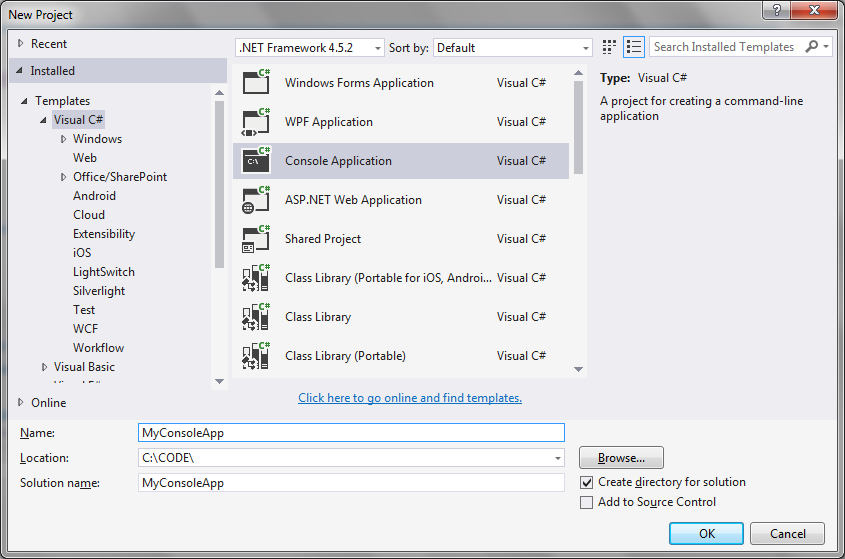 Step 2: Create a new class library
Create and add to your project as follows.
Step 2: Create a new class library
Create and add to your project as follows.
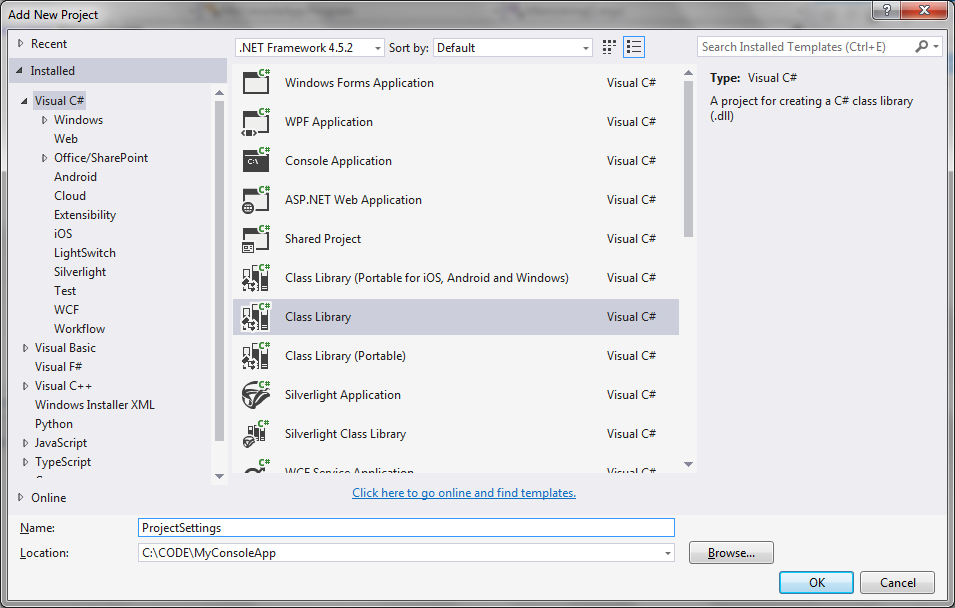 You can remove the "Class1.cs" file that is created automatically if you wish.
Step 3: Add your settings file
In the class library project properties, right click and select 'Add new item'
I also renamed the setting file to "Setting.settings".
You can remove the "Class1.cs" file that is created automatically if you wish.
Step 3: Add your settings file
In the class library project properties, right click and select 'Add new item'
I also renamed the setting file to "Setting.settings".
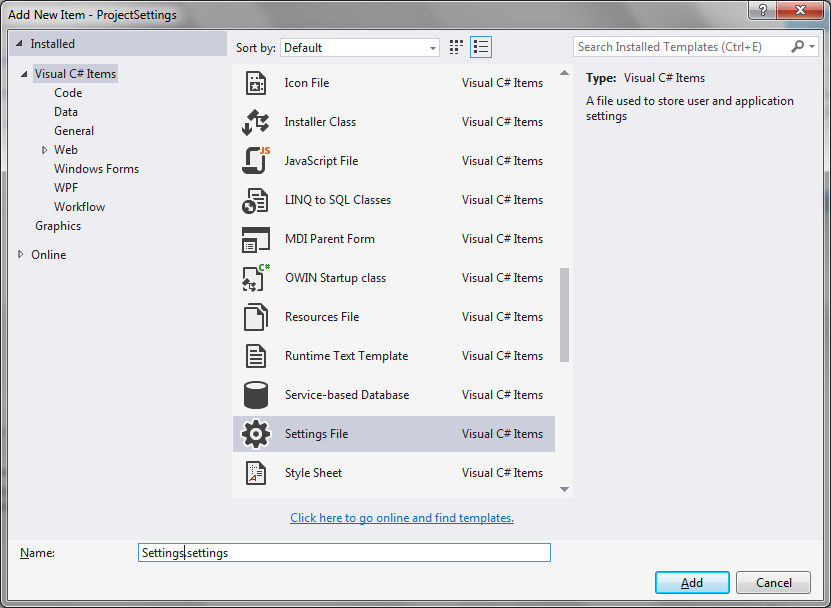 I then drag "Settings.settings" into the "Properties" section:
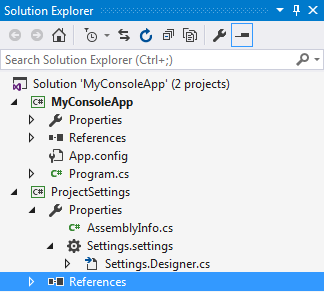 Step 4: Add a new setting
This is illustrated by the following screenshot:
Step 4: Add a new setting
This is illustrated by the following screenshot:
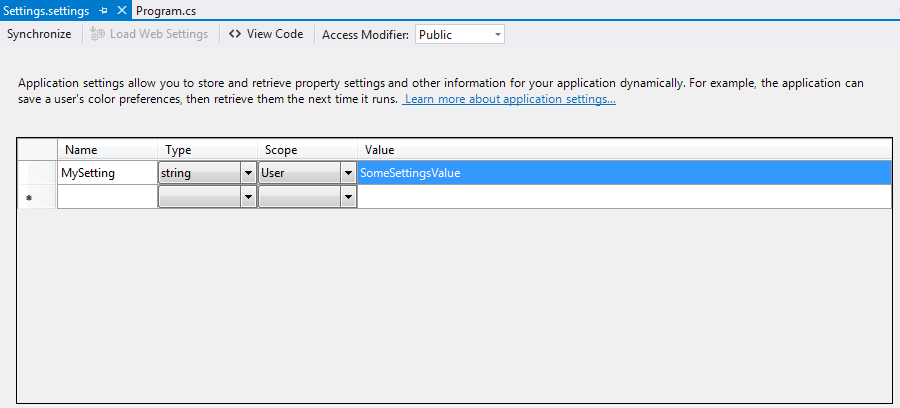 Note that the access modifier has been set to Public.
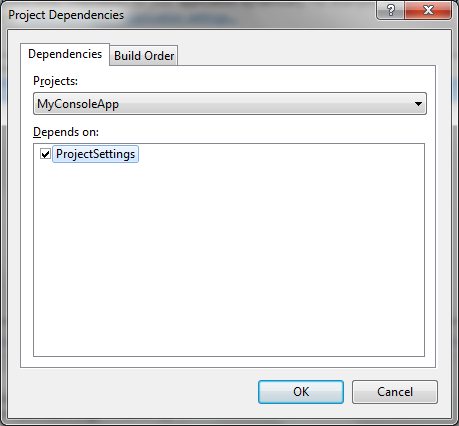
Step 5: Set the project dependencies
The console app project depends on the project settings project:
Note that the access modifier has been set to Public.
Step 5: Set the project dependencies
The console app project depends on the project settings project:
 Step 6: Add the necessary references
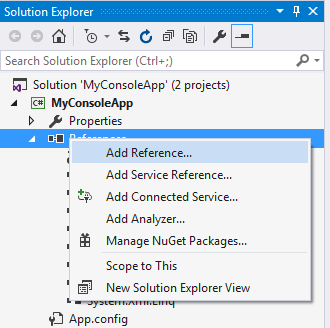
Right click on References and select Add reference...
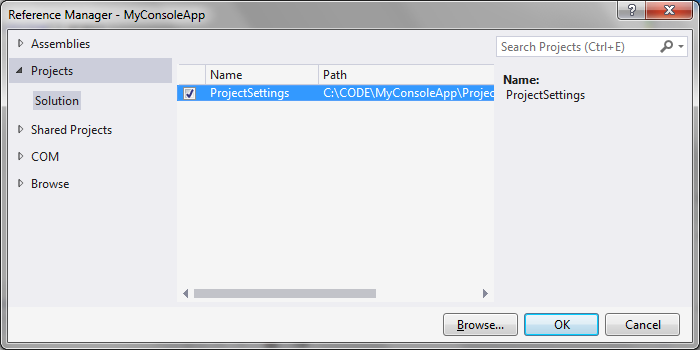
Step 6: Add the necessary references
Right click on References and select Add reference...
 Like so:
 Step 7: Access the class library settings
Update your Program.cs file as follows:
Program.cs
[code language="csharp"]
using ProjectSettings.Properties;
using System;
namespace MyConsoleApp
{
class Program
{
static void Main(string[] args)
{
var setting = Settings.Default.MySetting;
Console.WriteLine("Setting = " + setting);
}
}
}
[/code]
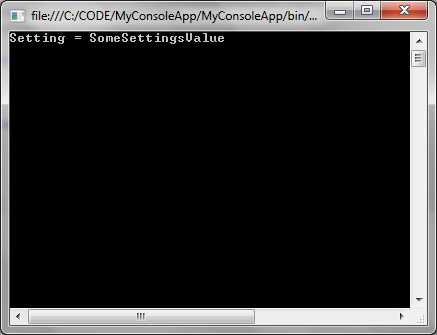
Giving the following output:
Step 7: Access the class library settings
Update your Program.cs file as follows:
Program.cs
[code language="csharp"]
using ProjectSettings.Properties;
using System;
namespace MyConsoleApp
{
class Program
{
static void Main(string[] args)
{
var setting = Settings.Default.MySetting;
Console.WriteLine("Setting = " + setting);
}
}
}
[/code]
Giving the following output:
Step 2: Create a new class library
Create and add to your project as follows.
You can remove the "Class1.cs" file that is created automatically if you wish.
Step 3: Add your settings file
In the class library project properties, right click and select 'Add new item'
I also renamed the setting file to "Setting.settings".
I then drag "Settings.settings" into the "Properties" section:
Step 4: Add a new setting
This is illustrated by the following screenshot:
Note that the access modifier has been set to Public.
Step 5: Set the project dependencies
The console app project depends on the project settings project:
Step 6: Add the necessary references
Right click on References and select Add reference...
Like so:
Step 7: Access the class library settings
Update your Program.cs file as follows:
Program.cs
[code language="csharp"]
using ProjectSettings.Properties;
using System;
namespace MyConsoleApp
{
class Program
{
static void Main(string[] args)
{
var setting = Settings.Default.MySetting;
Console.WriteLine("Setting = " + setting);
}
}
}
[/code]
Giving the following output:


Comments
Post a Comment