Running ASP.NET Web API services in IIS
To create a very simple ASP.NET Web API service as an example, please see this previous post:
https://www.technical-recipes.com/2018/getting-started-with-creating-asp-net-web-api-services/
This will show you how to create a basic Web API service, with example controller, example registration, no authentication etc:
Open IIS Manager:
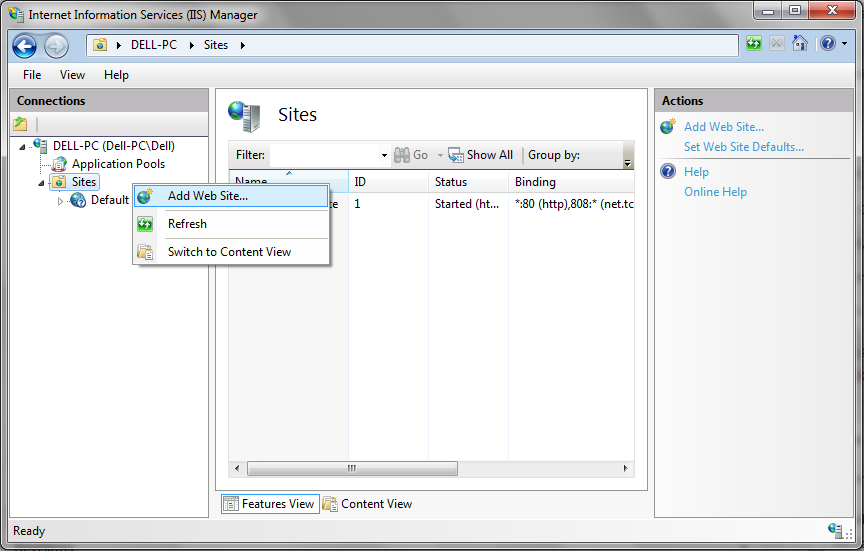
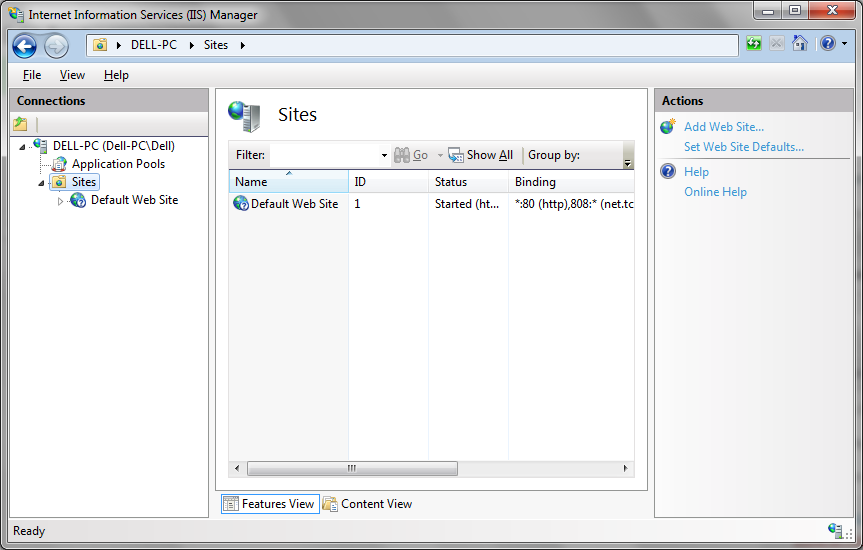 Right-click on Sites and select Add web site:
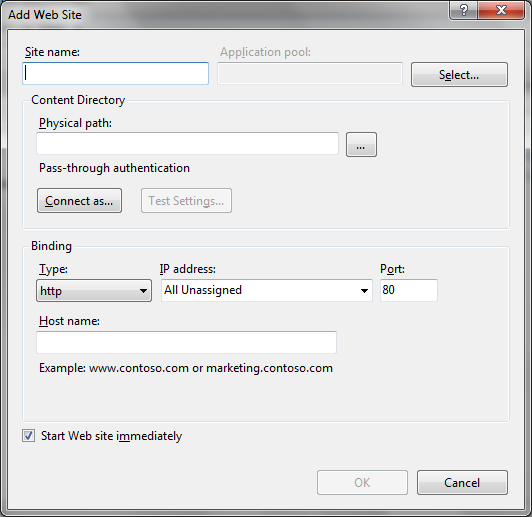
 You are presented with the Add Web Site dialog:
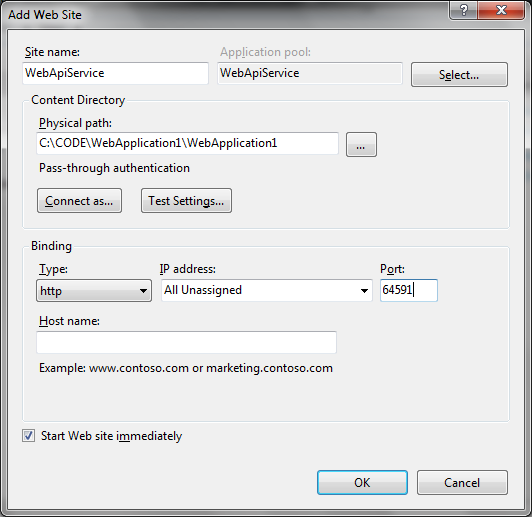
 Fill in the details: give the web site a name. Navigate to your Visual Studio web api service program to set the physical path. Also choose a port number:
 Click OK.
A new web site is created in IIS Manager:
Click OK.
A new web site is created in IIS Manager:
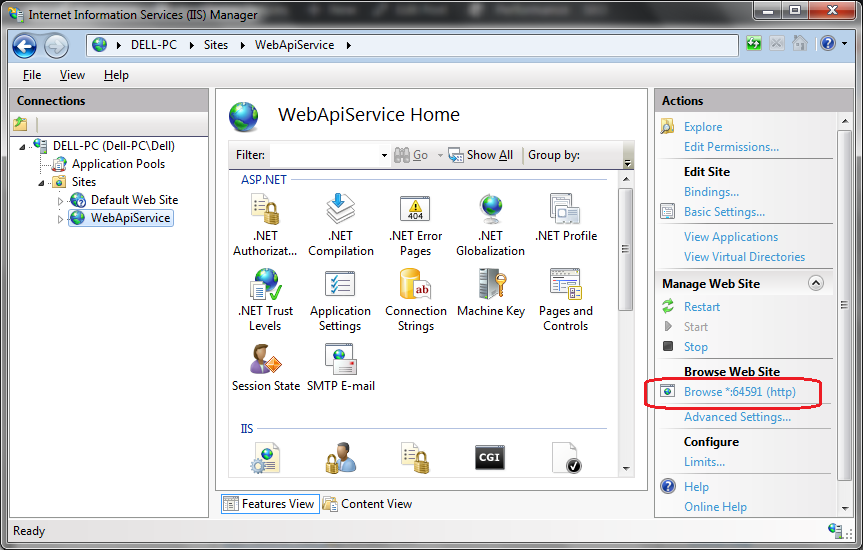
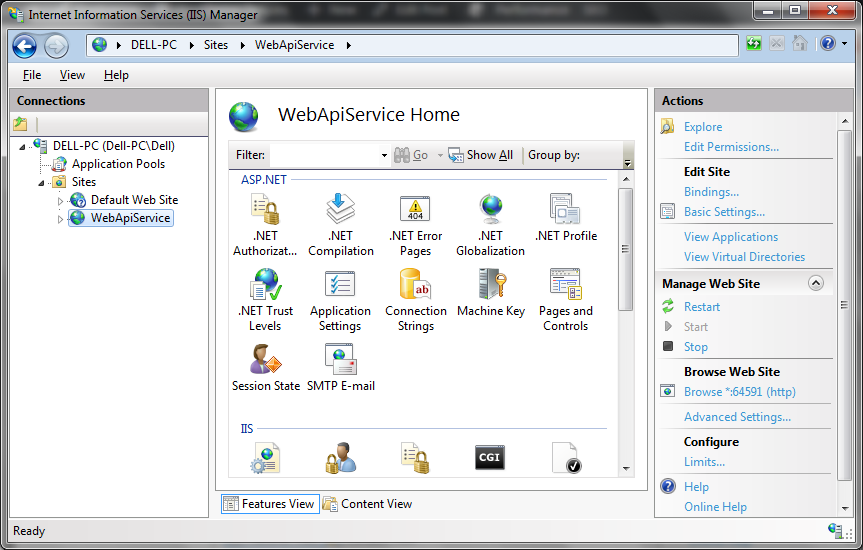 Try browsing the site:
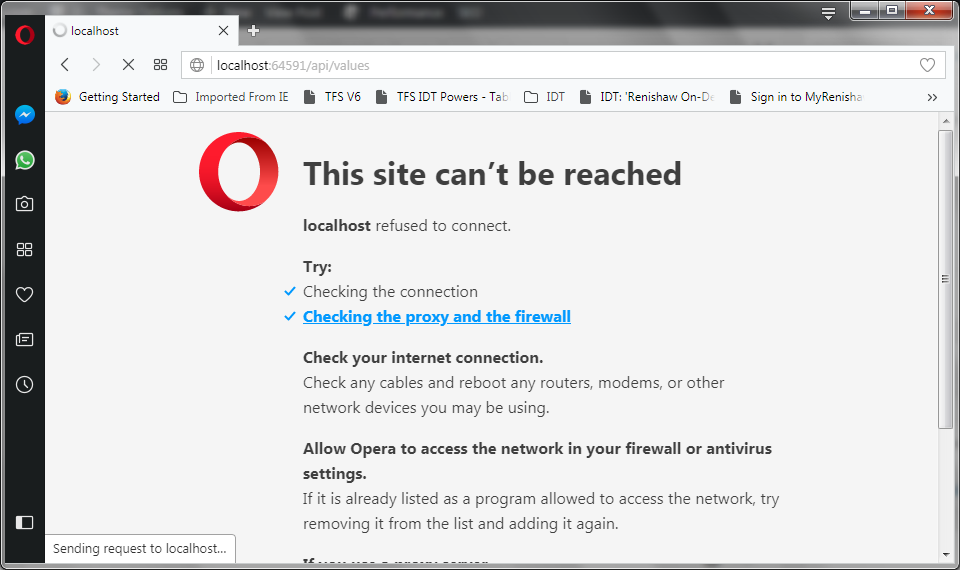
 You may get an error similar to the following, saying that the site cannot be reached:
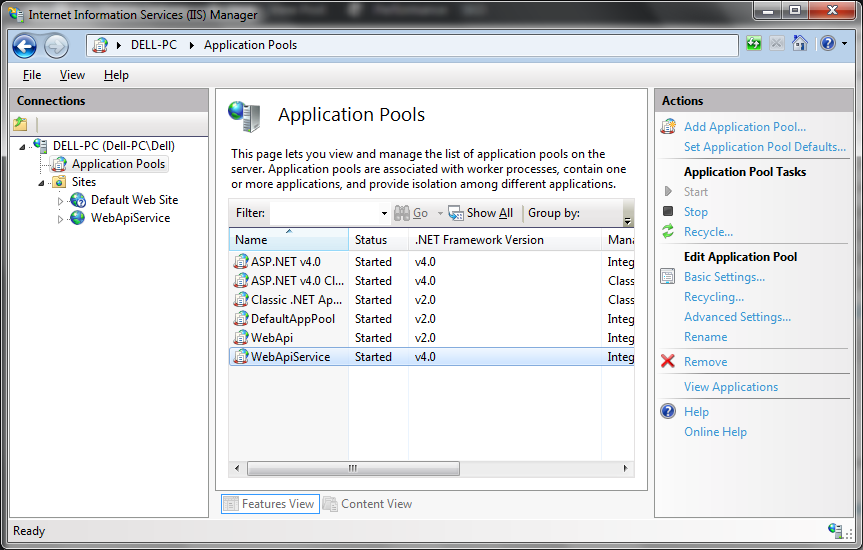
 If this is the case, inspect the Application Pools in IIS, specifically the version of .NET the site is using:
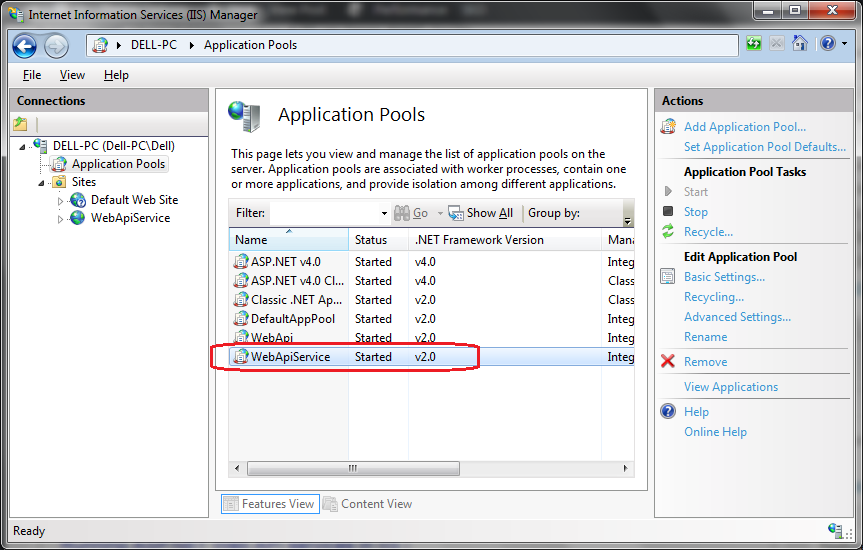 The Web Api service needs .NET version 4 or above, so change this by clicking on Basic Settings:
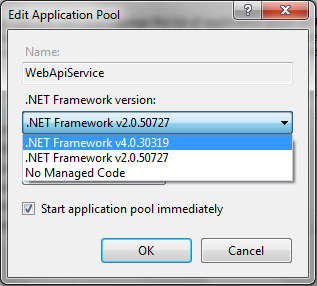 Like so:
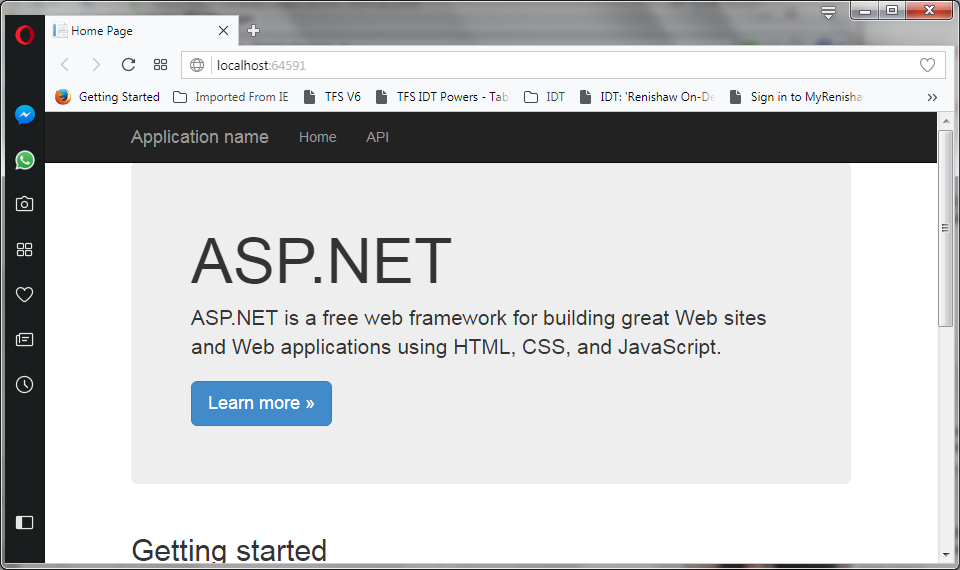
 Re-start the web service in IIS and try browsing the site again notice that we see the available web service in the browser now:
 We can also try and run one of the GET commands again, as define in the Values controller:
[code language="xml"]
http://localhost:64951/api/values
[/code]
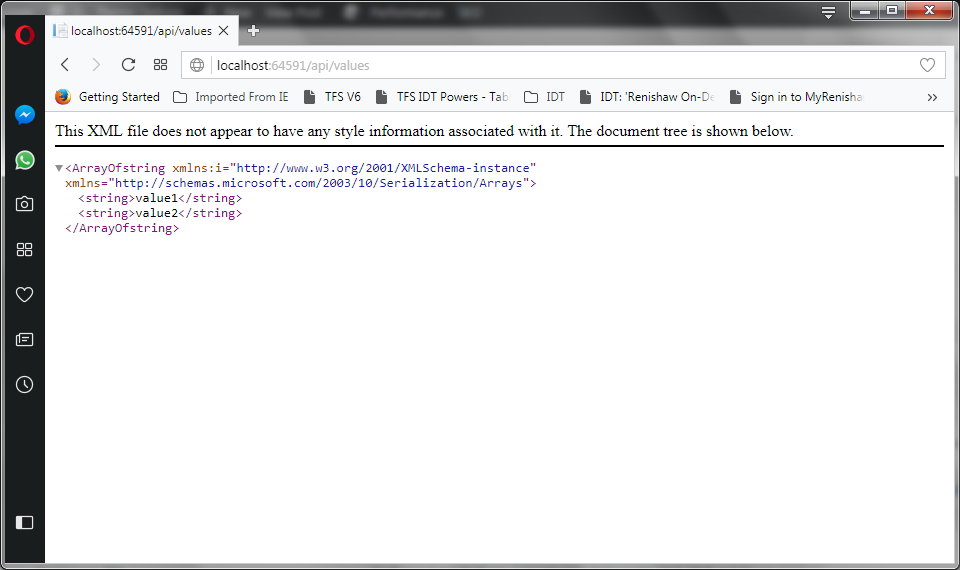
So that we get the values returned by the service as shown:
We can also try and run one of the GET commands again, as define in the Values controller:
[code language="xml"]
http://localhost:64951/api/values
[/code]
So that we get the values returned by the service as shown:
Right-click on Sites and select Add web site:
You are presented with the Add Web Site dialog:
Fill in the details: give the web site a name. Navigate to your Visual Studio web api service program to set the physical path. Also choose a port number:
Click OK.
A new web site is created in IIS Manager:
Try browsing the site:
You may get an error similar to the following, saying that the site cannot be reached:
If this is the case, inspect the Application Pools in IIS, specifically the version of .NET the site is using:
The Web Api service needs .NET version 4 or above, so change this by clicking on Basic Settings:
Like so:
Re-start the web service in IIS and try browsing the site again notice that we see the available web service in the browser now:
We can also try and run one of the GET commands again, as define in the Values controller:
[code language="xml"]
http://localhost:64951/api/values
[/code]
So that we get the values returned by the service as shown:


Comments
Post a Comment