How to disconnect your Visual Studio 2015 project from Team Foundation Server (TFS)
Here's how:
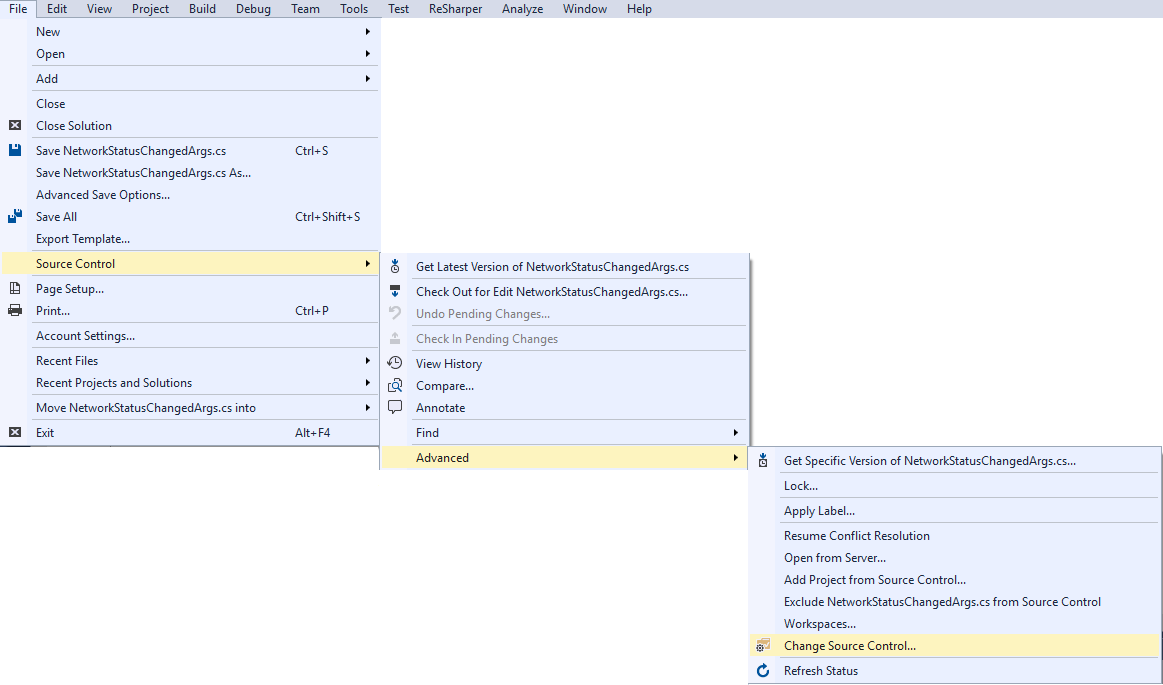
In Visual Studio with the project you'd like to disconnect already open, select File > Source Control > Advanced > Change Source Control...
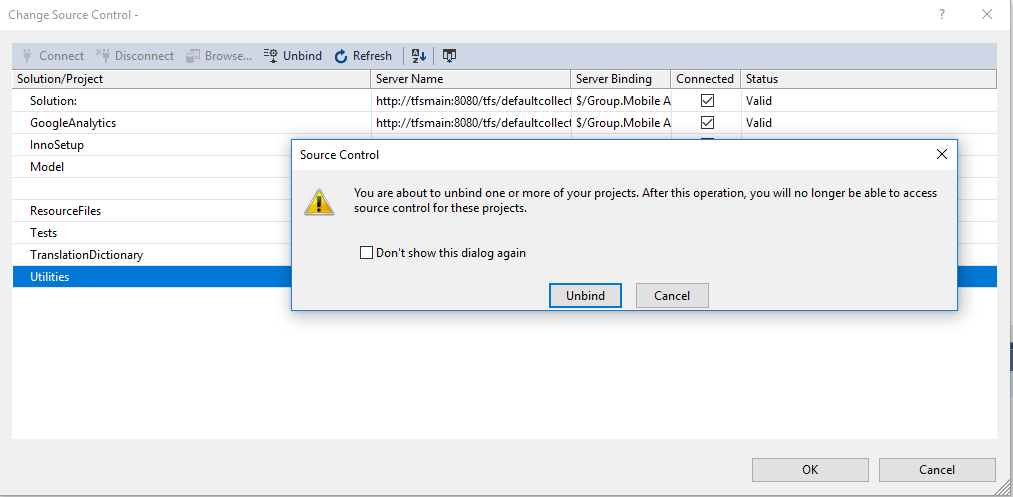
 Select on the specific project you would like to disconnect and select the 'Unbind' option. (Some names/titles have been redacted for confidentiality)
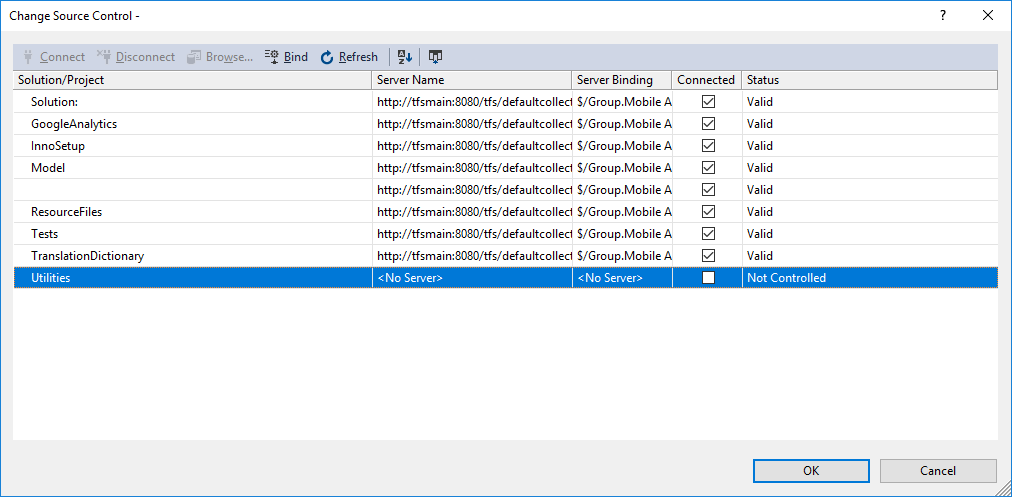
 That project will then be unbound from TFS:
Select on the specific project you would like to disconnect and select the 'Unbind' option. (Some names/titles have been redacted for confidentiality)
That project will then be unbound from TFS:


Comments
Post a Comment