Using the CefSharp Chromium Web Browser in WPF / XAML
Some brief instructions on getting started with using the Chromium Web Browser in WPF.
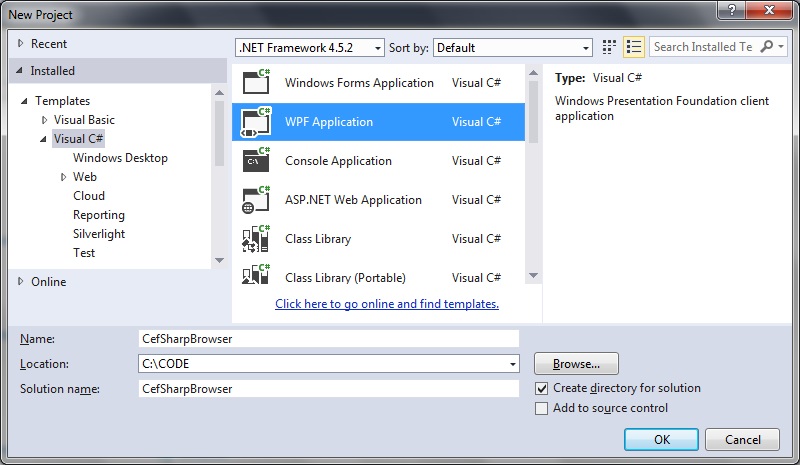
Step 1: Create a new WPF project
 Step 2: Obtain the CefSharp packages using NuGet
Link for the NuGet packages is here:
https://www.nuget.org/packages/CefSharp.WPF/
Select Tool > NuGet Package manager > Package Manager Console.
Use the
[code language="txt"]
PM> install-package CefSharp.Wpf
[/code]
Step 3: add the CefSharp dll references
Right-click on References, select 'Add reference'
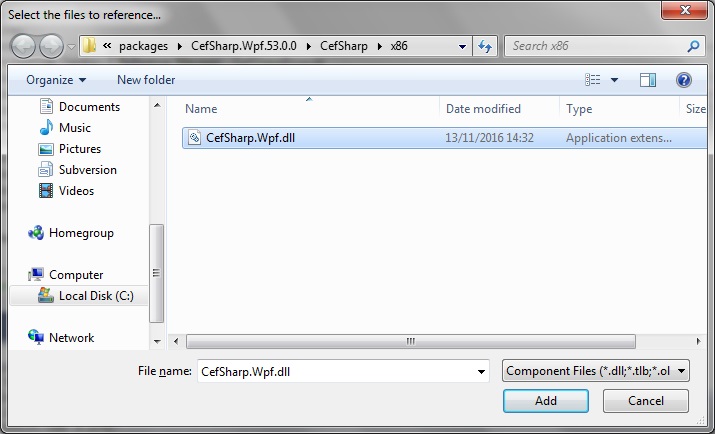
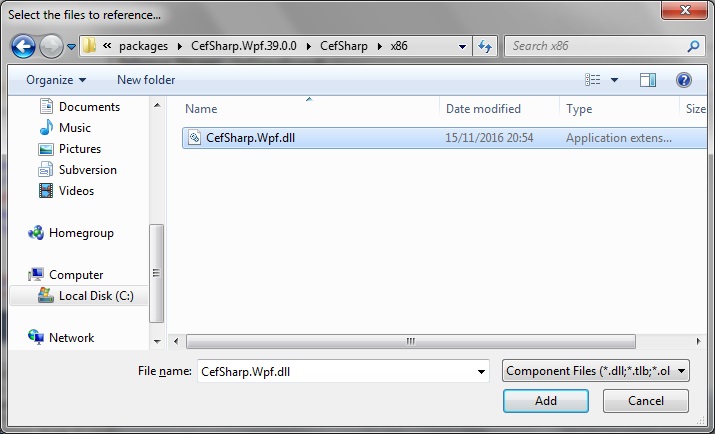
When the dialog appears, select the Browse button. Navigate to the 'packages' folder that NuGet has installed to your Visual Studio project. For this project I'm choosing the x86 versions...
Add CefSharp.Wpf.dll:
Step 2: Obtain the CefSharp packages using NuGet
Link for the NuGet packages is here:
https://www.nuget.org/packages/CefSharp.WPF/
Select Tool > NuGet Package manager > Package Manager Console.
Use the
[code language="txt"]
PM> install-package CefSharp.Wpf
[/code]
Step 3: add the CefSharp dll references
Right-click on References, select 'Add reference'
When the dialog appears, select the Browse button. Navigate to the 'packages' folder that NuGet has installed to your Visual Studio project. For this project I'm choosing the x86 versions...
Add CefSharp.Wpf.dll:
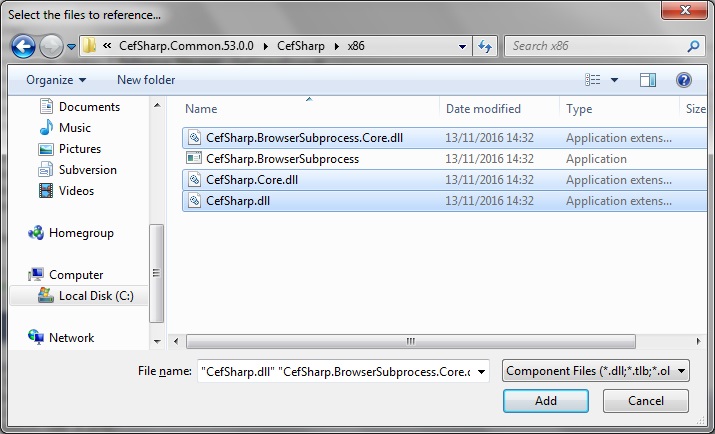
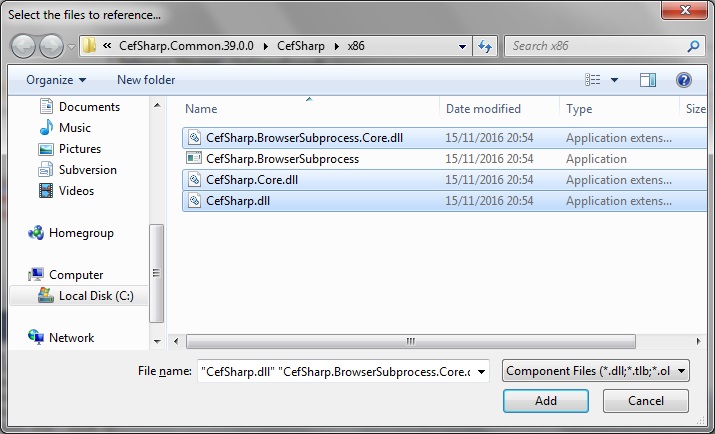
 Add the CefSharp.dll, CefSharp.Core.dll, CefSharp.BrowserSubprocessCore.dll:
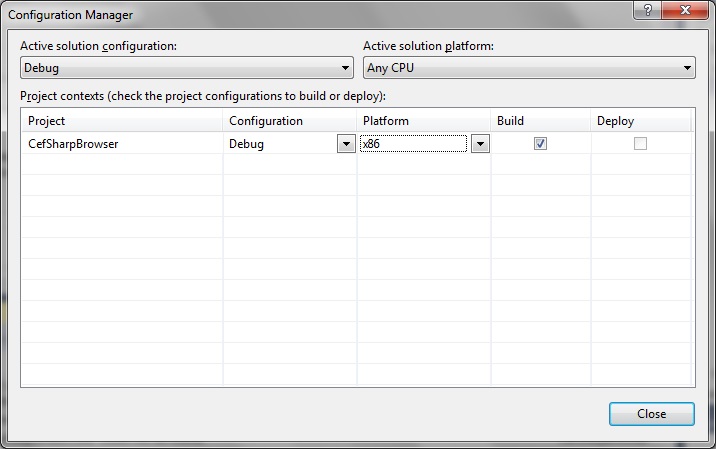
 If you get the error similar to the following:
[code language="text"]
Error 1 CefSharp.Common will work out of the box if you specify platform (x86 / x64). For AnyCPU Support see https://github.com/cefsharp/CefSharp/issues/1714 CefSharpBrowser
[/code]
... make sure you have set the Configuration Manager is set to either x86 or x64 - NOT 'Any CPU' otherwise it will never work.
If you get the error similar to the following:
[code language="text"]
Error 1 CefSharp.Common will work out of the box if you specify platform (x86 / x64). For AnyCPU Support see https://github.com/cefsharp/CefSharp/issues/1714 CefSharpBrowser
[/code]
... make sure you have set the Configuration Manager is set to either x86 or x64 - NOT 'Any CPU' otherwise it will never work.
 Step 4: Update the MainWindow.xaml to embed the ChromiumWebBrowser control:
Namely, a reference to the CefSharp.Wpf namespace and the ChromiumBrowserControl itself.
MainWindow.xaml
[code language="xml"]
<Window x:Class="CefSharpBrowser.MainWindow"
xmlns="http://schemas.microsoft.com/winfx/2006/xaml/presentation"
xmlns:x="http://schemas.microsoft.com/winfx/2006/xaml"
xmlns:wpf="clr-namespace:CefSharp.Wpf;assembly=CefSharp.Wpf"
Title="MainWindow"
Height="350" Width="525">
<Grid>
<wpf:ChromiumWebBrowser
x:Name="Browser"
Address="http://www.google.co.uk" />
</Grid>
</Window>
[/code]
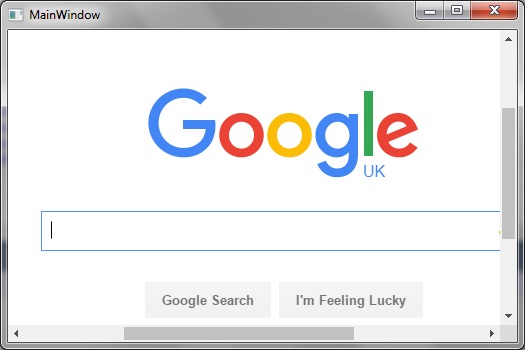
The re-build your project. You may have to close and re-open your MainWindow.xaml file to get it to update and display correctly. When run the browser control appears embedded in the WPF application and navigates to the web address pointed to by the ChromiumWebBrowser 'Address' property, as shown:
Step 4: Update the MainWindow.xaml to embed the ChromiumWebBrowser control:
Namely, a reference to the CefSharp.Wpf namespace and the ChromiumBrowserControl itself.
MainWindow.xaml
[code language="xml"]
<Window x:Class="CefSharpBrowser.MainWindow"
xmlns="http://schemas.microsoft.com/winfx/2006/xaml/presentation"
xmlns:x="http://schemas.microsoft.com/winfx/2006/xaml"
xmlns:wpf="clr-namespace:CefSharp.Wpf;assembly=CefSharp.Wpf"
Title="MainWindow"
Height="350" Width="525">
<Grid>
<wpf:ChromiumWebBrowser
x:Name="Browser"
Address="http://www.google.co.uk" />
</Grid>
</Window>
[/code]
The re-build your project. You may have to close and re-open your MainWindow.xaml file to get it to update and display correctly. When run the browser control appears embedded in the WPF application and navigates to the web address pointed to by the ChromiumWebBrowser 'Address' property, as shown:
 Known issues
The most recent version of CefSharp (version 53.0.0) does not seem to browse PDF documents so well. If this is an issue for you, uninstall this version (by using the NuGet package manager) and install an earlier version instead:
First un-install the newer packages:
[code language="text"]
PM> uninstall-package CefSharp.Wpf
PM> uninstall-package CefSharp.Common
PM> uninstall-package cef.redist.x64
PM> uninstall-package cef.redist.x64
[/code]
Then remove the existing references: right click the References folder, and select to remove CefSharp.Wpf, CefSharp.Core etc.
And then install the older version:. Just the following command is sufficient to install everything:
[code language="text"]
PM> install-package CefSharp.Wpf -version 39.0.0
[/code]
So that the list of packages now becomes:
[code language="text"]
<?xml version="1.0" encoding="utf-8"?>
<packages>
<package id="cef.redist.x64" version="3.2171.2069" targetFramework="net452" />
<package id="cef.redist.x86" version="3.2171.2069" targetFramework="net452" />
<package id="CefSharp.Common" version="39.0.0" targetFramework="net452" />
<package id="CefSharp.Wpf" version="39.0.0" targetFramework="net452" />
</packages>
[/code]
As before, add the updates dll references to the project, but this time from the 39.0.0 folder:
Known issues
The most recent version of CefSharp (version 53.0.0) does not seem to browse PDF documents so well. If this is an issue for you, uninstall this version (by using the NuGet package manager) and install an earlier version instead:
First un-install the newer packages:
[code language="text"]
PM> uninstall-package CefSharp.Wpf
PM> uninstall-package CefSharp.Common
PM> uninstall-package cef.redist.x64
PM> uninstall-package cef.redist.x64
[/code]
Then remove the existing references: right click the References folder, and select to remove CefSharp.Wpf, CefSharp.Core etc.
And then install the older version:. Just the following command is sufficient to install everything:
[code language="text"]
PM> install-package CefSharp.Wpf -version 39.0.0
[/code]
So that the list of packages now becomes:
[code language="text"]
<?xml version="1.0" encoding="utf-8"?>
<packages>
<package id="cef.redist.x64" version="3.2171.2069" targetFramework="net452" />
<package id="cef.redist.x86" version="3.2171.2069" targetFramework="net452" />
<package id="CefSharp.Common" version="39.0.0" targetFramework="net452" />
<package id="CefSharp.Wpf" version="39.0.0" targetFramework="net452" />
</packages>
[/code]
As before, add the updates dll references to the project, but this time from the 39.0.0 folder:
 Try wiring the 'Address' property to an example PDF location, such as
[code language="xml"]
<Grid>
<wpf:ChromiumWebBrowser
x:Name="Browser"
Address="http://www.pdf995.com/samples/pdf.pdf" />
</Grid>
[/code]
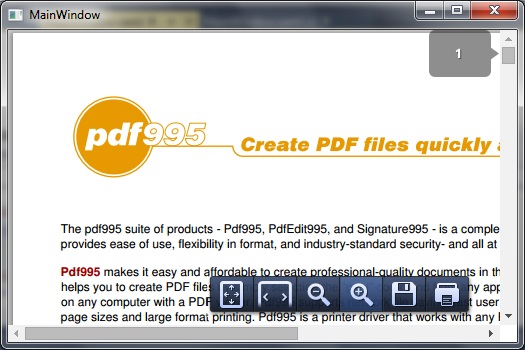
The application will then successfully browse PDF files as shown:
Try wiring the 'Address' property to an example PDF location, such as
[code language="xml"]
<Grid>
<wpf:ChromiumWebBrowser
x:Name="Browser"
Address="http://www.pdf995.com/samples/pdf.pdf" />
</Grid>
[/code]
The application will then successfully browse PDF files as shown:
Step 2: Obtain the CefSharp packages using NuGet
Link for the NuGet packages is here:
https://www.nuget.org/packages/CefSharp.WPF/
Select Tool > NuGet Package manager > Package Manager Console.
Use the
[code language="txt"]
PM> install-package CefSharp.Wpf
[/code]
Step 3: add the CefSharp dll references
Right-click on References, select 'Add reference'
When the dialog appears, select the Browse button. Navigate to the 'packages' folder that NuGet has installed to your Visual Studio project. For this project I'm choosing the x86 versions...
Add CefSharp.Wpf.dll:
Add the CefSharp.dll, CefSharp.Core.dll, CefSharp.BrowserSubprocessCore.dll:
If you get the error similar to the following:
[code language="text"]
Error 1 CefSharp.Common will work out of the box if you specify platform (x86 / x64). For AnyCPU Support see https://github.com/cefsharp/CefSharp/issues/1714 CefSharpBrowser
[/code]
... make sure you have set the Configuration Manager is set to either x86 or x64 - NOT 'Any CPU' otherwise it will never work.
Step 4: Update the MainWindow.xaml to embed the ChromiumWebBrowser control:
Namely, a reference to the CefSharp.Wpf namespace and the ChromiumBrowserControl itself.
MainWindow.xaml
[code language="xml"]
<Window x:Class="CefSharpBrowser.MainWindow"
xmlns="http://schemas.microsoft.com/winfx/2006/xaml/presentation"
xmlns:x="http://schemas.microsoft.com/winfx/2006/xaml"
xmlns:wpf="clr-namespace:CefSharp.Wpf;assembly=CefSharp.Wpf"
Title="MainWindow"
Height="350" Width="525">
<Grid>
<wpf:ChromiumWebBrowser
x:Name="Browser"
Address="http://www.google.co.uk" />
</Grid>
</Window>
[/code]
The re-build your project. You may have to close and re-open your MainWindow.xaml file to get it to update and display correctly. When run the browser control appears embedded in the WPF application and navigates to the web address pointed to by the ChromiumWebBrowser 'Address' property, as shown:
Known issues
The most recent version of CefSharp (version 53.0.0) does not seem to browse PDF documents so well. If this is an issue for you, uninstall this version (by using the NuGet package manager) and install an earlier version instead:
First un-install the newer packages:
[code language="text"]
PM> uninstall-package CefSharp.Wpf
PM> uninstall-package CefSharp.Common
PM> uninstall-package cef.redist.x64
PM> uninstall-package cef.redist.x64
[/code]
Then remove the existing references: right click the References folder, and select to remove CefSharp.Wpf, CefSharp.Core etc.
And then install the older version:. Just the following command is sufficient to install everything:
[code language="text"]
PM> install-package CefSharp.Wpf -version 39.0.0
[/code]
So that the list of packages now becomes:
[code language="text"]
<?xml version="1.0" encoding="utf-8"?>
<packages>
<package id="cef.redist.x64" version="3.2171.2069" targetFramework="net452" />
<package id="cef.redist.x86" version="3.2171.2069" targetFramework="net452" />
<package id="CefSharp.Common" version="39.0.0" targetFramework="net452" />
<package id="CefSharp.Wpf" version="39.0.0" targetFramework="net452" />
</packages>
[/code]
As before, add the updates dll references to the project, but this time from the 39.0.0 folder:
Try wiring the 'Address' property to an example PDF location, such as
[code language="xml"]
<Grid>
<wpf:ChromiumWebBrowser
x:Name="Browser"
Address="http://www.pdf995.com/samples/pdf.pdf" />
</Grid>
[/code]
The application will then successfully browse PDF files as shown:


Comments
Post a Comment