How to rename a project folder in Visual Studio
Example folder name ‘PortableMedia’ that I wish to rename to ‘Renishaw.IDT.Powers.PortableMedia’:
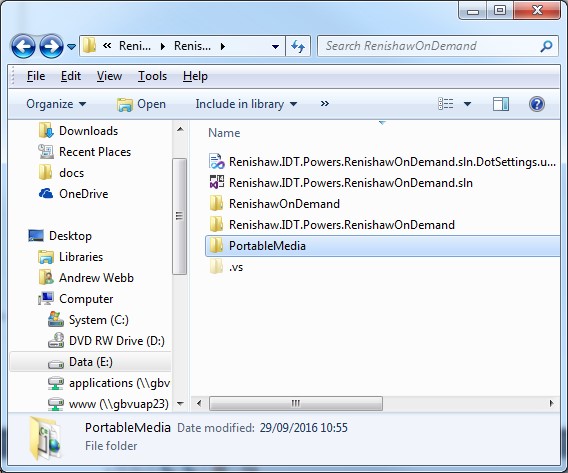 Step 1: Close the VS solution and nename the folder in source control
‘PortableMedia’
Step 1: Close the VS solution and nename the folder in source control
‘PortableMedia’
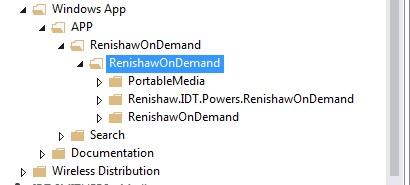 Gets changed to ‘Renishaw.IDT.Powers.PortableMedia’:
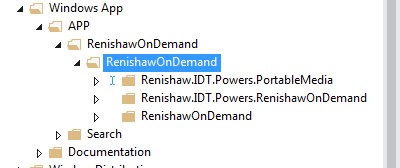 Re-open the solution.
Observe that the renamed project that is now marked as unavailable in the Solution Explorer:
Re-open the solution.
Observe that the renamed project that is now marked as unavailable in the Solution Explorer:
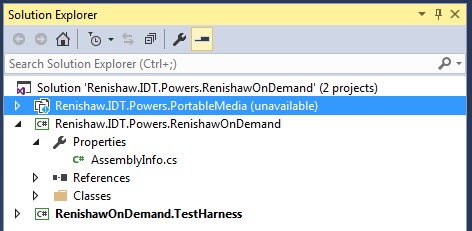 Open the Properties pane on that unavailable folder: Just select properties window – you can’t right-click and select properties anymore…
 Edit the folder and update the path name:
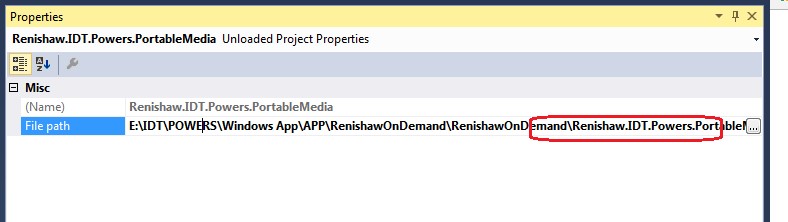 (If you have problems doing this then just edit the *.sln file using notepad++ and change the ‘File Path’ property in there)
Right click on that unavailable project and try to reload project. This should work now:
(If you have problems doing this then just edit the *.sln file using notepad++ and change the ‘File Path’ property in there)
Right click on that unavailable project and try to reload project. This should work now:
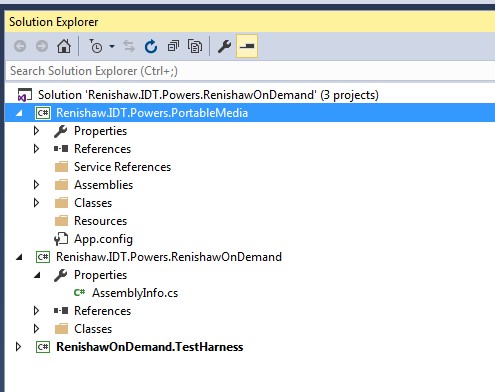 Remove the old folder in your workspace folder:
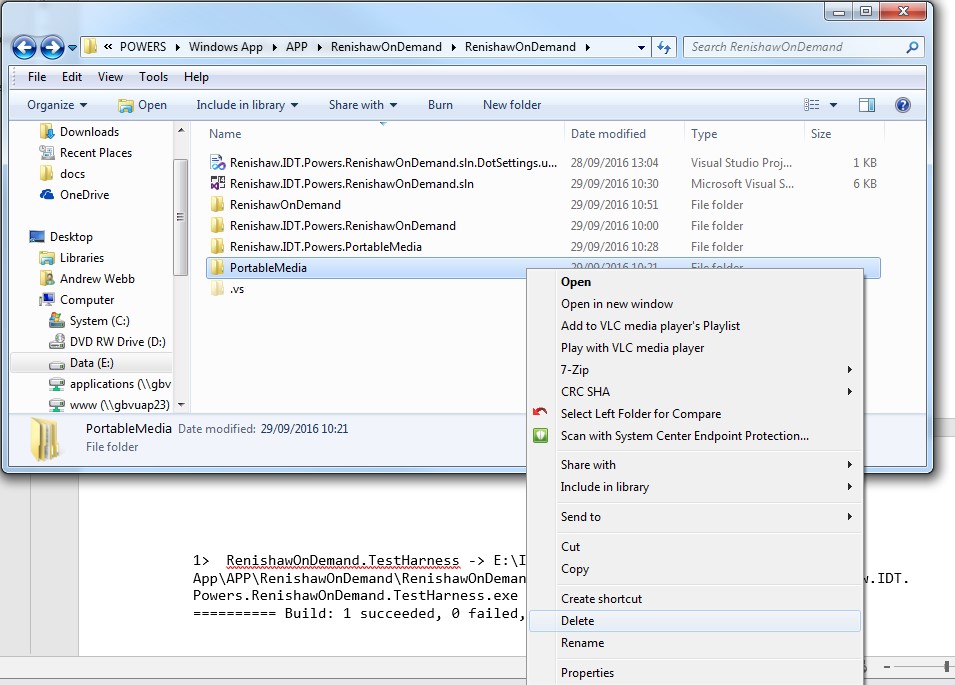 You might get the following build whinge
[code language="txt"]
1>------ Build started: Project: RenishawOnDemand.TestHarness, Configuration: Debug x64 ------
1>C:\Program Files (x86)\MSBuild\14.0\bin\Microsoft.Common.CurrentVersion.targets(1611,5): warning : The referenced project '..\PortableMedia\Renishaw.IDT.Powers.PortableMedia.csproj' does not exist.
1> RenishawOnDemand.TestHarness -> E:\IDT\POWERS\Windows App\APP\RenishawOnDemand\RenishawOnDemand\RenishawOnDemand\bin\x64\Debug\Renishaw.IDT.Powers.RenishawOnDemand.TestHarness.exe
========== Build: 1 succeeded, 0 failed, 2 up-to-date, 0 skipped ==========
[/code]
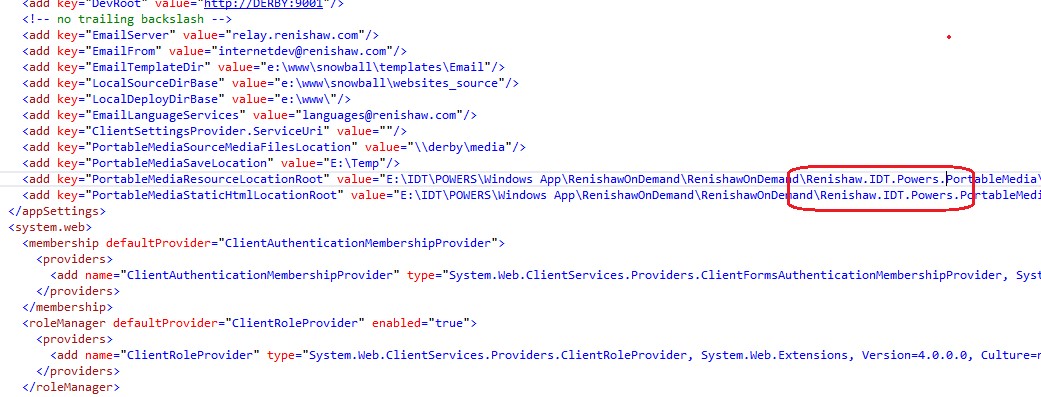
In this case just look for instances of where the old folder location is still being referenced (in my case it was the app.config) and update these:
You might get the following build whinge
[code language="txt"]
1>------ Build started: Project: RenishawOnDemand.TestHarness, Configuration: Debug x64 ------
1>C:\Program Files (x86)\MSBuild\14.0\bin\Microsoft.Common.CurrentVersion.targets(1611,5): warning : The referenced project '..\PortableMedia\Renishaw.IDT.Powers.PortableMedia.csproj' does not exist.
1> RenishawOnDemand.TestHarness -> E:\IDT\POWERS\Windows App\APP\RenishawOnDemand\RenishawOnDemand\RenishawOnDemand\bin\x64\Debug\Renishaw.IDT.Powers.RenishawOnDemand.TestHarness.exe
========== Build: 1 succeeded, 0 failed, 2 up-to-date, 0 skipped ==========
[/code]
In this case just look for instances of where the old folder location is still being referenced (in my case it was the app.config) and update these:
Step 1: Close the VS solution and nename the folder in source control
‘PortableMedia’
Gets changed to ‘Renishaw.IDT.Powers.PortableMedia’:
Re-open the solution.
Observe that the renamed project that is now marked as unavailable in the Solution Explorer:
Open the Properties pane on that unavailable folder: Just select properties window – you can’t right-click and select properties anymore…
Edit the folder and update the path name:
(If you have problems doing this then just edit the *.sln file using notepad++ and change the ‘File Path’ property in there)
Right click on that unavailable project and try to reload project. This should work now:
Remove the old folder in your workspace folder:
You might get the following build whinge
[code language="txt"]
1>------ Build started: Project: RenishawOnDemand.TestHarness, Configuration: Debug x64 ------
1>C:\Program Files (x86)\MSBuild\14.0\bin\Microsoft.Common.CurrentVersion.targets(1611,5): warning : The referenced project '..\PortableMedia\Renishaw.IDT.Powers.PortableMedia.csproj' does not exist.
1> RenishawOnDemand.TestHarness -> E:\IDT\POWERS\Windows App\APP\RenishawOnDemand\RenishawOnDemand\RenishawOnDemand\bin\x64\Debug\Renishaw.IDT.Powers.RenishawOnDemand.TestHarness.exe
========== Build: 1 succeeded, 0 failed, 2 up-to-date, 0 skipped ==========
[/code]
In this case just look for instances of where the old folder location is still being referenced (in my case it was the app.config) and update these:


Comments
Post a Comment