Switching between WPF XAML views using MVVM DataTemplate
UPDATE: There is an improved version of this technique, one which does not need to create Views, which can be found at the following link:
https://www.technical-recipes.com/2018/navigating-between-views-in-wpf-mvvm/
This technique has been already discussed on a number of blog / website forums including the following:
https://rachel53461.wordpress.com/2011/05/28/switching-between-viewsusercontrols-using-mvvm/
http://stackoverflow.com/questions/19654295/wpf-mvvm-navigate-views
http://stackoverflow.com/questions/10993385/changing-view-on-buttonclick
I thought it would be useful to share an implemention of a working version of this technique.
The complete Visual Studio project can be downloaded from here:
https://www.technical-recipes.com/Downloads/MvvmSwitchViews.zip
To summarise, your application should at least implement the following:
A ViewModel that contains a property which defines your current view, so that to change the view you switch your ViewModel’s properties.
The ViewModel needs to implement INotifyPropertyChanged otherwise the view won't be notified when a property changes.
A ContentControl whose content to the is bound to the current view.
Some DataTemplates for each of the views you wish to switch between.
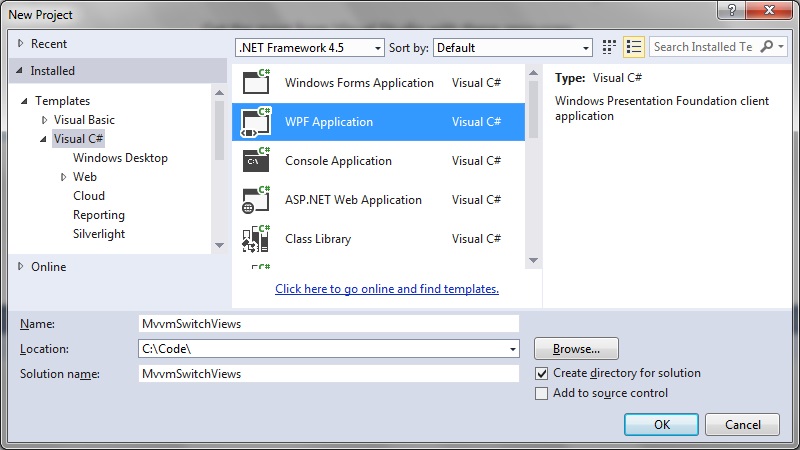
To get started create a new WPF project in Visual Studio:
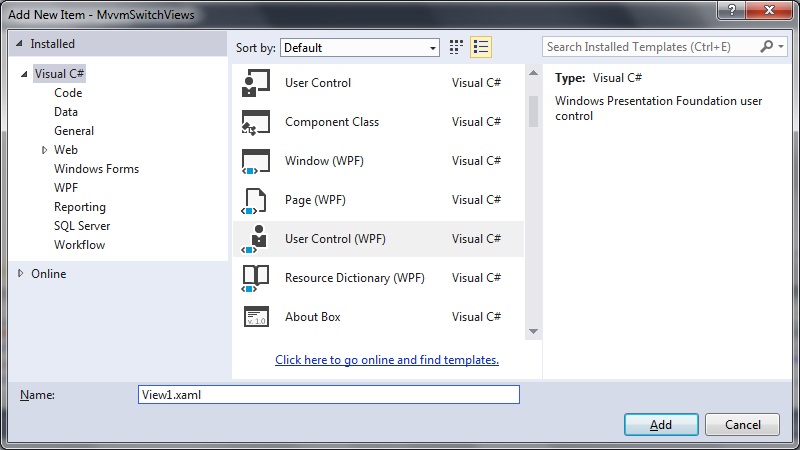
 And in our project create 2 x new WPF User Controls, View1.xaml and View2.xaml:
 View1.xaml
[code language="xml"]
<UserControl x:Class="MvvmSwitchViews.View1"
xmlns="http://schemas.microsoft.com/winfx/2006/xaml/presentation"
xmlns:x="http://schemas.microsoft.com/winfx/2006/xaml"
xmlns:mc="http://schemas.openxmlformats.org/markup-compatibility/2006"
xmlns:d="http://schemas.microsoft.com/expression/blend/2008"
mc:Ignorable="d"
d:DesignHeight="300" d:DesignWidth="300">
<Grid>
<Button
Content="Goto View 2"
Command="{Binding GotoView2Command}"
HorizontalAlignment="Center"
Margin="10,10,0,0"
VerticalAlignment="Center"
Width="75">
</Button>
</Grid>
</UserControl>
[/code]
View2.xaml
[code language="xml"]
<UserControl x:Class="MvvmSwitchViews.View2"
xmlns="http://schemas.microsoft.com/winfx/2006/xaml/presentation"
xmlns:x="http://schemas.microsoft.com/winfx/2006/xaml"
xmlns:mc="http://schemas.openxmlformats.org/markup-compatibility/2006"
xmlns:d="http://schemas.microsoft.com/expression/blend/2008"
mc:Ignorable="d"
d:DesignHeight="300" d:DesignWidth="300">
<Grid>
<Button
Content="Goto View 1"
Command="{Binding GotoView1Command}"
HorizontalAlignment="Center"
Margin="10,10,0,0"
VerticalAlignment="Center"
Width="75">
</Button>
</Grid>
</UserControl>
[/code]
Create ViewModels for each of the Views: View1ViewModel and View2ViewModel. These will just be empty classes for our minimalist implementation:
View1.xaml
[code language="xml"]
<UserControl x:Class="MvvmSwitchViews.View1"
xmlns="http://schemas.microsoft.com/winfx/2006/xaml/presentation"
xmlns:x="http://schemas.microsoft.com/winfx/2006/xaml"
xmlns:mc="http://schemas.openxmlformats.org/markup-compatibility/2006"
xmlns:d="http://schemas.microsoft.com/expression/blend/2008"
mc:Ignorable="d"
d:DesignHeight="300" d:DesignWidth="300">
<Grid>
<Button
Content="Goto View 2"
Command="{Binding GotoView2Command}"
HorizontalAlignment="Center"
Margin="10,10,0,0"
VerticalAlignment="Center"
Width="75">
</Button>
</Grid>
</UserControl>
[/code]
View2.xaml
[code language="xml"]
<UserControl x:Class="MvvmSwitchViews.View2"
xmlns="http://schemas.microsoft.com/winfx/2006/xaml/presentation"
xmlns:x="http://schemas.microsoft.com/winfx/2006/xaml"
xmlns:mc="http://schemas.openxmlformats.org/markup-compatibility/2006"
xmlns:d="http://schemas.microsoft.com/expression/blend/2008"
mc:Ignorable="d"
d:DesignHeight="300" d:DesignWidth="300">
<Grid>
<Button
Content="Goto View 1"
Command="{Binding GotoView1Command}"
HorizontalAlignment="Center"
Margin="10,10,0,0"
VerticalAlignment="Center"
Width="75">
</Button>
</Grid>
</UserControl>
[/code]
Create ViewModels for each of the Views: View1ViewModel and View2ViewModel. These will just be empty classes for our minimalist implementation:
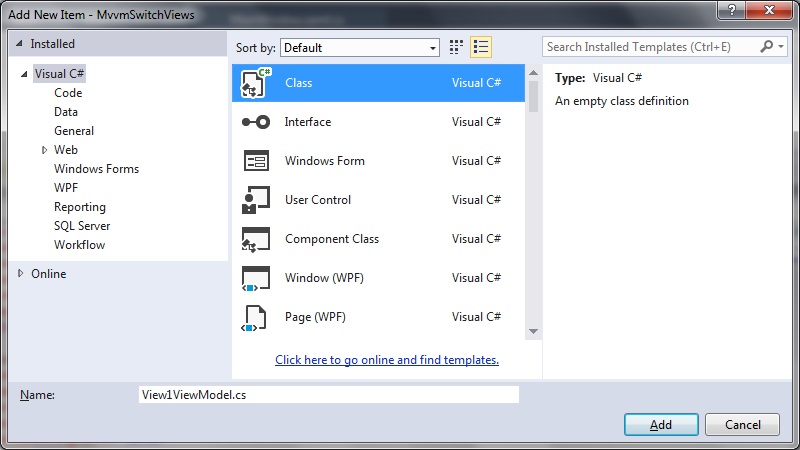 View1ViewModel.cs
[code language="csharp"]
namespace MvvmSwitchViews
{
public class View1ViewModel
{
}
}
[/code]
View2ViewModel.cs
[code language="csharp"]
namespace MvvmSwitchViews
{
public class View2ViewModel
{
}
}
[/code]
Modify the MainWindow.xaml to include the DataTemplate and CurrentView bindings:
MainWindow.xaml
[code language="xml"]
<Window x:Class="MvvmSwitchViews.MainWindow"
xmlns="http://schemas.microsoft.com/winfx/2006/xaml/presentation"
xmlns:x="http://schemas.microsoft.com/winfx/2006/xaml"
xmlns:local="clr-namespace:MvvmSwitchViews"
Title="MainWindow" Height="350" Width="525">
<Window.Resources>
<DataTemplate DataType="{x:Type local:View1ViewModel}">
<local:View1/>
</DataTemplate>
<DataTemplate DataType="{x:Type local:View2ViewModel}">
<local:View2/>
</DataTemplate>
</Window.Resources>
<Window.DataContext>
<local:MainWindowViewModel />
</Window.DataContext>
<Grid>
<ContentControl Content="{Binding CurrentView}" />
</Grid>
</Window>
[/code]
We then create a new ViewModel for the MainWindow.xaml, called MainWindowViewModel:
MainWindowViewModel.cs
[code language="csharp"]
using System.Windows.Input;
namespace MvvmSwitchViews
{
public class MainWindowViewModel : ViewModelBase
{
private ICommand _gotoView1Command;
private ICommand _gotoView2Command;
private object _currentView;
private object _view1;
private object _view2;
public MainWindowViewModel()
{
_view1 = new View1();
_view2 = new View2();
CurrentView = _view2;
}
public object GotoView1Command
{
get
{
return _gotoView1Command ?? (_gotoView1Command = new RelayCommand(
x =>
{
GotoView1();
}));
}
}
public ICommand GotoView2Command
{
get
{
return _gotoView2Command ?? (_gotoView2Command = new RelayCommand(
x =>
{
GotoView2();
}));
}
}
public object CurrentView
{
get { return _currentView; }
set
{
_currentView = value;
OnPropertyChanged("CurrentView");
}
}
private void GotoView1()
{
CurrentView = _view1;
}
private void GotoView2()
{
CurrentView = _view2;
}
}
}
[/code]
We also need to implement INotifyPropertyChanged or create a class that implements INotifyPropertyChanged. For this we create a new class called ViewModelBase:
View1ViewModel.cs
[code language="csharp"]
namespace MvvmSwitchViews
{
public class View1ViewModel
{
}
}
[/code]
View2ViewModel.cs
[code language="csharp"]
namespace MvvmSwitchViews
{
public class View2ViewModel
{
}
}
[/code]
Modify the MainWindow.xaml to include the DataTemplate and CurrentView bindings:
MainWindow.xaml
[code language="xml"]
<Window x:Class="MvvmSwitchViews.MainWindow"
xmlns="http://schemas.microsoft.com/winfx/2006/xaml/presentation"
xmlns:x="http://schemas.microsoft.com/winfx/2006/xaml"
xmlns:local="clr-namespace:MvvmSwitchViews"
Title="MainWindow" Height="350" Width="525">
<Window.Resources>
<DataTemplate DataType="{x:Type local:View1ViewModel}">
<local:View1/>
</DataTemplate>
<DataTemplate DataType="{x:Type local:View2ViewModel}">
<local:View2/>
</DataTemplate>
</Window.Resources>
<Window.DataContext>
<local:MainWindowViewModel />
</Window.DataContext>
<Grid>
<ContentControl Content="{Binding CurrentView}" />
</Grid>
</Window>
[/code]
We then create a new ViewModel for the MainWindow.xaml, called MainWindowViewModel:
MainWindowViewModel.cs
[code language="csharp"]
using System.Windows.Input;
namespace MvvmSwitchViews
{
public class MainWindowViewModel : ViewModelBase
{
private ICommand _gotoView1Command;
private ICommand _gotoView2Command;
private object _currentView;
private object _view1;
private object _view2;
public MainWindowViewModel()
{
_view1 = new View1();
_view2 = new View2();
CurrentView = _view2;
}
public object GotoView1Command
{
get
{
return _gotoView1Command ?? (_gotoView1Command = new RelayCommand(
x =>
{
GotoView1();
}));
}
}
public ICommand GotoView2Command
{
get
{
return _gotoView2Command ?? (_gotoView2Command = new RelayCommand(
x =>
{
GotoView2();
}));
}
}
public object CurrentView
{
get { return _currentView; }
set
{
_currentView = value;
OnPropertyChanged("CurrentView");
}
}
private void GotoView1()
{
CurrentView = _view1;
}
private void GotoView2()
{
CurrentView = _view2;
}
}
}
[/code]
We also need to implement INotifyPropertyChanged or create a class that implements INotifyPropertyChanged. For this we create a new class called ViewModelBase:
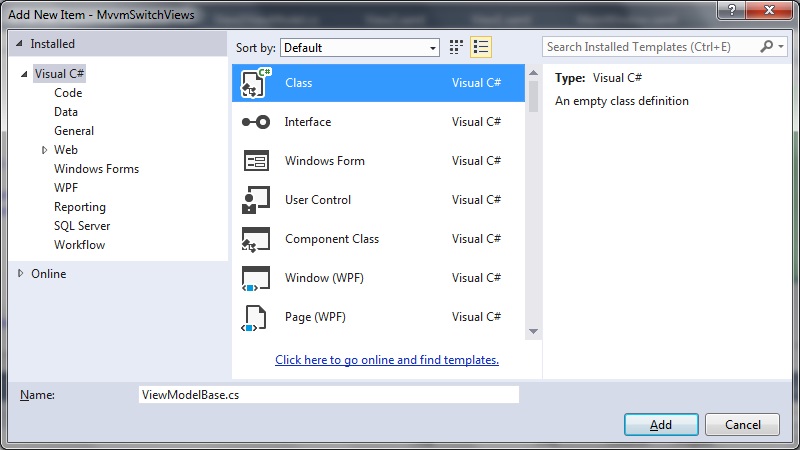 ViewModelBase.cs
[code language="csharp"]
using System;
using System.ComponentModel;
using System.Windows.Input;
namespace MvvmSwitchViews
{
public class ViewModelBase : INotifyPropertyChanged
{
public event PropertyChangedEventHandler PropertyChanged;
protected void OnPropertyChanged(string propertyName)
{
var handler = PropertyChanged;
if (handler != null)
{
handler(this, new PropertyChangedEventArgs(propertyName));
}
}
}
}
[/code]
Create three more classes to implement RelayCommand, EventArgs and EventRaiser for our event handling:
RelayCommand.cs
[code language="csharp"]
using System;
using System.Windows.Input;
namespace MvvmSwitchViews
{
public class RelayCommand<T> : ICommand
{
private readonly Predicate<T> _canExecute;
private readonly Action<T> _execute;
public RelayCommand(Action<T> execute)
: this(execute, null)
{
_execute = execute;
}
public RelayCommand(Action<T> execute, Predicate<T> canExecute)
{
if (execute == null)
{
throw new ArgumentNullException("execute");
}
_execute = execute;
_canExecute = canExecute;
}
public bool CanExecute(object parameter)
{
return _canExecute == null || _canExecute((T) parameter);
}
public void Execute(object parameter)
{
_execute((T) parameter);
}
public event EventHandler CanExecuteChanged
{
add { CommandManager.RequerySuggested += value; }
remove { CommandManager.RequerySuggested -= value; }
}
}
public class RelayCommand : ICommand
{
private readonly Predicate<object> _canExecute;
private readonly Action<object> _execute;
public RelayCommand(Action<object> execute)
: this(execute, null)
{
_execute = execute;
}
public RelayCommand(Action<object> execute, Predicate<object> canExecute)
{
if (execute == null)
{
throw new ArgumentNullException("execute");
}
_execute = execute;
_canExecute = canExecute;
}
public bool CanExecute(object parameter)
{
return _canExecute == null || _canExecute(parameter);
}
public void Execute(object parameter)
{
_execute(parameter);
}
// Ensures WPF commanding infrastructure asks all RelayCommand objects whether their
// associated views should be enabled whenever a command is invoked
public event EventHandler CanExecuteChanged
{
add
{
CommandManager.RequerySuggested += value;
CanExecuteChangedInternal += value;
}
remove
{
CommandManager.RequerySuggested -= value;
CanExecuteChangedInternal -= value;
}
}
private event EventHandler CanExecuteChangedInternal;
public void RaiseCanExecuteChanged()
{
CanExecuteChangedInternal.Raise(this);
}
}
}
[/code]
EventArgs.cs
[code language="csharp"]
using System;
namespace MvvmSwitchViews
{
public class EventArgs<T> : EventArgs
{
public EventArgs(T value)
{
Value = value;
}
public T Value { get; private set; }
}
}
[/code]
EventRaiser.cs
[code language="csharp"]
using System;
namespace MvvmSwitchViews
{
public static class EventRaiser
{
public static void Raise(this EventHandler handler, object sender)
{
if (handler != null)
{
handler(sender, EventArgs.Empty);
}
}
public static void Raise<T>(this EventHandler<EventArgs<T>> handler, object sender, T value)
{
if (handler != null)
{
handler(sender, new EventArgs<T>(value));
}
}
public static void Raise<T>(this EventHandler<T> handler, object sender, T value) where T : EventArgs
{
if (handler != null)
{
handler(sender, value);
}
}
public static void Raise<T>(this EventHandler<EventArgs<T>> handler, object sender, EventArgs<T> value)
{
if (handler != null)
{
handler(sender, value);
}
}
}
}
[/code]
We can now run the application to demonstrate how the switch of views can be achieved by the pressing of the buttons:
ViewModelBase.cs
[code language="csharp"]
using System;
using System.ComponentModel;
using System.Windows.Input;
namespace MvvmSwitchViews
{
public class ViewModelBase : INotifyPropertyChanged
{
public event PropertyChangedEventHandler PropertyChanged;
protected void OnPropertyChanged(string propertyName)
{
var handler = PropertyChanged;
if (handler != null)
{
handler(this, new PropertyChangedEventArgs(propertyName));
}
}
}
}
[/code]
Create three more classes to implement RelayCommand, EventArgs and EventRaiser for our event handling:
RelayCommand.cs
[code language="csharp"]
using System;
using System.Windows.Input;
namespace MvvmSwitchViews
{
public class RelayCommand<T> : ICommand
{
private readonly Predicate<T> _canExecute;
private readonly Action<T> _execute;
public RelayCommand(Action<T> execute)
: this(execute, null)
{
_execute = execute;
}
public RelayCommand(Action<T> execute, Predicate<T> canExecute)
{
if (execute == null)
{
throw new ArgumentNullException("execute");
}
_execute = execute;
_canExecute = canExecute;
}
public bool CanExecute(object parameter)
{
return _canExecute == null || _canExecute((T) parameter);
}
public void Execute(object parameter)
{
_execute((T) parameter);
}
public event EventHandler CanExecuteChanged
{
add { CommandManager.RequerySuggested += value; }
remove { CommandManager.RequerySuggested -= value; }
}
}
public class RelayCommand : ICommand
{
private readonly Predicate<object> _canExecute;
private readonly Action<object> _execute;
public RelayCommand(Action<object> execute)
: this(execute, null)
{
_execute = execute;
}
public RelayCommand(Action<object> execute, Predicate<object> canExecute)
{
if (execute == null)
{
throw new ArgumentNullException("execute");
}
_execute = execute;
_canExecute = canExecute;
}
public bool CanExecute(object parameter)
{
return _canExecute == null || _canExecute(parameter);
}
public void Execute(object parameter)
{
_execute(parameter);
}
// Ensures WPF commanding infrastructure asks all RelayCommand objects whether their
// associated views should be enabled whenever a command is invoked
public event EventHandler CanExecuteChanged
{
add
{
CommandManager.RequerySuggested += value;
CanExecuteChangedInternal += value;
}
remove
{
CommandManager.RequerySuggested -= value;
CanExecuteChangedInternal -= value;
}
}
private event EventHandler CanExecuteChangedInternal;
public void RaiseCanExecuteChanged()
{
CanExecuteChangedInternal.Raise(this);
}
}
}
[/code]
EventArgs.cs
[code language="csharp"]
using System;
namespace MvvmSwitchViews
{
public class EventArgs<T> : EventArgs
{
public EventArgs(T value)
{
Value = value;
}
public T Value { get; private set; }
}
}
[/code]
EventRaiser.cs
[code language="csharp"]
using System;
namespace MvvmSwitchViews
{
public static class EventRaiser
{
public static void Raise(this EventHandler handler, object sender)
{
if (handler != null)
{
handler(sender, EventArgs.Empty);
}
}
public static void Raise<T>(this EventHandler<EventArgs<T>> handler, object sender, T value)
{
if (handler != null)
{
handler(sender, new EventArgs<T>(value));
}
}
public static void Raise<T>(this EventHandler<T> handler, object sender, T value) where T : EventArgs
{
if (handler != null)
{
handler(sender, value);
}
}
public static void Raise<T>(this EventHandler<EventArgs<T>> handler, object sender, EventArgs<T> value)
{
if (handler != null)
{
handler(sender, value);
}
}
}
}
[/code]
We can now run the application to demonstrate how the switch of views can be achieved by the pressing of the buttons:
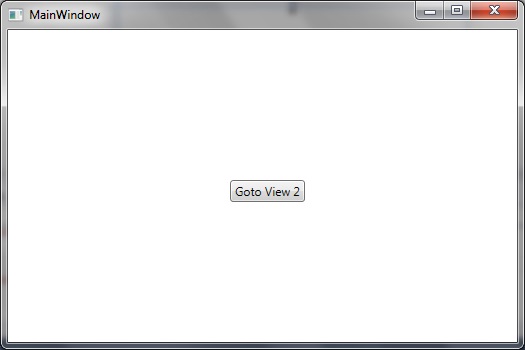 And switching to the next view like so:
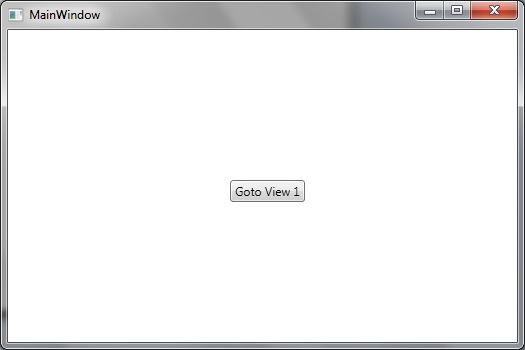
And in our project create 2 x new WPF User Controls, View1.xaml and View2.xaml:
View1.xaml
[code language="xml"]
<UserControl x:Class="MvvmSwitchViews.View1"
xmlns="http://schemas.microsoft.com/winfx/2006/xaml/presentation"
xmlns:x="http://schemas.microsoft.com/winfx/2006/xaml"
xmlns:mc="http://schemas.openxmlformats.org/markup-compatibility/2006"
xmlns:d="http://schemas.microsoft.com/expression/blend/2008"
mc:Ignorable="d"
d:DesignHeight="300" d:DesignWidth="300">
<Grid>
<Button
Content="Goto View 2"
Command="{Binding GotoView2Command}"
HorizontalAlignment="Center"
Margin="10,10,0,0"
VerticalAlignment="Center"
Width="75">
</Button>
</Grid>
</UserControl>
[/code]
View2.xaml
[code language="xml"]
<UserControl x:Class="MvvmSwitchViews.View2"
xmlns="http://schemas.microsoft.com/winfx/2006/xaml/presentation"
xmlns:x="http://schemas.microsoft.com/winfx/2006/xaml"
xmlns:mc="http://schemas.openxmlformats.org/markup-compatibility/2006"
xmlns:d="http://schemas.microsoft.com/expression/blend/2008"
mc:Ignorable="d"
d:DesignHeight="300" d:DesignWidth="300">
<Grid>
<Button
Content="Goto View 1"
Command="{Binding GotoView1Command}"
HorizontalAlignment="Center"
Margin="10,10,0,0"
VerticalAlignment="Center"
Width="75">
</Button>
</Grid>
</UserControl>
[/code]
Create ViewModels for each of the Views: View1ViewModel and View2ViewModel. These will just be empty classes for our minimalist implementation:
View1ViewModel.cs
[code language="csharp"]
namespace MvvmSwitchViews
{
public class View1ViewModel
{
}
}
[/code]
View2ViewModel.cs
[code language="csharp"]
namespace MvvmSwitchViews
{
public class View2ViewModel
{
}
}
[/code]
Modify the MainWindow.xaml to include the DataTemplate and CurrentView bindings:
MainWindow.xaml
[code language="xml"]
<Window x:Class="MvvmSwitchViews.MainWindow"
xmlns="http://schemas.microsoft.com/winfx/2006/xaml/presentation"
xmlns:x="http://schemas.microsoft.com/winfx/2006/xaml"
xmlns:local="clr-namespace:MvvmSwitchViews"
Title="MainWindow" Height="350" Width="525">
<Window.Resources>
<DataTemplate DataType="{x:Type local:View1ViewModel}">
<local:View1/>
</DataTemplate>
<DataTemplate DataType="{x:Type local:View2ViewModel}">
<local:View2/>
</DataTemplate>
</Window.Resources>
<Window.DataContext>
<local:MainWindowViewModel />
</Window.DataContext>
<Grid>
<ContentControl Content="{Binding CurrentView}" />
</Grid>
</Window>
[/code]
We then create a new ViewModel for the MainWindow.xaml, called MainWindowViewModel:
MainWindowViewModel.cs
[code language="csharp"]
using System.Windows.Input;
namespace MvvmSwitchViews
{
public class MainWindowViewModel : ViewModelBase
{
private ICommand _gotoView1Command;
private ICommand _gotoView2Command;
private object _currentView;
private object _view1;
private object _view2;
public MainWindowViewModel()
{
_view1 = new View1();
_view2 = new View2();
CurrentView = _view2;
}
public object GotoView1Command
{
get
{
return _gotoView1Command ?? (_gotoView1Command = new RelayCommand(
x =>
{
GotoView1();
}));
}
}
public ICommand GotoView2Command
{
get
{
return _gotoView2Command ?? (_gotoView2Command = new RelayCommand(
x =>
{
GotoView2();
}));
}
}
public object CurrentView
{
get { return _currentView; }
set
{
_currentView = value;
OnPropertyChanged("CurrentView");
}
}
private void GotoView1()
{
CurrentView = _view1;
}
private void GotoView2()
{
CurrentView = _view2;
}
}
}
[/code]
We also need to implement INotifyPropertyChanged or create a class that implements INotifyPropertyChanged. For this we create a new class called ViewModelBase:
ViewModelBase.cs
[code language="csharp"]
using System;
using System.ComponentModel;
using System.Windows.Input;
namespace MvvmSwitchViews
{
public class ViewModelBase : INotifyPropertyChanged
{
public event PropertyChangedEventHandler PropertyChanged;
protected void OnPropertyChanged(string propertyName)
{
var handler = PropertyChanged;
if (handler != null)
{
handler(this, new PropertyChangedEventArgs(propertyName));
}
}
}
}
[/code]
Create three more classes to implement RelayCommand, EventArgs and EventRaiser for our event handling:
RelayCommand.cs
[code language="csharp"]
using System;
using System.Windows.Input;
namespace MvvmSwitchViews
{
public class RelayCommand<T> : ICommand
{
private readonly Predicate<T> _canExecute;
private readonly Action<T> _execute;
public RelayCommand(Action<T> execute)
: this(execute, null)
{
_execute = execute;
}
public RelayCommand(Action<T> execute, Predicate<T> canExecute)
{
if (execute == null)
{
throw new ArgumentNullException("execute");
}
_execute = execute;
_canExecute = canExecute;
}
public bool CanExecute(object parameter)
{
return _canExecute == null || _canExecute((T) parameter);
}
public void Execute(object parameter)
{
_execute((T) parameter);
}
public event EventHandler CanExecuteChanged
{
add { CommandManager.RequerySuggested += value; }
remove { CommandManager.RequerySuggested -= value; }
}
}
public class RelayCommand : ICommand
{
private readonly Predicate<object> _canExecute;
private readonly Action<object> _execute;
public RelayCommand(Action<object> execute)
: this(execute, null)
{
_execute = execute;
}
public RelayCommand(Action<object> execute, Predicate<object> canExecute)
{
if (execute == null)
{
throw new ArgumentNullException("execute");
}
_execute = execute;
_canExecute = canExecute;
}
public bool CanExecute(object parameter)
{
return _canExecute == null || _canExecute(parameter);
}
public void Execute(object parameter)
{
_execute(parameter);
}
// Ensures WPF commanding infrastructure asks all RelayCommand objects whether their
// associated views should be enabled whenever a command is invoked
public event EventHandler CanExecuteChanged
{
add
{
CommandManager.RequerySuggested += value;
CanExecuteChangedInternal += value;
}
remove
{
CommandManager.RequerySuggested -= value;
CanExecuteChangedInternal -= value;
}
}
private event EventHandler CanExecuteChangedInternal;
public void RaiseCanExecuteChanged()
{
CanExecuteChangedInternal.Raise(this);
}
}
}
[/code]
EventArgs.cs
[code language="csharp"]
using System;
namespace MvvmSwitchViews
{
public class EventArgs<T> : EventArgs
{
public EventArgs(T value)
{
Value = value;
}
public T Value { get; private set; }
}
}
[/code]
EventRaiser.cs
[code language="csharp"]
using System;
namespace MvvmSwitchViews
{
public static class EventRaiser
{
public static void Raise(this EventHandler handler, object sender)
{
if (handler != null)
{
handler(sender, EventArgs.Empty);
}
}
public static void Raise<T>(this EventHandler<EventArgs<T>> handler, object sender, T value)
{
if (handler != null)
{
handler(sender, new EventArgs<T>(value));
}
}
public static void Raise<T>(this EventHandler<T> handler, object sender, T value) where T : EventArgs
{
if (handler != null)
{
handler(sender, value);
}
}
public static void Raise<T>(this EventHandler<EventArgs<T>> handler, object sender, EventArgs<T> value)
{
if (handler != null)
{
handler(sender, value);
}
}
}
}
[/code]
We can now run the application to demonstrate how the switch of views can be achieved by the pressing of the buttons:
And switching to the next view like so:


Comments
Post a Comment