Making png images transparent using paint.net
Something I needed recently which I've wanted to blog. It's fairly simple, and also documented elsewhere online, but as with most things I do technical blog wise, explanations work better with screenshots.
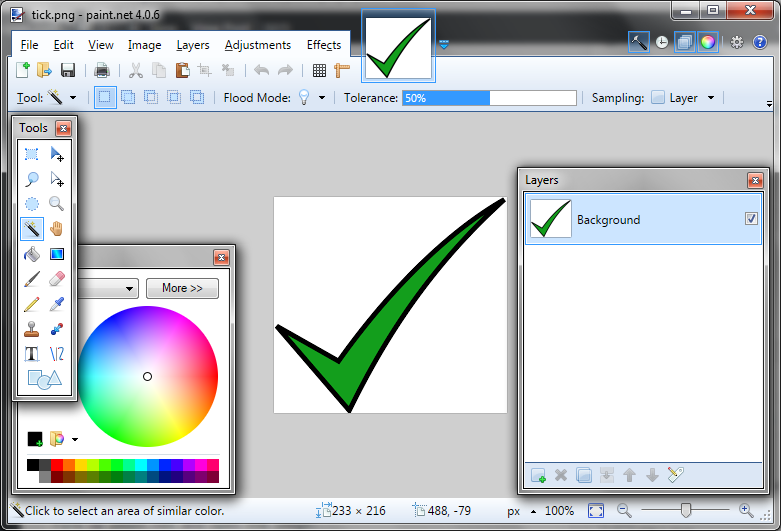
Example image, "tick.png" with a non-transparent white background:
 If you don't have it already, download and install paint.net. It is great and is to MS Paint what Notepad++ is to MS Notepad, though you need Windows 7 or above as a minimum system requirement:
http://www.dotpdn.com/downloads/pdn.html
Fire up paint.net and open the image:
If you don't have it already, download and install paint.net. It is great and is to MS Paint what Notepad++ is to MS Notepad, though you need Windows 7 or above as a minimum system requirement:
http://www.dotpdn.com/downloads/pdn.html
Fire up paint.net and open the image:
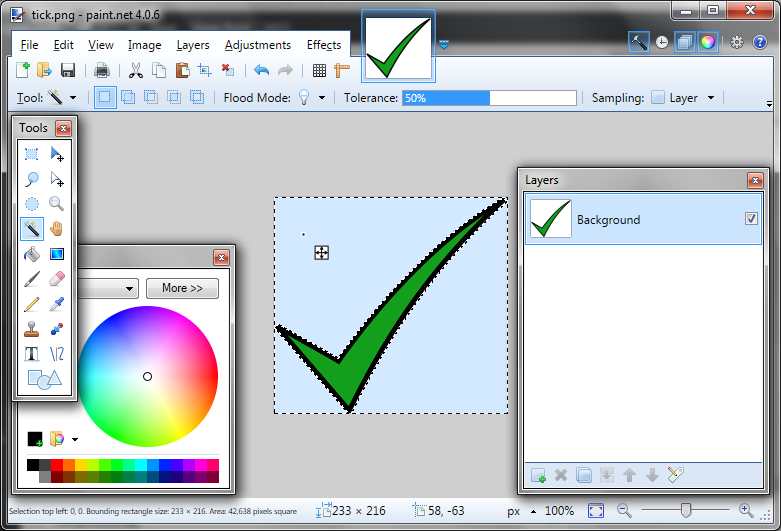
 Select the magic wand tool. You may need to adjust the tolerance setting shown, but for this example I kept it on 50%. Then click anywhere on the image's white background:
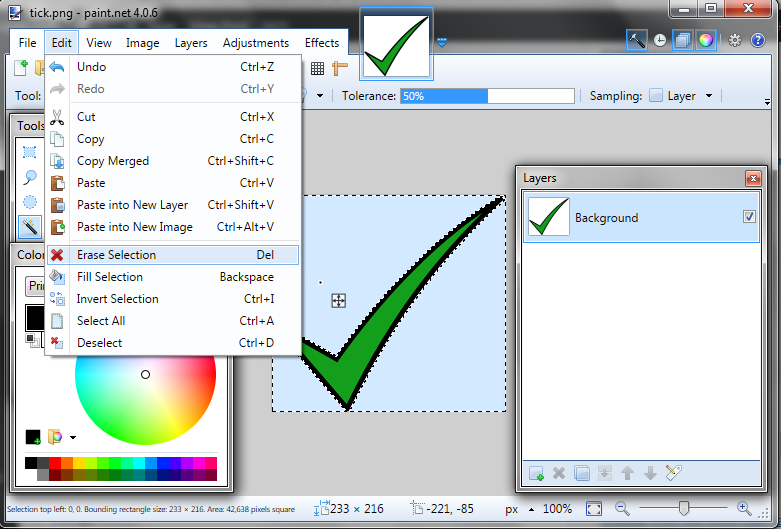
 Use Erase Selection from the drop down menu or just hit the Delete button:
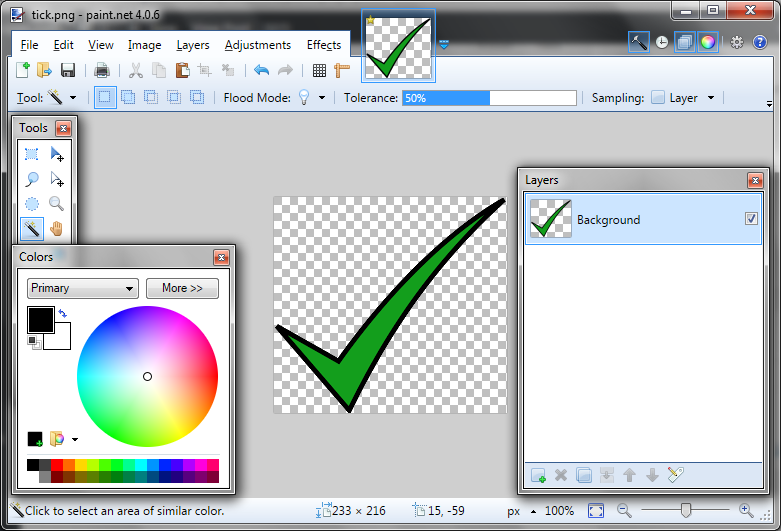
 So that what you end up with is your original tick symbol minus the white background:
If you don't have it already, download and install paint.net. It is great and is to MS Paint what Notepad++ is to MS Notepad, though you need Windows 7 or above as a minimum system requirement:
http://www.dotpdn.com/downloads/pdn.html
Fire up paint.net and open the image:
Select the magic wand tool. You may need to adjust the tolerance setting shown, but for this example I kept it on 50%. Then click anywhere on the image's white background:
Use Erase Selection from the drop down menu or just hit the Delete button:
So that what you end up with is your original tick symbol minus the white background:


Comments
Post a Comment