Changing the font size of the 'Syntaxhighlighter' plugin
Alex Gorbatchev's Syntaxhighlighter is a GREAT plugin for posting code samples on your website.
I know because I use it on here.
My only minor gripe was in the default size of the actual font itself - it was too large for my own preference.
Modifying the size is simple, and I'm going to post it here for future reference.
Login to your website's CPanel, open the File Manager and navigate to your 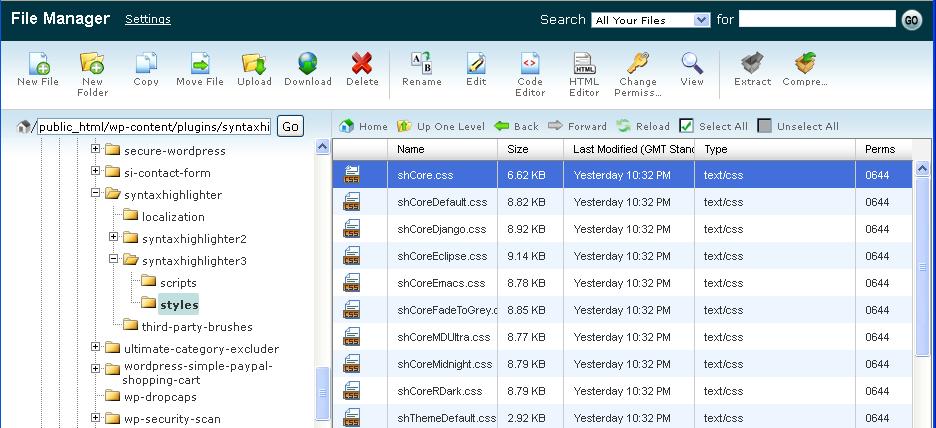 In the
  This is what my version of
Syntaxhighlighter plugin folder:
public_html > wp-content > plugins > syntaxhighlighter > syntaxhighlighter3 > styles > shCore.js
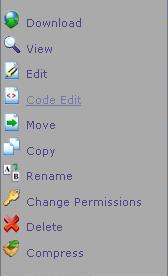
In the styles subdirectory, right-click on the shCore.css file and select Code Edit:
This is what my version of .syntaxhighlighter defaulted to:
[code language="css"]
.syntaxhighlighter {
width: 100% !important;
margin: 1em 0 1em 0 !important;
position: relative !important;
overflow: auto !important;
overflow-y: hidden !important;
font-size: 1em !important;
}
[/code]
Modify the font-size section of .syntaxhighlighter in the code to your own preference as follows:
[code language="css"]
.syntaxhighlighter {
width: 100% !important;
margin: 1em 0 1em 0 !important;
position: relative !important;
overflow: auto !important;
overflow-y: hidden !important;
font-size: 12px !important;
}
[/code]
For this blog I simply changed font-size from lem to 12px, resulting in code samples that are less in-your-face.
Job done.


Comments
Post a Comment