Creating sequence diagrams in Enterprise Architect
A few screenshots describing how to create sequence diagrams using Enterprise Architect. There is an excellent YouTube presentation, which is where I got a lot of this information from, available from here:
http://www.youtube.com/watch?v=ehz3ha5Jp94
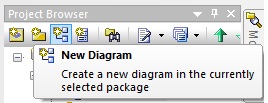
In your project browser first click on the new diagram icon:
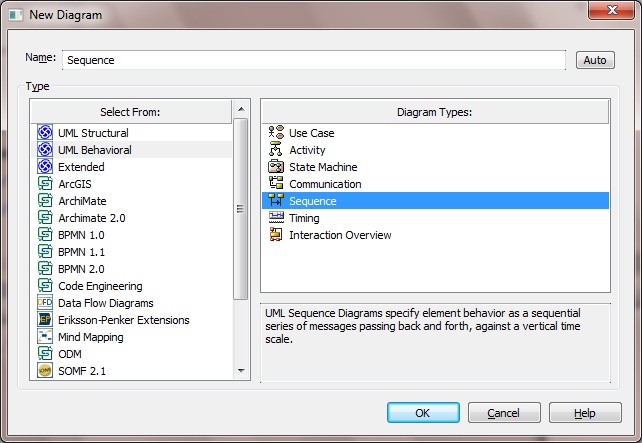
 Then select 'UML Behavioral' from the type column and 'Sequence' from the Diagram Type column:
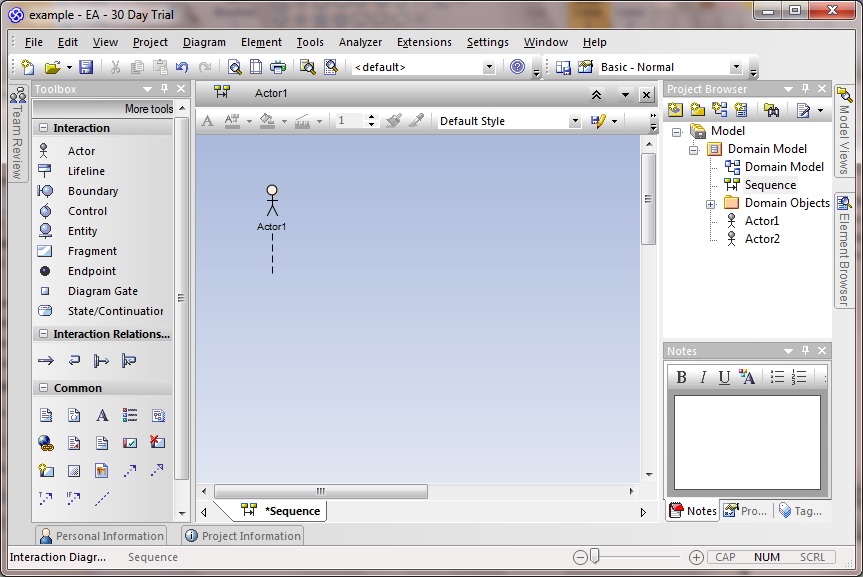
 Drag an actor on to the drawing area:
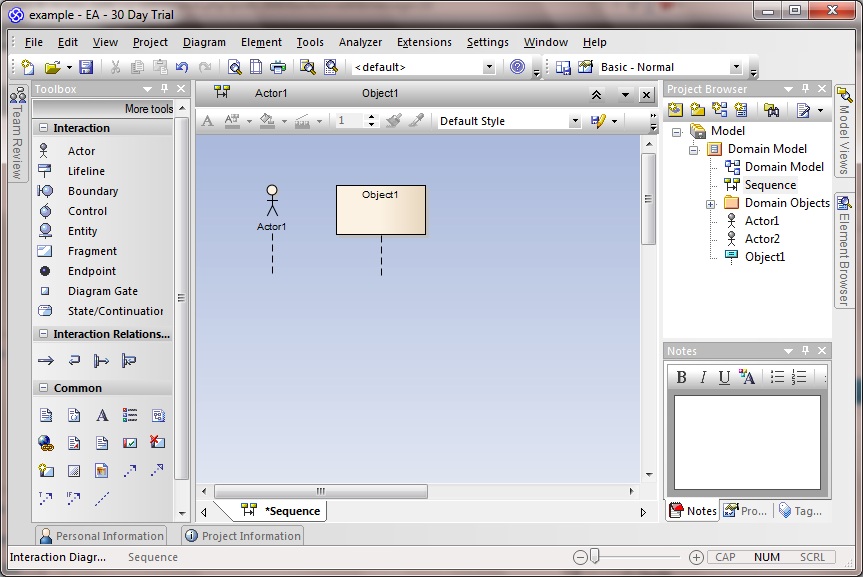
 And then a lifeline:
 To draw an arrow between the actor an lifeline, select the actor, so that an upwards-facing arrow becomes visible beside it:
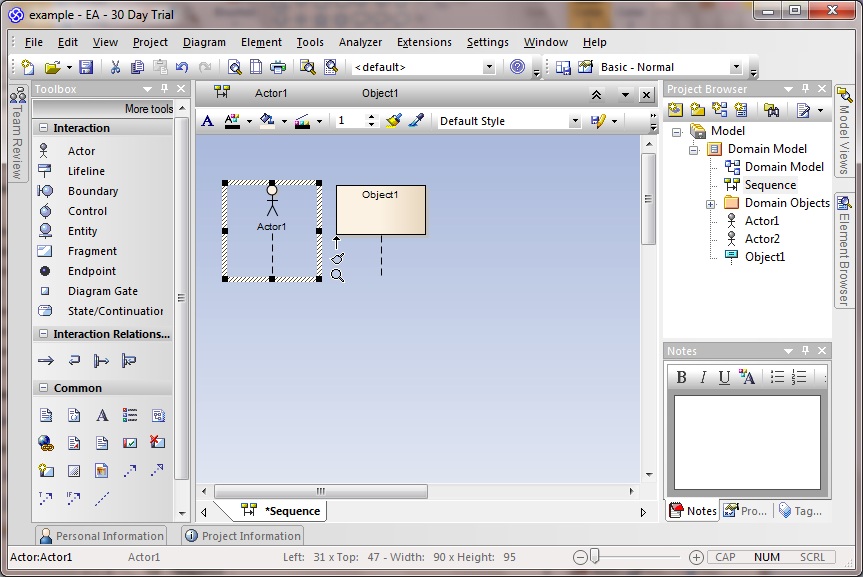 Click on this arrow, dragging it over to the lifeline:
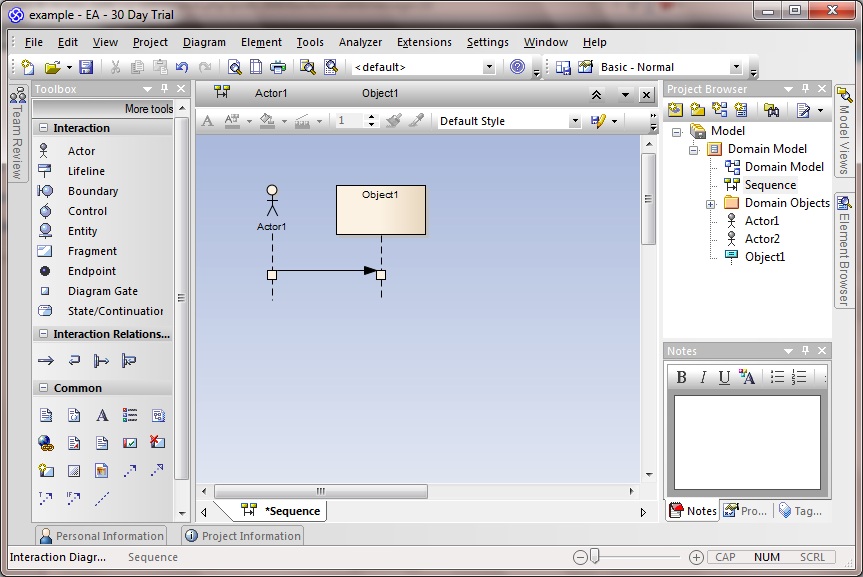 To add another lifeline, do the same as before by selecting it from the toolbox and dragging it over to the target destination. Ditto adding a new link between the first and second lifeline objects.
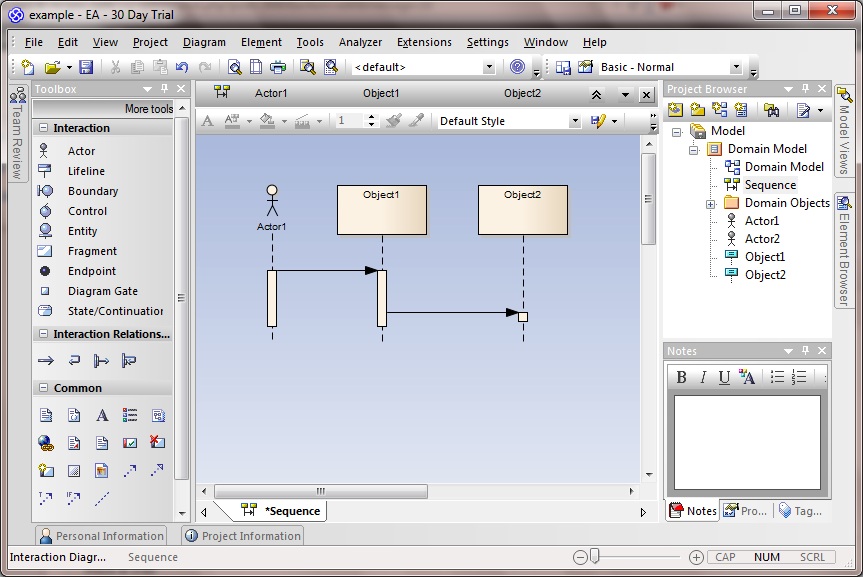 To lower the second object, double click on the arrow between them,
select lifecycle -> New and give it a massage and press OK:
To lower the second object, double click on the arrow between them,
select lifecycle -> New and give it a massage and press OK:
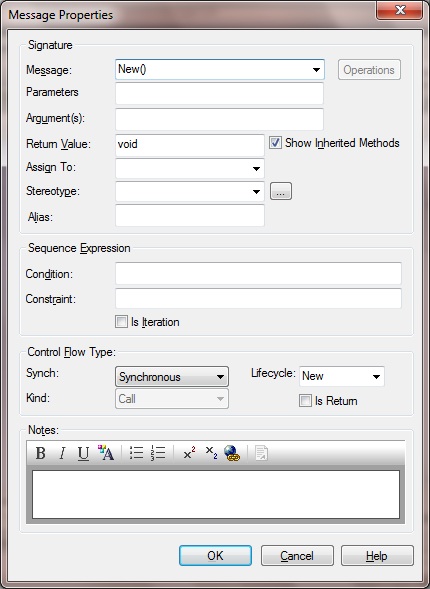 And notice that the second item drops down lower, and the line between becomes dashed:
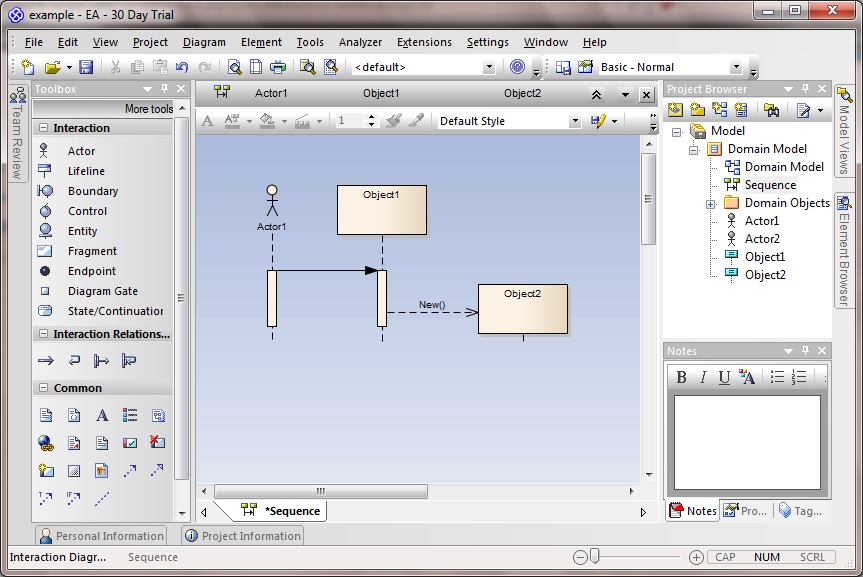 Feel free to now to draw a few more interactions in exactly the same was as described above: select the source object and its arrow, and drag to the target object:
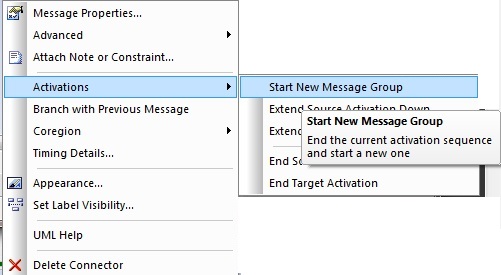
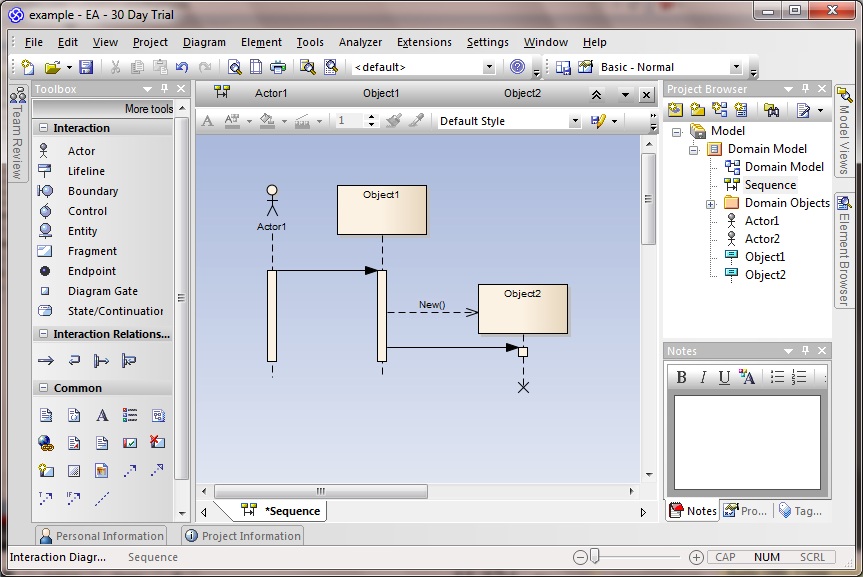 To insert a gaps between message exchanges, I right click on the lower link in this example and select Activations -> Start new message group:
 Which results in the desired gap:
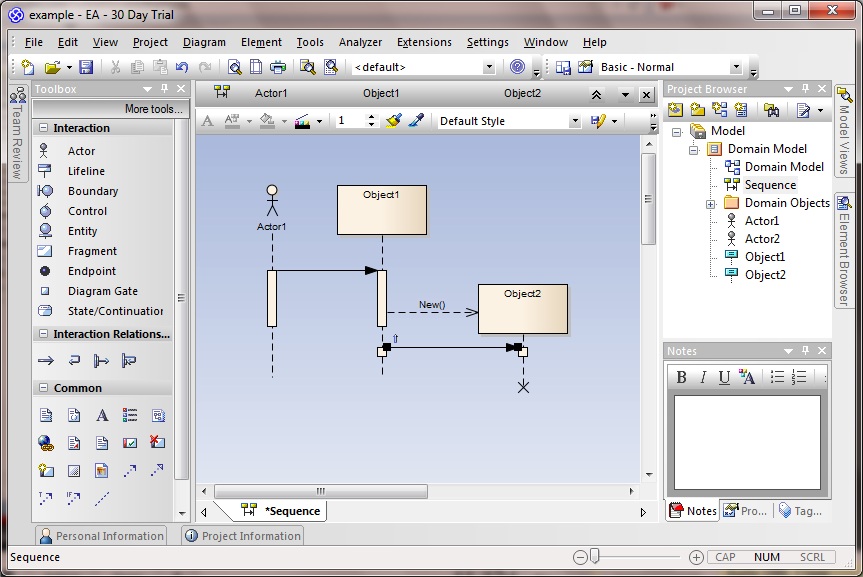 To show self-activity, click on the item's arrow and drag it back on to the same lifeline. Double click on it in order to set its message:
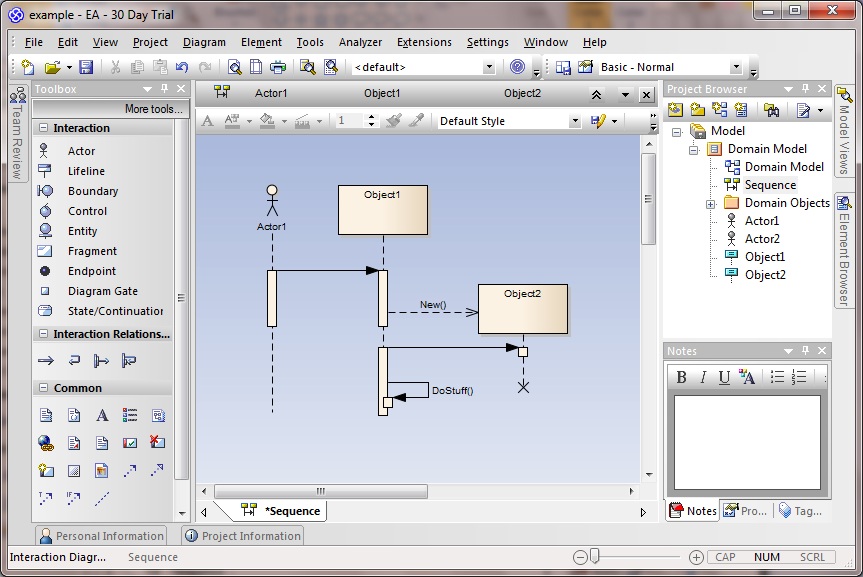 For me that's all I really need to know about this for now, but I will update if I come across any other issues that need documenting.
Then select 'UML Behavioral' from the type column and 'Sequence' from the Diagram Type column:
Drag an actor on to the drawing area:
And then a lifeline:
To draw an arrow between the actor an lifeline, select the actor, so that an upwards-facing arrow becomes visible beside it:
Click on this arrow, dragging it over to the lifeline:
To add another lifeline, do the same as before by selecting it from the toolbox and dragging it over to the target destination. Ditto adding a new link between the first and second lifeline objects.
To lower the second object, double click on the arrow between them,
select lifecycle -> New and give it a massage and press OK:
And notice that the second item drops down lower, and the line between becomes dashed:
Feel free to now to draw a few more interactions in exactly the same was as described above: select the source object and its arrow, and drag to the target object:
To insert a gaps between message exchanges, I right click on the lower link in this example and select Activations -> Start new message group:
Which results in the desired gap:
To show self-activity, click on the item's arrow and drag it back on to the same lifeline. Double click on it in order to set its message:
For me that's all I really need to know about this for now, but I will update if I come across any other issues that need documenting.


Comments
Post a Comment